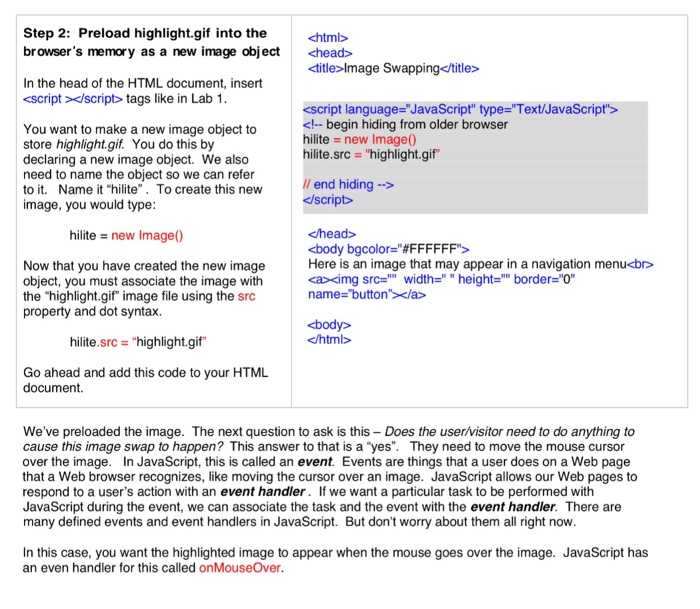
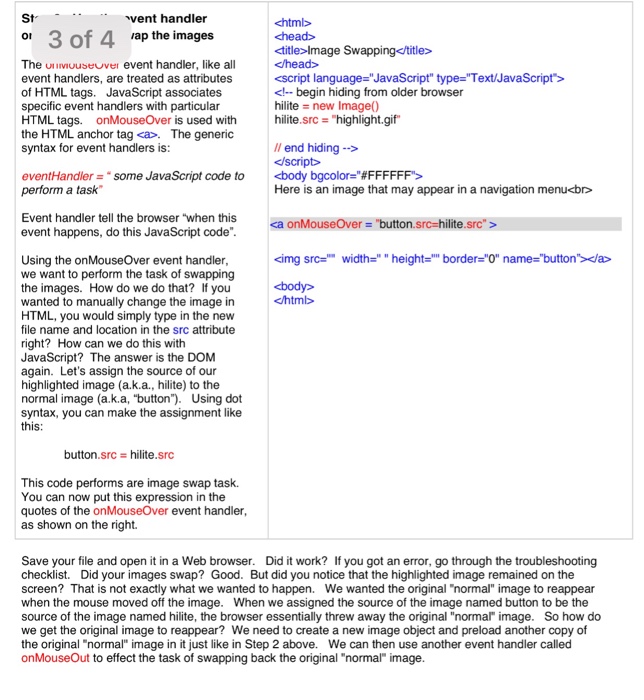
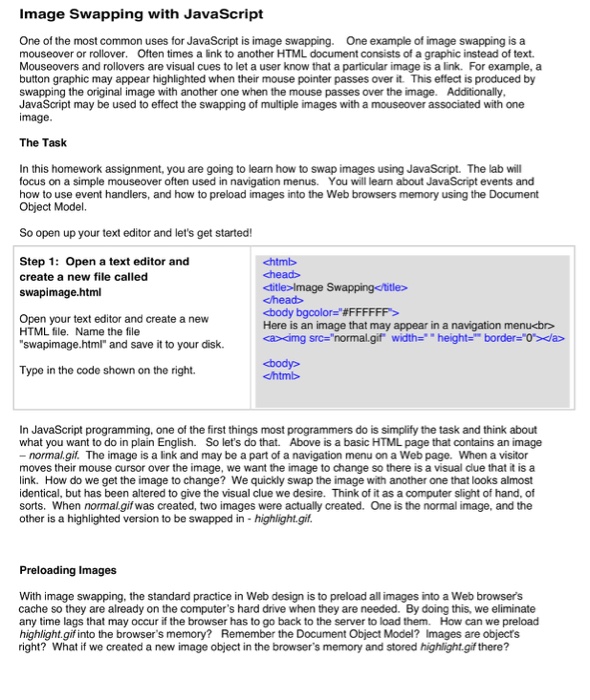
Question: 4 2 3 1 Step 4: Create another image object to htmb swap back normal.gif head cscript language=JavaScript type=Text/JavaScript> event handler acting as an attribute
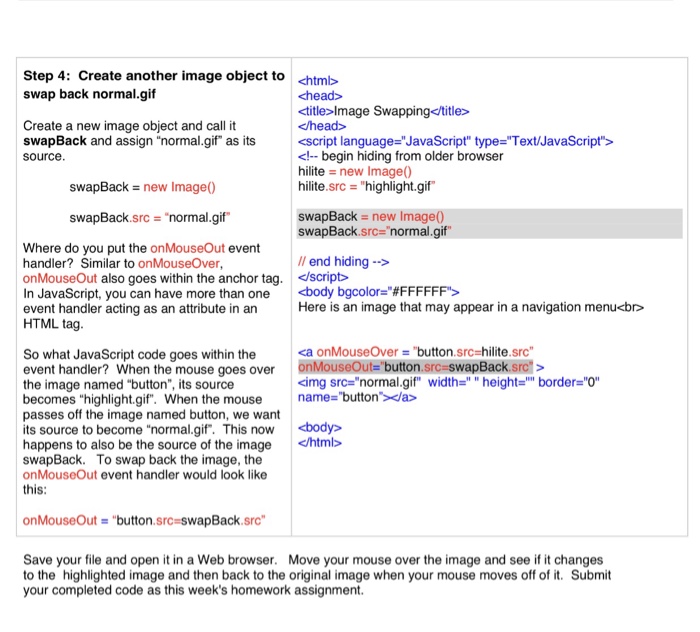
 4 2 3 1 Step 4: Create another image object to4
htmb swap back normal.gif head cscript language="JavaScript" type="Text/JavaScript"> event handler acting as2
an attribute in an HTML tag Il end hiding -> Here is3
an image that may appear in a navigation menu the image named1

Step 4: Create another image object to htmb swap back normal.gif head

<jhead> cscript language="JavaScript" type="Text/JavaScript"> event handler acting as an attribute in an HTML tag Il end hiding -> Here is an image that may appear in a navigation menu<bro a onmouseover so what javascript code goes within the event handler when mouse over onmouseout button.src-swapback.src> the image named "button", its source becomes "highlight.gif". When the mouse name- passes off the image named button, we want its source to become "normal.gif. This now happens to also be the source of the image swapBack. To swap back the image, the onMouseOut event handler would look like this src="normal.gif" "button->width=.' " img height-="" border="0" onMouseOut = "button.src=swapBack.src" Save your file and open it in a Web browser. Move your mouse over the image and see if it changes to the highlighted image and then back to the original image when your mouse moves off of it. Submit your completed code as this week's homework assignment</bro></jhead>

Step by Step Solution

There are 3 Steps involved in it

1 Expert Approved Answer
Step: 1 Unlock blur-text-image

Question Has Been Solved by an Expert!

Get step-by-step solutions from verified subject matter experts

Step: 2 Unlock
Step: 3 Unlock

Students Have Also Explored These Related Databases Questions!