







Question: 4 . Database review 1 - Review 1 will cover the concepts covered in Module 5 . Create a Database for the Final called Final
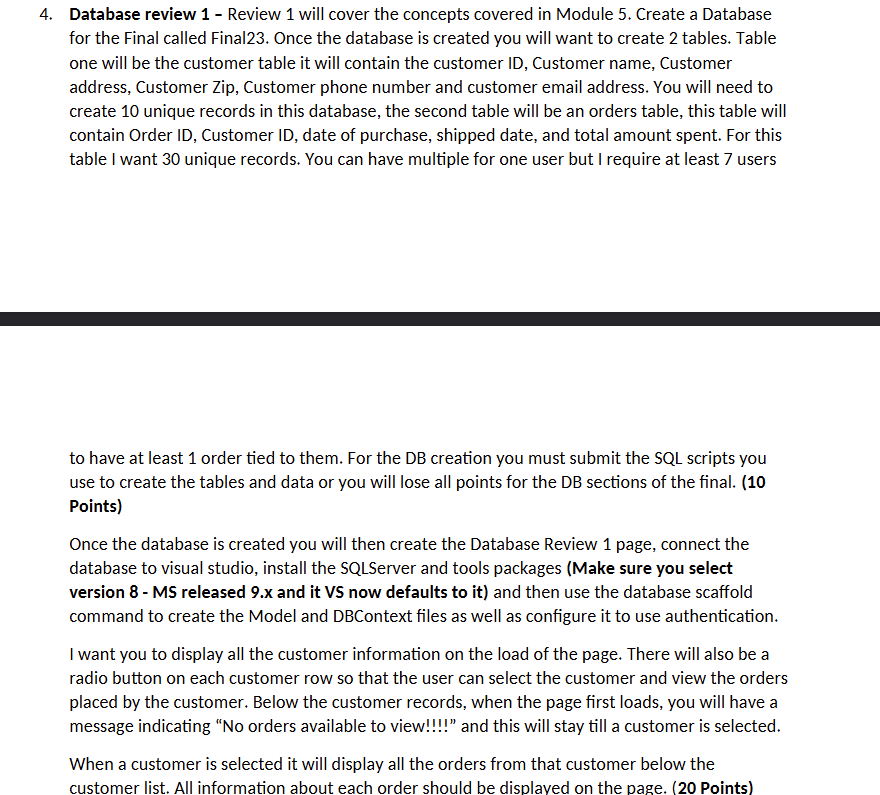
Database review Review will cover the concepts covered in Module Create a Database for the Final called Final Once the database is created you will want to create tables. Table one will be the customer table it will contain the customer ID Customer name, Customer address, Customer Zip, Customer phone number and customer email address. You will need to create unique records in this database, the second table will be an orders table, this table will contain Order ID Customer ID date of purchase, shipped date, and total amount spent. For this table I want unique records. You can have multiple for one user but I require at least users
to have at least order tied to them. For the DB creation you must submit the SQL scripts you use to create the tables and data or you will lose all points for the DB sections of the final. Points
Once the database is created you will then create the Database Review page, connect the database to visual studio, install the SQLServer and tools packages Make sure you select version MS released x and it VS now defaults to it and then use the database scaffold command to create the Model and DBContext files as well as configure it to use authentication.
I want you to display all the customer information on the load of the page. There will also be a radio button on each customer row so that the user can select the customer and view the orders placed by the customer. Below the customer records, when the page first loads, you will have a message indicating No orders available to view!!!!" and this will stay till a customer is selected.
When a customer is selected it will display all the orders from that customer below the customer list. All information about each order should be displayed on the page. Points
Step by Step Solution
There are 3 Steps involved in it
1 Expert Approved Answer
Step: 1 Unlock

Question Has Been Solved by an Expert!
Get step-by-step solutions from verified subject matter experts
Step: 2 Unlock
Step: 3 Unlock
 Study Help