







Question: 4. Directions Using the following guidelines, create a python program. 1. You will be using the CPT180Stuff folder from the Bash Assignment for this assignment.
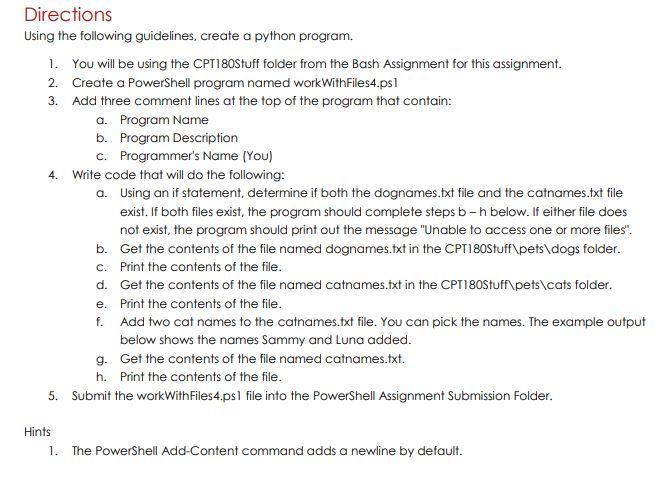
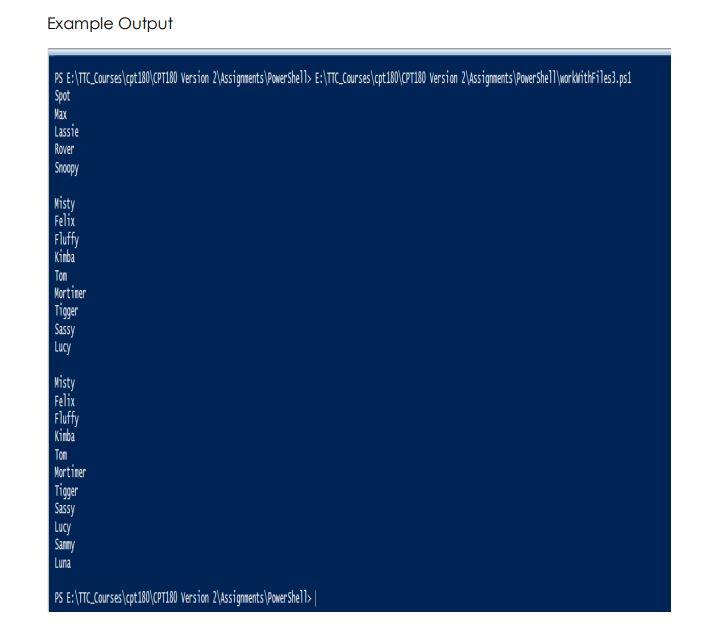
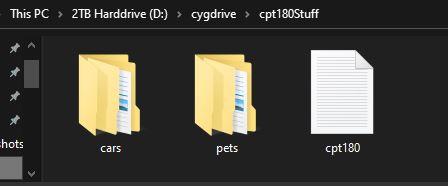
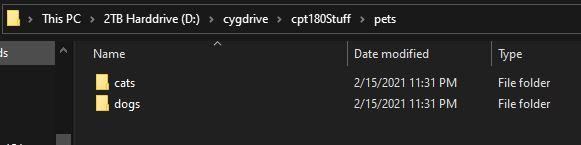
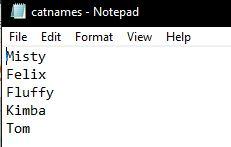
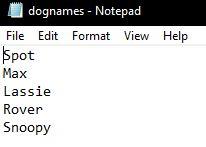
4. Directions Using the following guidelines, create a python program. 1. You will be using the CPT180Stuff folder from the Bash Assignment for this assignment. 2. Create a PowerShell program named workWithFiles4.psi 3. Add three comment lines at the top of the program that contain: a. Program Name b. Program Description C. Programmer's Name (You) Write code that will do the following: a. Using an if statement, determine if both the dognames.txt file and the catnames.txt file exist. If both files exist, the program should complete steps b-h below. If either file does not exist, the program should print out the message "Unable to access one or more files". b. Get the contents of the file named dognames.txt in the CPT180Stuff\pets\dogs folder. c. Print the contents of the file. d. Get the contents of the file named catnames.txt in the CPT180Stuff pets\cats folder. e. Print the contents of the file. f. Add two cat names to the catnames.txt file. You can pick the names. The example output below shows the names Sammy and Luna added. g. Get the contents of the file named catnames.txt. h. Print the contents of the file. 5. Submit the workWith Files4.psl file into the PowerShell Assignment Submission Folder. Hints 1. The PowerShell Add-Content command adds a newline by default. Example Output PS E:\TTC_Courses \cpt:180\CPT180 Version 24Assignments \Powershells E:\TTC_Courses (pt180\cor180 Version 2\Assigments Power shell workdrithFiles3.psi Spot Max Lassie Rover Snoopy Misty Felix Fluffy Kinba Ton Mortimer Tigger Sassy Lucy Misty Felix Fluffy Kinba Ton Mortimer Tigger Sassy Lucy Sammy Luna PS E:\TTC_Courses cpt 180\CP180 Version 2\assignments (Power'shells | This PC > 2TB Harddrive (D:) > cygdrive > cpt180Stuff hots cars pets cpt180 > This PC > 2TB Harddrive (D:) > cygdrive > cpt180Stuff > pets ds Name Date modified Type cats dogs 2/15/2021 11:31 PM 2/15/2021 11:31 PM File folder File folder dognames - Notepad File Edit Format View Help Spot Max Lassie Rover Snoopy 4. Directions Using the following guidelines, create a python program. 1. You will be using the CPT180Stuff folder from the Bash Assignment for this assignment. 2. Create a PowerShell program named workWithFiles4.psi 3. Add three comment lines at the top of the program that contain: a. Program Name b. Program Description C. Programmer's Name (You) Write code that will do the following: a. Using an if statement, determine if both the dognames.txt file and the catnames.txt file exist. If both files exist, the program should complete steps b-h below. If either file does not exist, the program should print out the message "Unable to access one or more files". b. Get the contents of the file named dognames.txt in the CPT180Stuff\pets\dogs folder. c. Print the contents of the file. d. Get the contents of the file named catnames.txt in the CPT180Stuff pets\cats folder. e. Print the contents of the file. f. Add two cat names to the catnames.txt file. You can pick the names. The example output below shows the names Sammy and Luna added. g. Get the contents of the file named catnames.txt. h. Print the contents of the file. 5. Submit the workWith Files4.psl file into the PowerShell Assignment Submission Folder. Hints 1. The PowerShell Add-Content command adds a newline by default. Example Output PS E:\TTC_Courses \cpt:180\CPT180 Version 24Assignments \Powershells E:\TTC_Courses (pt180\cor180 Version 2\Assigments Power shell workdrithFiles3.psi Spot Max Lassie Rover Snoopy Misty Felix Fluffy Kinba Ton Mortimer Tigger Sassy Lucy Misty Felix Fluffy Kinba Ton Mortimer Tigger Sassy Lucy Sammy Luna PS E:\TTC_Courses cpt 180\CP180 Version 2\assignments (Power'shells | This PC > 2TB Harddrive (D:) > cygdrive > cpt180Stuff hots cars pets cpt180 > This PC > 2TB Harddrive (D:) > cygdrive > cpt180Stuff > pets ds Name Date modified Type cats dogs 2/15/2021 11:31 PM 2/15/2021 11:31 PM File folder File folder dognames - Notepad File Edit Format View Help Spot Max Lassie Rover Snoopy
Step by Step Solution
There are 3 Steps involved in it

Get step-by-step solutions from verified subject matter experts
 Study Help