







Question: 4. Employees: Your design must store basic contact information for each employee, including their full name, home mailing address, phone number, and email address.
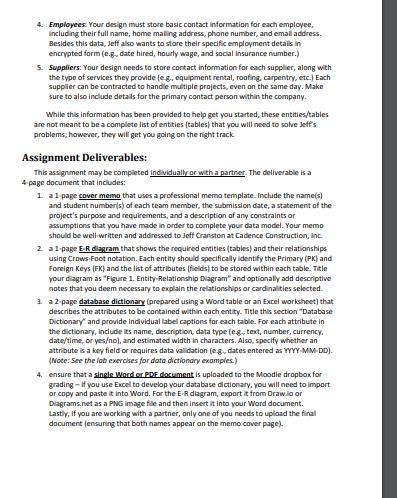

4. Employees: Your design must store basic contact information for each employee, including their full name, home mailing address, phone number, and email address. Besides this data, Jeff also wants to store their specific employment details in encrypted form (e.g., date hired, hourly wage, and social insurance number.) 5. Suppliers: Your design needs to store contact information for each supplier, along with the type of services they provide (e.g., equipment rental, roofing, carpentry, etc.) Each supplier can be contracted to handle multiple projects, even on the same day. Make sure to also include details for the primary contact person within the company. While this information has been provided to help get you started, these entities/tables are not meant to be a complete list of entities (tables) that you will need to solve Jeff's problems; however, they will get you going on the right track Assignment Deliverables: This assignment may be completed individually or with a partner. The deliverable is a 4-page document that includes: 1 a 1-page cover memo that uses a professional memo template. Include the name(s) and student number(s) of each team member, the submission date, a statement of the project's purpose and requirements, and a description of any constraints or assumptions that you have made in order to complete your data model. Your memo should be well-written and addressed to Jeff Cranston at Cadence Construction, Inc. 2. a 1-page E-R diagram that shows the required entities (tables) and their relationships using Crows Foot notation. Each entity should specifically identify the Primary (PK) and Foreign Keys (FK) and the list of attributes (fields) to be stored within each table. Title your diagram as "Figure 1. Entity Relationship Diagram" and optionally add descriptive notes that you deem necessary to explain the relationships or cardinalities selected. 3. a 2-page database dictionary (prepared using a Word table or an Excel worksheet) that describes the attributes to be contained within each entity. Title this section "Database Dictionary and provide individual label captions for each table. For each attribute in the dictionary, include its name, description, data type (eg, text, number, currency, date/time, or yes/no), and estimated width in characters. Also, specify whether an attribute is a key field or requires data validation (eg, dates entered as YYYY-MM-DD). (Note: See the lab exercises for data dictionary examples.) 4. ensure that a single Word or PDF document is uploaded to the Moodle dropbox for grading - If you use Excel to develop your database dictionary, you will need to import or copy and paste it into Word. For the E-R diagram, export it from Draw.io or Diagrams.net as a PNG image file and then insert it into your Word document. Lastly, if you are working with a partner, only one of you needs to upload the final document (ensuring that both names appear on the memo cover page). Cadence Construction, Inc. Project Database You have been asked by Jeff Cranston, the owner/operator of Cadence Construction to design a project planning database for managing his customers, building projects, suppliers, and full-time employees. After several conversations with Jeff, you determine that an E-R diagram would be the best place to start in mapping out the data requirements from a logical information perspective. Your task is to clearly design and professionally present a relational database system that both effectively and efficiently meets Jeff's business needs. Project Details: From your meeting notes with Jeff, you have been able to discern the following details with respect to designing a logical E-R diagram for the proposed project planning database: 1. Customers: Your design needs to store primary customer contact information for billing purposes, including the business name (if applicable), contact name, address, phone number, and email address. (Important: The billing address stored in this entity may or may not be the same as the project's property address.) 2. Properties: A customer might be a single-property homeowner or a contractor who owns several properties. Regardless, your design should store information about each of these properties, including the building name (if commercial), address, photo, year of construction, and whether the necessary building permits have been obtained. 3. Projects. The most important entity of your database is one that stores the project information for a particular property. (Note: More than one project may be assigned to a single property over its lifetime.) The entity must store data about the project's start date, expected finish date, estimated budget, and description of work (e.g., "Build a new garage"), along with any special requests (e.g., "Don't start work before 9:00am"). Furthermore, each project can have many employees assigned to work on it (e.g., framers and carpenters), but one employee should always be designated as the job-site supervisor. Jeff also wants to keep track of each employee's duties and estimated hours. Besides the company's own employees, external suppliers may be contracted to provide various services (e.g., lumber, scaffolding, and concrete). Jeff wants to be able to see what services were provided by suppliers on a project and whether or not an invoice has been received for work completed and/or paid by his company.
Step by Step Solution
3.50 Rating (153 Votes )
There are 3 Steps involved in it

Get step-by-step solutions from verified subject matter experts
 Study Help