



Question: 4. For this item, you will compute areas under the standard normal curve. Because you are working with the standard normal curve, the mean =
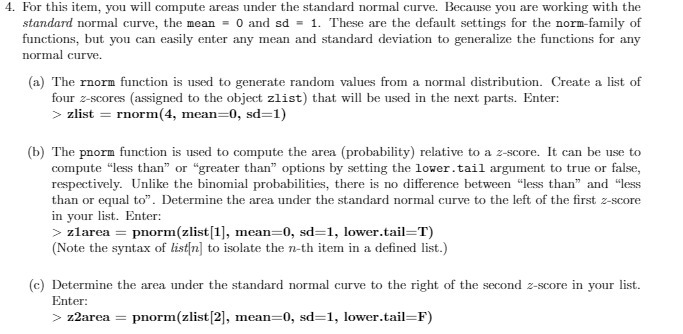
4. For this item, you will compute areas under the standard normal curve. Because you are working with the standard normal curve, the mean = 0 and sd = 1. These are the default settings for the norm-family of functions, but you can easily enter any mean and standard deviation to generalize the functions for any normal curve. (a) The rnorm function is used to generate random values from a normal distribution. Create a list of four z-scores (assigned to the object zlist) that will be used in the next parts. Enter: > zlist = rnorm(4, mean=0, sd=1) (b) The pnorm function is used to compute the area (probability) relative to a z-score. It can be use to compute "less than" or "greater than" options by setting the lower . tail argument to true or false, respectively. Unlike the binomial probabilities, there is no difference between "less than" and "less than or equal to". Determine the area under the standard normal curve to the left of the first z-score in your list. Enter: >zlarea = pnorm(zlist[1], mean=0, sd=1, lower.tail=T) (Note the syntax of list(n] to isolate the n-th item in a defined list.) (c) Determine the area under the standard normal curve to the right of the second 2-score in your list. Enter: > z2area = pnorm(zlist 2], mean=0, sd=1, lower.tail=F)
Step by Step Solution
There are 3 Steps involved in it

Get step-by-step solutions from verified subject matter experts