





Question: 4. Preparing Engaging Multimedia Presentations The most widely used presentation software program is Microsoft PowerPoint. You can produce a professional and memorable presentation using this
4. Preparing Engaging Multimedia Presentations4. Preparing Engaging Multimedia Presentations

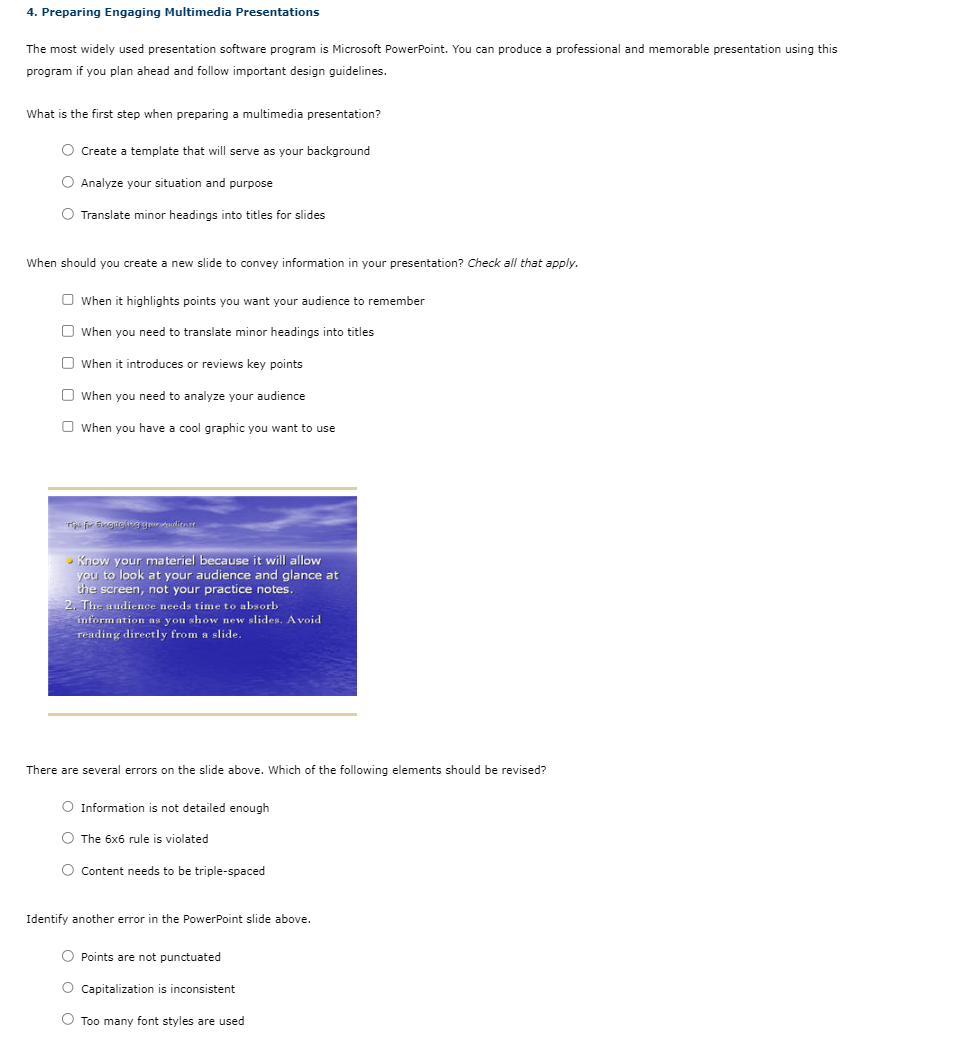
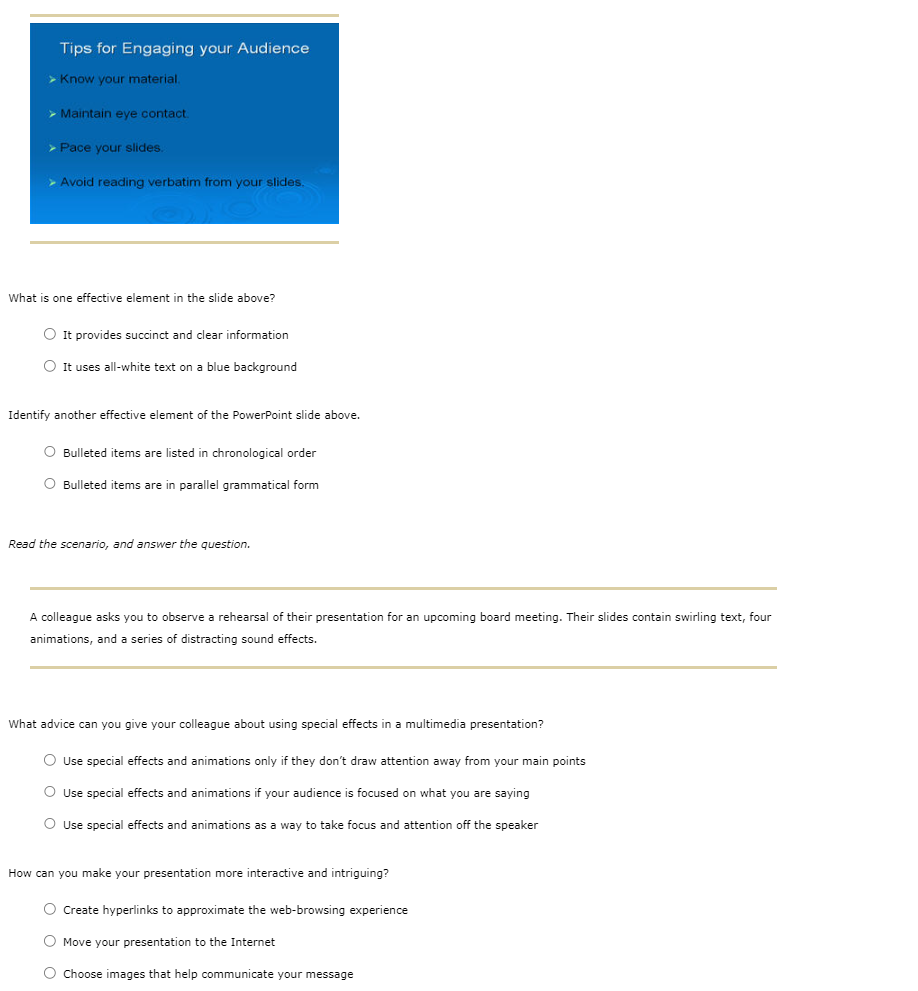
4. Preparing Engaging Multimedia Presentations The most widely used presentation software program is Microsoft PowerPoint. You can produce a professional and memorable presentation using this program if you plan ahead and follow important design guidelines. What is the first step when preparing a multimedia presentation? Create a template that will serve as your background Analyze your situation and purpose Translate minor headings into titles for slides When should you create a new slide to convey information in your presentation? Check all that apply. When it highlights points you want your audience to remember When you need to translate minor headings into titles When it introduces or reviews key points When you need to analyze your audience When you have a cool graphic you want to use - inow your materiel because it will allow you to look at your audience and glance at the screen, not your practice notes. 2. They audience needs time to absorb information as you show new slides. Avoid reading directly from a slide. There are several errors on the slide above. Which of the following elements should be revised? Information is not detailed enough The 66 rule is violated Content needs to be triple-spaced Identify another error in the PowerPoint slide above. Points are not punctuated Capitalization is inconsistent Too many font styles are used Tips for Engaging your Audience > Know your material. - Maintain eye contact. Pace your slides. Avoid reading verbatim from your slides. What is one effective element in the slide above? It provides succinct and clear information It uses all-white text on a blue background Identify another effective element of the PowerPoint slide above. Bulleted items are listed in chronological order Bulleted items are in parallel grammatical form Read the scenario, and answer the question. A colleague asks you to observe a rehearsal of their presentation for an upcoming board meeting. Their slides contain swirling text, four animations, and a series of distracting sound effects. What advice can you give your colleague about using special effects in a multimedia presentation? Use special effects and animations only if they don't draw attention away from your main points Use special effects and animations if your audience is focused on what you are saying Use special effects and animations as a way to take focus and attention off the speaker How can you make your presentation more interactive and intriguing? Create hyperlinks to approximate the web-browsing experience Move your presentation to the Internet Choose images that help communicate your message

Step by Step Solution

There are 3 Steps involved in it

1 Expert Approved Answer
Step: 1 Unlock blur-text-image

Question Has Been Solved by an Expert!

Get step-by-step solutions from verified subject matter experts

Step: 2 Unlock
Step: 3 Unlock

Students Have Also Explored These Related General Management Questions!