







Question: 4. Select C# and click Web. 5. Select ASP.NET Empty Web Site. 6. Enter ITCO381_IP1 as the name. 7. Click OK. 8. In Solution Explorer,
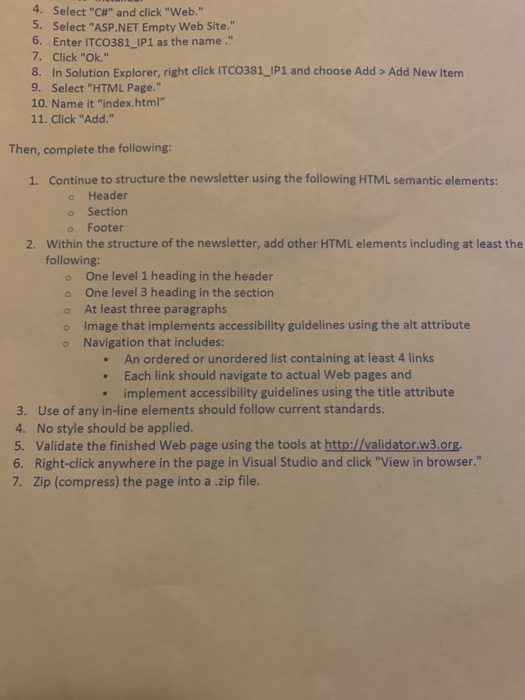
4. Select "C#" and click "Web." 5. Select "ASP.NET Empty Web Site." 6. Enter ITCO381_IP1 as the name." 7. Click "OK." 8. In Solution Explorer, right click ITCO381_IP1 and choose Add > Add New Item 9. Select "HTML Page." 10. Name it "index.html" 11. Click "Add." Then, complete the following: 1. Continue to structure the newsletter using the following HTML semantic elements: Header Section Footer 2. Within the structure of the newsletter, add other HTML elements including at least the following: One level 1 heading in the header One level 3 heading in the section At least three paragraphs Image that implements accessibility guidelines using the alt attribute Navigation that includes: An ordered or unordered list containing at least 4 links . Each link should navigate to actual Web pages and . implement accessibility guidelines using the title attribute 3. Use of any in-line elements should follow current standards. 4. No style should be applied. 5. Validate the finished Web page using the tools at http://validator.w3.org. 6. Right-click anywhere in the page in Visual Studio and click "View in browser. 7. Zip (compress) the page into a .zip file
Step by Step Solution
There are 3 Steps involved in it

Get step-by-step solutions from verified subject matter experts
 Study Help