







Question: 4. The default rm command will not confirm before it deletes any regular files. Write a short script called safe rm, such that it will
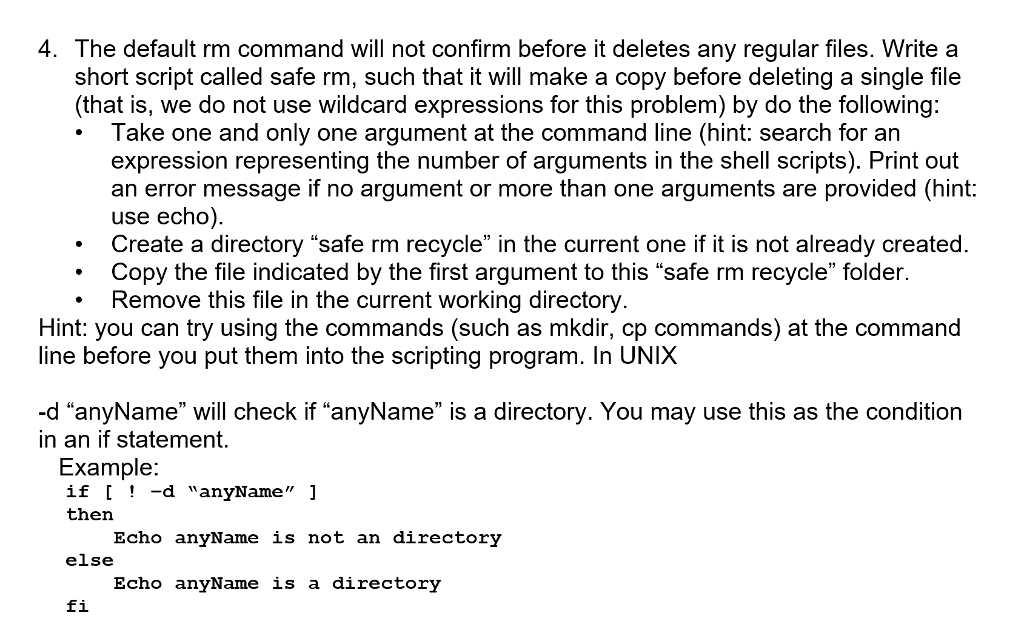
4. The default rm command will not confirm before it deletes any regular files. Write a short script called safe rm, such that it will make a copy before deleting a single file (that is, we do not use wildcard expressions for this problem) by do the following: Take one and only one argument at the command line (hint: search for an expression representing the number of arguments in the shell scripts). Print out an error message if no argument or more than one arguments are provided (hint: use echo). Create a directory "safe rm recycle" in the current one if it is not already created Copy the file indicated by the first argument to this "safe rm recycle" folder .Remove this file in the current working directory Hint: you can try using the commands (such as mkdir, cp commands) at the command line before you put them into the scripting program. In UNIX -d "anyName" will check if "anyName" is a directory. You may use this as the condition in an if statement. Example if -d "anyName" 1 then Echo anyName is not an directory else Echo anyName is a directory fi 4. The default rm command will not confirm before it deletes any regular files. Write a short script called safe rm, such that it will make a copy before deleting a single file (that is, we do not use wildcard expressions for this problem) by do the following: Take one and only one argument at the command line (hint: search for an expression representing the number of arguments in the shell scripts). Print out an error message if no argument or more than one arguments are provided (hint: use echo). Create a directory "safe rm recycle" in the current one if it is not already created Copy the file indicated by the first argument to this "safe rm recycle" folder .Remove this file in the current working directory Hint: you can try using the commands (such as mkdir, cp commands) at the command line before you put them into the scripting program. In UNIX -d "anyName" will check if "anyName" is a directory. You may use this as the condition in an if statement. Example if -d "anyName" 1 then Echo anyName is not an directory else Echo anyName is a directory fi
Step by Step Solution
There are 3 Steps involved in it

Get step-by-step solutions from verified subject matter experts
 Study Help