







Question: 4. Write a script called addexec.sh that will take a single filename as an argument and adds execute permission to the file for the user.
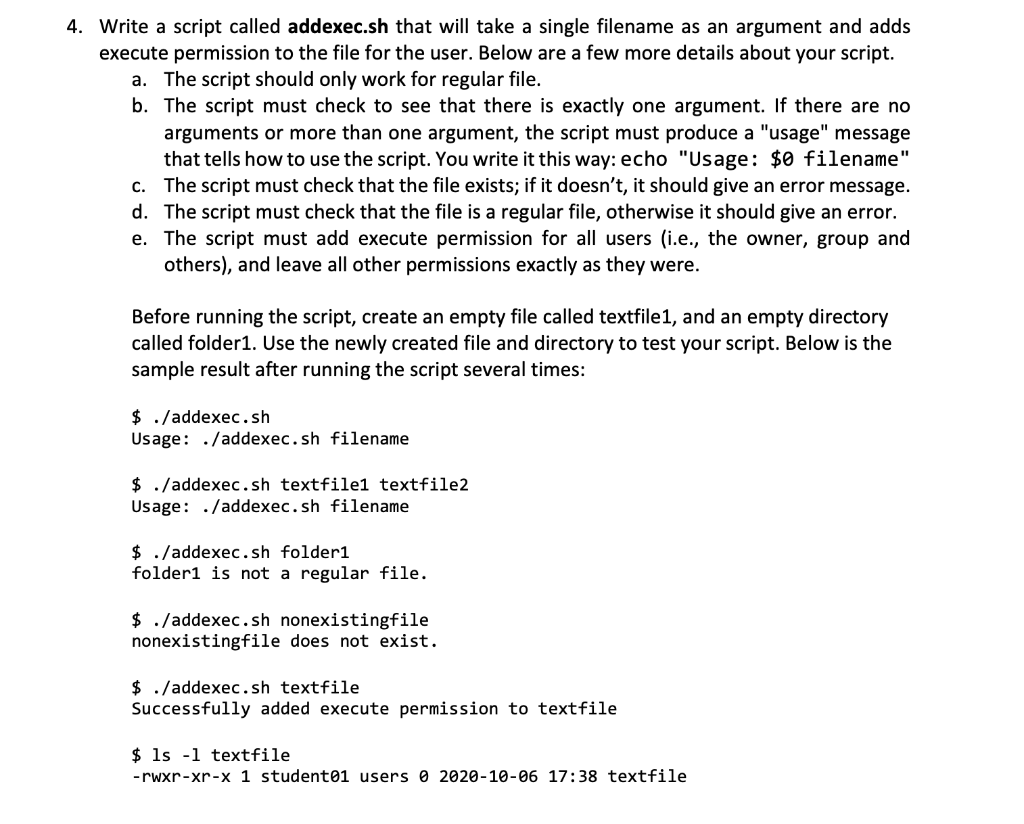
4. Write a script called addexec.sh that will take a single filename as an argument and adds execute permission to the file for the user. Below are a few more details about your script. a. The script should only work for regular file. b. The script must check to see that there is exactly one argument. If there are no arguments or more than one argument, the script must produce a "usage" message that tells how to use the script. You write it this way: echo "Usage: $0 filename" C. The script must check that the file exists; if it doesn't, it should give an error message. d. The script must check that the file is a regular file, otherwise it should give an error. e. The script must add execute permission for all users (i.e., the owner, group and others), and leave all other permissions exactly as they were. Before running the script, create an empty file called textfile1, and an empty directory called folder1. Use the newly created file and directory to test your script. Below is the sample result after running the script several times: $ ./addexec.sh Usage: ./addexec.sh filename $ ./addexec.sh textfile1 textfile2 Usage: ./addexec.sh filename $ ./addexec.sh folder1 folder1 is not a regular file. $ ./addexec.sh nonexistingfile nonexistingfile does not exist. $ ./addexec.sh textfile Successfully added execute permission to textfile $ ls -l textfile -rwxr-xr-x 1 student01 users 0 2020-10-06 17:38 textfile
Step by Step Solution
There are 3 Steps involved in it

Get step-by-step solutions from verified subject matter experts
 Study Help