







Question: 45 Insert a picture as a worksheet background 46 Display the develop tab 47 Freeze columns and rows 48 Create a formula using AVERAGEIF function
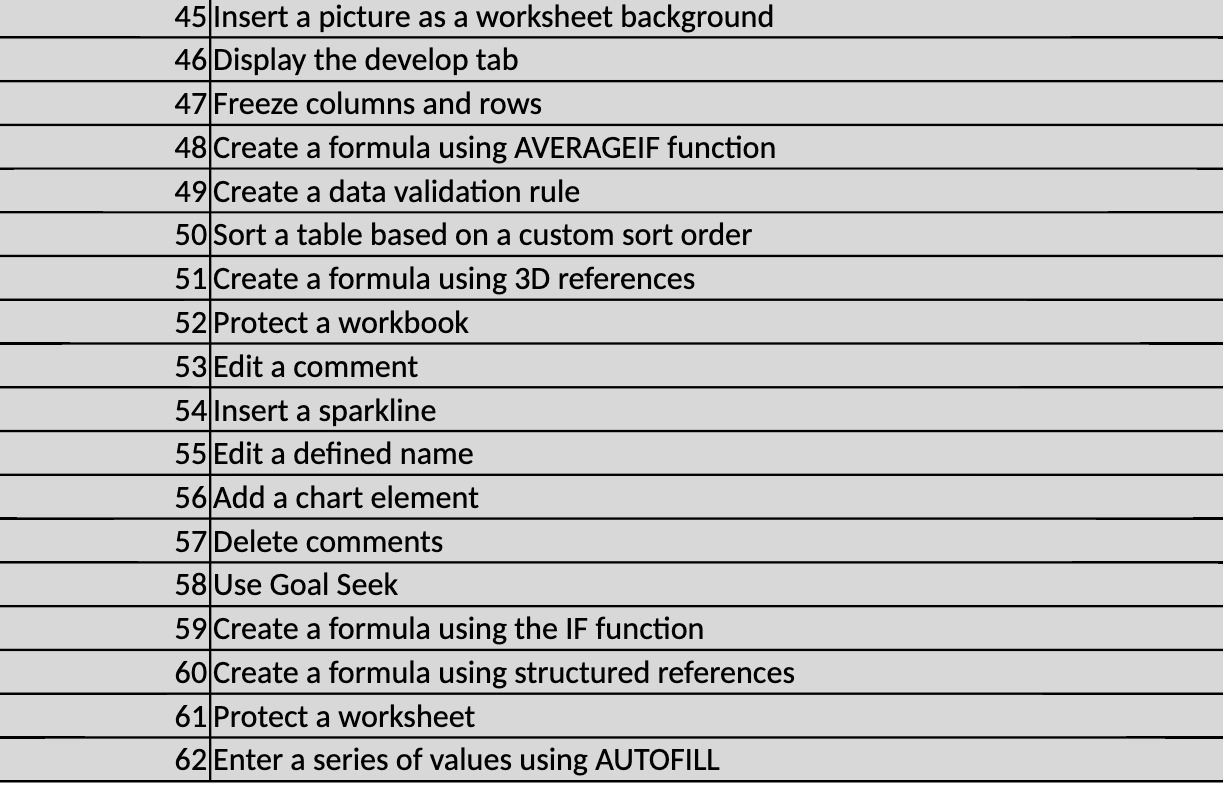
45 Insert a picture as a worksheet background 46 Display the develop tab 47 Freeze columns and rows 48 Create a formula using AVERAGEIF function 49 Create a data validation rule 50 Sort a table based on a custom sort order 51 Create a formula using 3D references 52 Protect a workbook 53 Edit a comment 54 Insert a sparkline 55 Edit a dened name 56 Add a chart element 57 Delete comments 58 Use Goal Seek 59 Create a formula using the IF function 60 Create a formula using structured references 61 Protect a worksheet 62 Enter a series of values using AUTOFILL
Step by Step Solution
There are 3 Steps involved in it
1 Expert Approved Answer
Step: 1 Unlock

Question Has Been Solved by an Expert!
Get step-by-step solutions from verified subject matter experts
Step: 2 Unlock
Step: 3 Unlock
 Study Help