







Question: 4-Python-Everywhere List Highest grade: Problem Statement Given a list and an integer, determine if that integer is everywhere in the list. We define a value
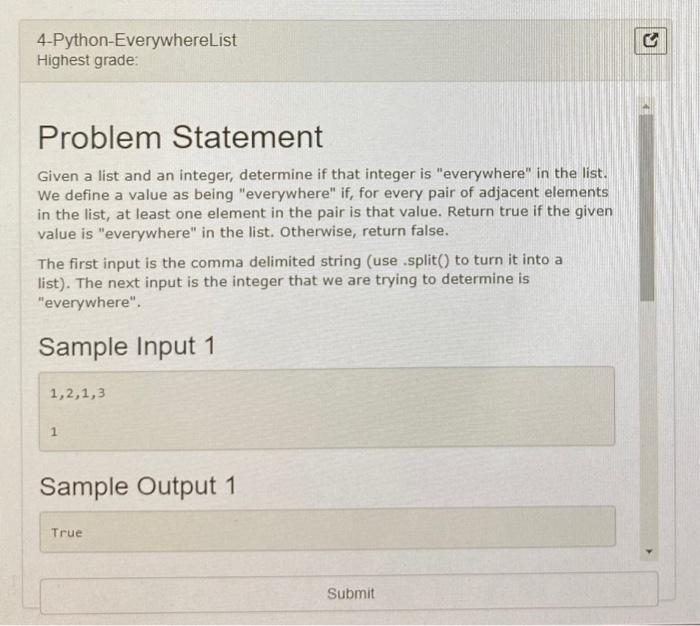
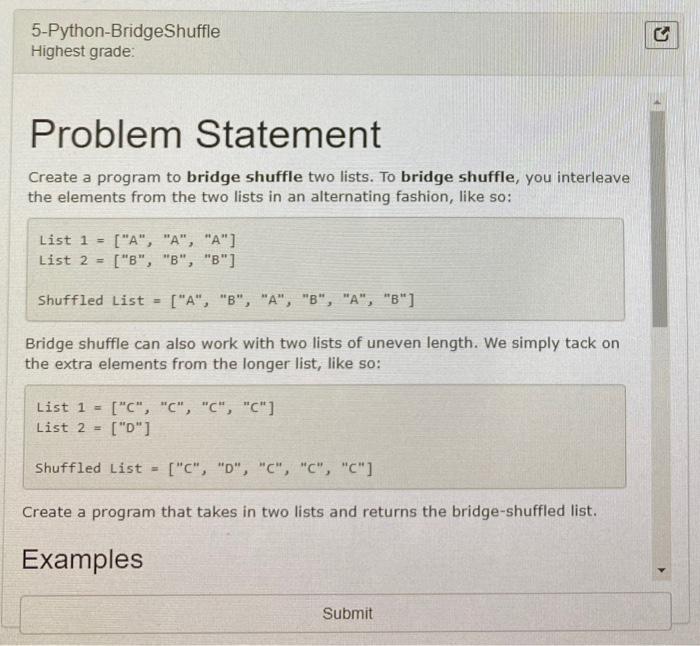
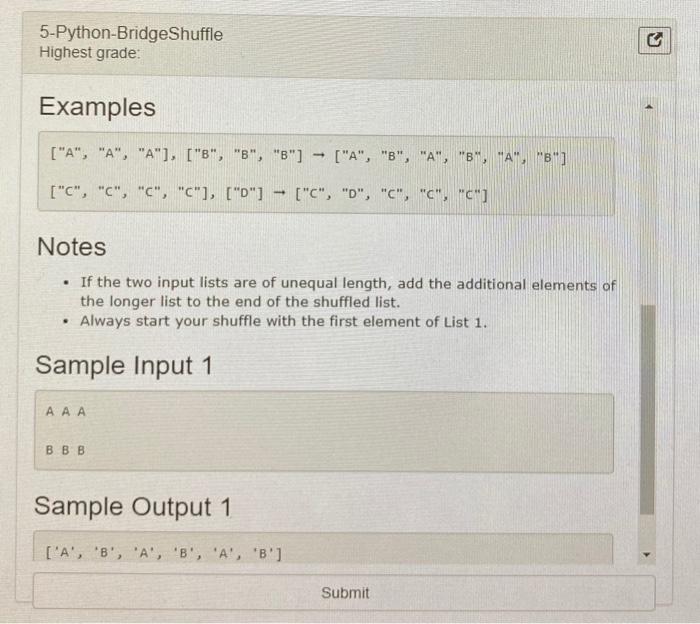
4-Python-Everywhere List Highest grade: Problem Statement Given a list and an integer, determine if that integer is "everywhere" in the list. We define a value as being "everywhere" if, for every pair of adjacent elements in the list, at least one element in the pair is that value. Return true if the given value is "everywhere" in the list. Otherwise, return false. The first input is the comma delimited string (use.split() to turn it into a list). The next input is the integer that we are trying to determine is "everywhere". Sample Input 1 1,2,1,3 1 Sample Output 1 True Submit 5-Python-BridgeShuffle Highest grade: Problem Statement Create a program to bridge shuffle two lists. To bridge shuffle, you interleave the elements from the two lists in an alternating fashion, like so: List 1 = List 2 = ["A", "A", "A"] ["B", "B", "B"] Shuffled List = ["A", "B", "A", "B", "A", "B"] Bridge shuffle can also work with two lists of uneven length. We simply tack on the extra elements from the longer list, like so: List 1 - List 2 = ["C", "C", "C", "C"] ["0"] Shuffled List - ["C", "0", "C", "C", "C"] Create a program that takes in two lists and returns the bridge-shuffled list. Examples Submit 5-Python-BridgeShuffle Highest grade: 3 Examples ["A", "A", "A"], ["8", "B", "3"] ["A", "B", "A", "B" "A", "B"] ["C", "C", "C", "C"], ["0"] ["C", "D", "C", "C", "C"] Notes . If the two input lists are of unequal length, add the additional elements of the longer list to the end of the shuffled list. Always start your shuffle with the first element of List 1. Sample Input 1 AAA BBB Sample Output 1 ['A', 'B', 'A', 'B', 'A', 'B'] Submit
Step by Step Solution
There are 3 Steps involved in it

Get step-by-step solutions from verified subject matter experts
 Study Help