







Question: 5 : 2 3 L ) 2 7 Windows server 2 0 1 6 netwo... 1 9 2 . 1 6 8 . 1 0
:
L
Windows server netwo...
Windows server network infrastructure project
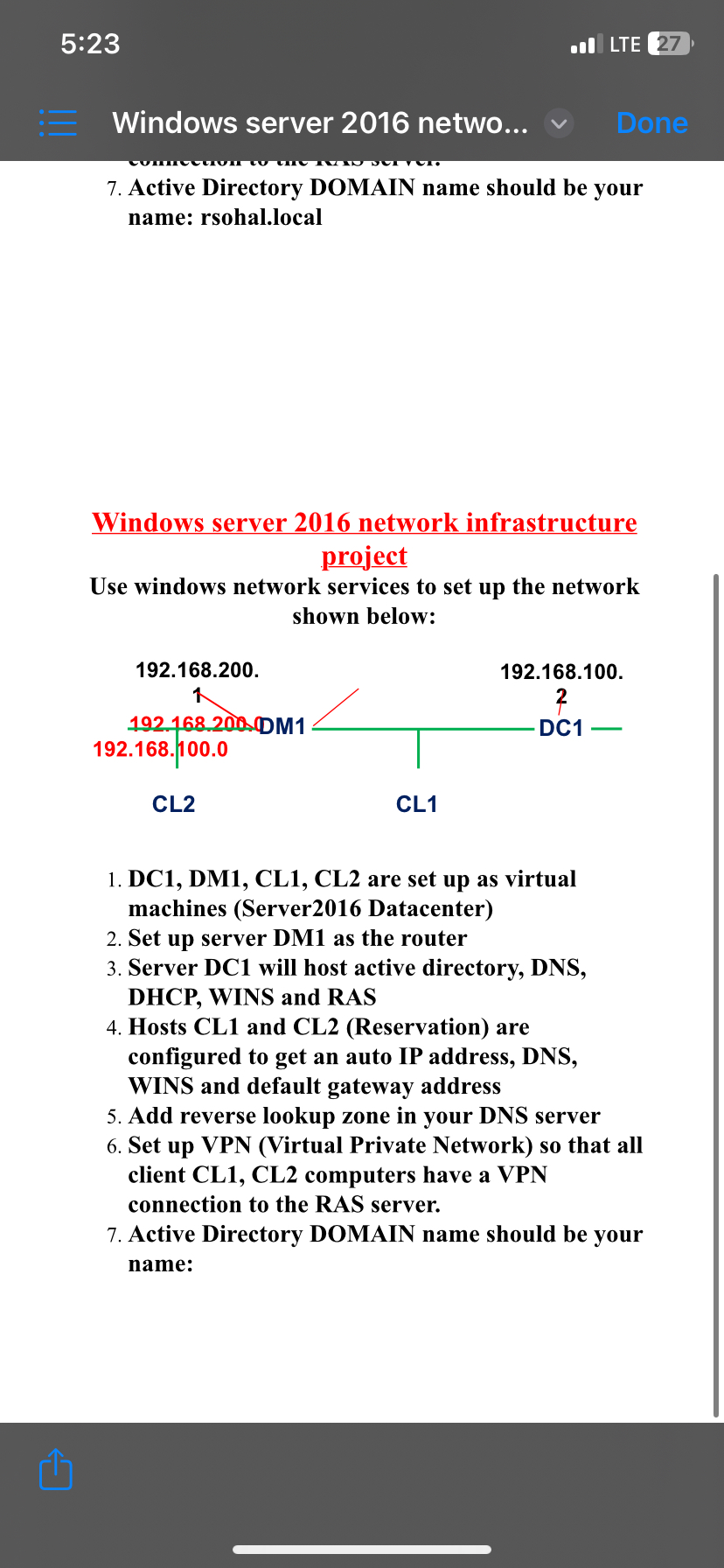
Use windows network services to set up the network shown below:
CL
CL
DC DM CL CL are set up as virtual machines Server Datacenter
Set up server DM as the router
Server DC will host active directory, DNS DHCP WINS and RAS
Hosts CL and CLReservation are configured to get an auto IP address, DNS WINS and default gateway address
Add reverse lookup zone in your DNS server
Set up VPN Virtual Private Network so that all client CL CL computers have a VPN connection to the RAS server.
Active Directory DOMAIN name should be your name: rsohal.local
Windows server network infrastructure project
Use windows network services to set up the network shown below:
:
LITE
Windows server netwo...
Active Directory DOMAIN name should be your name: rsohal.local
Windows server network infrastructure project
Use windows network services to set up the network shown below:
DC DM CL CL are set up as virtual machines Server Datacenter
Set up server DM as the router
Server DC will host active directory, DNS DHCP WINS and RAS
Hosts CL and CLReservation are configured to get an auto IP address, DNS WINS and default gateway address
Add reverse lookup zone in your DNS server
Set up VPN Virtual Private Network so that all client CL CL computers have a VPN connection to the RAS server.
Active Directory DOMAIN name should be your name:
Step by Step Solution
There are 3 Steps involved in it
1 Expert Approved Answer
Step: 1 Unlock

Question Has Been Solved by an Expert!
Get step-by-step solutions from verified subject matter experts
Step: 2 Unlock
Step: 3 Unlock
 Study Help