







Question: 5 : 5 3 7 8 RISC - V Interrupts Overview page in Canvas. Additional files for extra credit mecalltest.asm, exceptiontest.asm, printhex.asm, stringtable.asm, vectortable.asm. Overview
:
"RISCV Interrupts Overview" page in Canvas.
Additional files for extra credit "mecalltest.asm", "exceptiontest.asm", "printhex.asm", "stringtable.asm", "vectortable.asm".
Overview
In this assignment you will implement interrupts and your own MMIO routines to interface with the "MMIO Display and Keyboard" tool. There are several phases to this assignment building up to a fully working program.
Part : MMIO
In Phase we will update ecalls.asm to interact with the RARS tool "MMIO Display and Keyboard"
Use the supplied ecallest.asm program to update ecalls.asm so all tests pass.
This will require you to change the names of your ecall routines.
If your ecall routines were not generic, you will need to update the routines.
Remove any subroutines not required by ecalltest.asm
You will need to update the routines to follow register usage guidelines.
Use the stack to save registers, do not use the data section.
You can use the data section for MMIO Address locations.
You need to implement the following ecalls, with the indicated caveats.
printInt: #
Prints the value in a as a decimal integer.
printString: #
Prints a string one char at a time from a starting address provided in a
readInt:#
Reads a decimal integer from the keyboard and places the value in a
readString: #
Reads a string one char at a time to a starting address provided in a
Use the readString you implemented in printSort as a starting point.
There is no builtin size limit to the readString routing
Type slowly. Don't type faster than you can read the RDR
exit: #
Exits the program using the standard ecall
printChar: #
Prints the value in a as an ASCII character.
readChar: #
Reads an ASCII character from the keyboard and places the value in a
Copy your ecalls.asm file to a new file called MMIO.asm
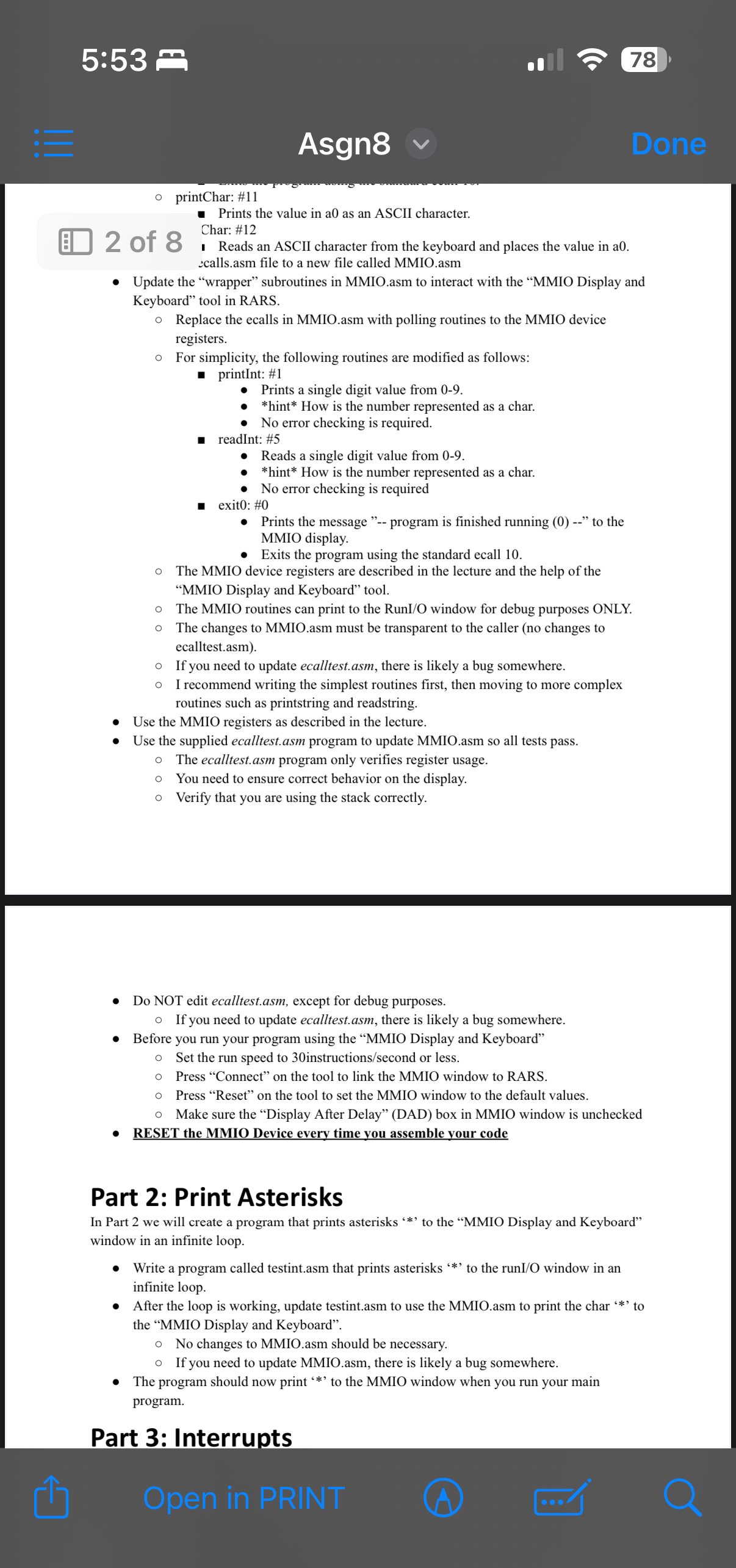
Update the "wrapper" subroutines in MMIO.asm to interact with the "MMIO Display and Keyboard" tool in RARS.
Replace the ecalls in MMIO.asm with polling routines to the MMIO device registers.
For simplicity, the following routines are modified as follows:
printInt: #
Prints a single digit value from
How is the number represented as a char.
No error checking is required.
readInt:#
Reads a single digit value from
How is the number represented as a char.
No error checking is required
exit: #
Prints the message program is finished running to the MMIO display.
Exits the program using the standard ecall
The MMIO device registers are described in the lecture and the help of the "MMIO Display and Keyboard" tool.
:
Asgn
Done
printChar:#
Prints the value in a as an ASCII character.
Char: #
I Reads an ASCII character from the keyboard and places the value in a calls.asm file to a new file called MMIO.asm
of
Update the "wrapper" subroutines in MMIO.asm to interact with the "MMIO Display and Keyboard" tool in RARS.
Replace the ecalls in MMIO.asm with polling routines to the MMIO device registers.
For simplicity, the following routines are modified as follows:
printInt: #
Prints a single digit value from
How is the number represented as a char.
No error checking is required.
readInt: #
Reads a single digit value from
How is the number represented as a char.
No error checking is required
exit: #
Prints the message program is finished running to the MMIO display.
Exits the program using the standard ecall
The MMIO device registers are described in the lecture and the help of the "MMIO Display and Keyboard" tool.
The MMIO routines can print to the RunIO window for debug purposes ONLY.
The changes to MMIO.asm must be transparent to the caller no changes to ecalltest.asm
If you need to update ecalltest.asm, there is likely a bug somewhere.
I recommend writing the simplest routines first, then moving to more complex routines such as printstring and readstring.
Use the MMIO registers as described in the lecture.
Use the supplied ecalltest.asm program to update MMIO.asm so all tests pass.
The ecaltest.asm program only verifies register usage.
You need to ensure correct behavior on the display.
Verify that you are using the stack correctly.
Do NOT edit ecalltest.asm, except for debug purposes.
If you need to update ecalltest.asm, there is likely a bug somewhere.
Before you run your program using the "MMIO Display and Keyboard"
Set the run speed to instructionssecond or less.
Press "Connect" on the tool to link the MMIO window to RARS.
Press "Reset" on the tool to set the MMIO window to the default values.
Make sure the "Display After Delay" DAD box in MMIO window is unchecked
RESET the MMIO Device every time you assemble your code
Part : Print Asterisks
In Part we will create a program that prints asterisks to the "MMIO Display and Keyboard" window in an infinite loop.
Write a program called testint.asm that prints asterisks to the runIO window in an infinite loop.
After the
Step by Step Solution
There are 3 Steps involved in it
1 Expert Approved Answer
Step: 1 Unlock

Question Has Been Solved by an Expert!
Get step-by-step solutions from verified subject matter experts
Step: 2 Unlock
Step: 3 Unlock
 Study Help