







Question: 5. Basic file system commands: touch, cp, mv, rm, rmdir. Remember tab completion in steps like 2b, 2c cd to -Student. Type touch The fifth
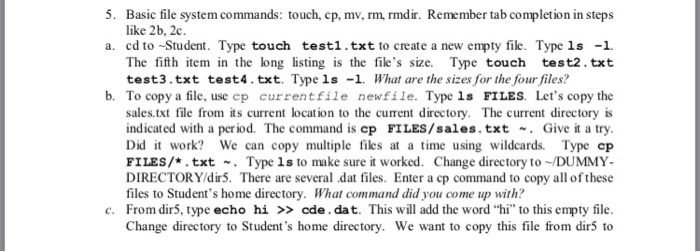
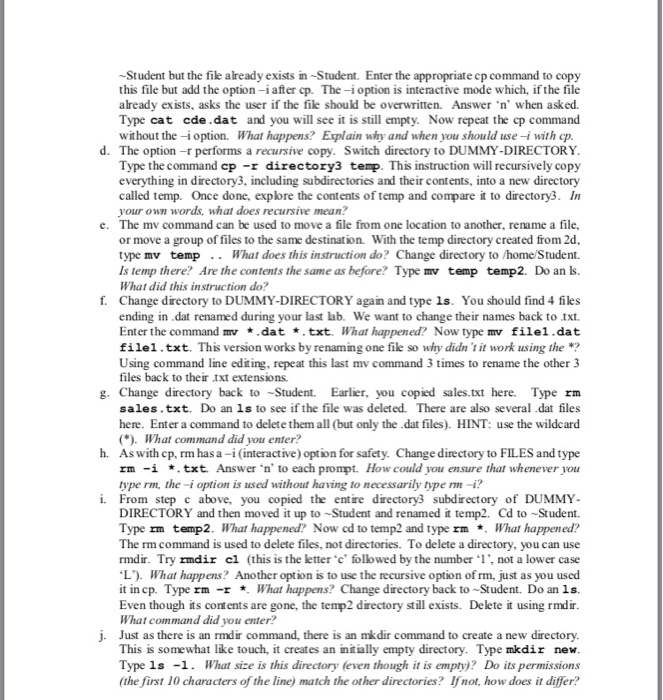
5. Basic file system commands: touch, cp, mv, rm, rmdir. Remember tab completion in steps like 2b, 2c cd to -Student. Type touch The fifth item in the long listing is the file's size. Type touch test2.txt test3.txt test4.txt. Type ls 1 What are the sizes for the four files? a. testi1.txt to create a new empty file. Type ls1. b. To copy a file, use cp currentfile newfile. Typc 1s FILES. Let's copy the sales.txt file from its current location to the current directory. The current directory is indicated with a period. The command is cp FILES/sales.txt Give it a try Did t work? We can copy multiple files at a time using wildcards. Type cp FILES/*.txt . Type ls to make sure it worked. Change directory to DUMMY DIRECTORY/dir5. There are several dat files. Enter a cp command to copy all of these files to Student's home directory. What command did you come up with? c. From dir5, type echo hi >> cde. dat. This will add the word "hi" to this empty file Change directory to Student's home directory. We want to copy this file from dir5 to
Step by Step Solution
There are 3 Steps involved in it

Get step-by-step solutions from verified subject matter experts
 Study Help