







Question: 5. Don't do anything with add.php this will happen in an exercise! code for project 1 : Argo Address - Keep your addresses safe body
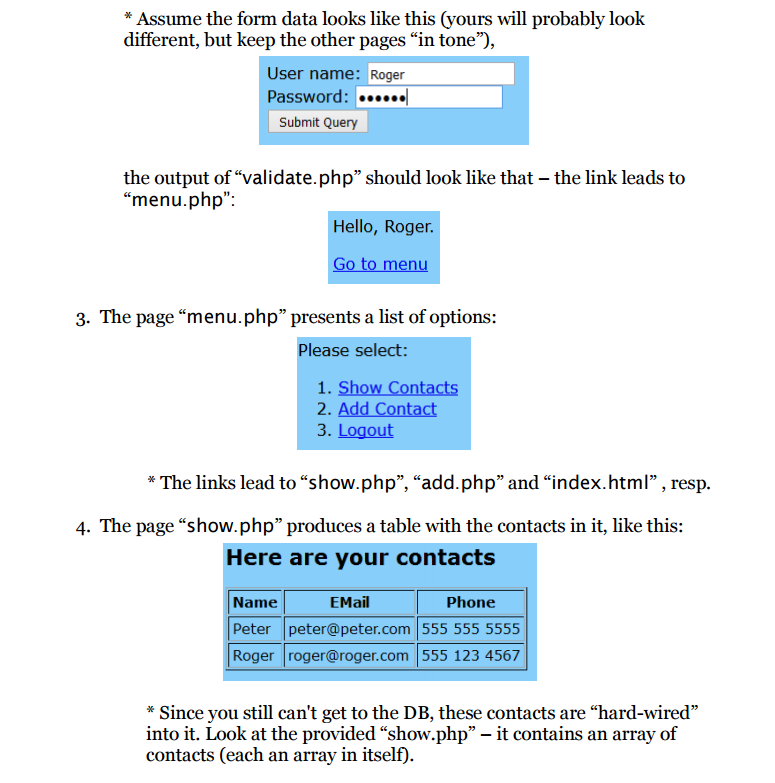
5. Don't do anything with add.php this will happen in an exercise!
code for project 1 :
Argo Address
Argo Address is an application that allows you to simply keep all your contacts and valuable information into one safe location. This state of the art application will enable you to add addresses, logout, edit, install or remove features and quickly look up anyones address information with a simple quick search. ENJOY!
To begin create an account or log in.
Create an account if you do not already have one:
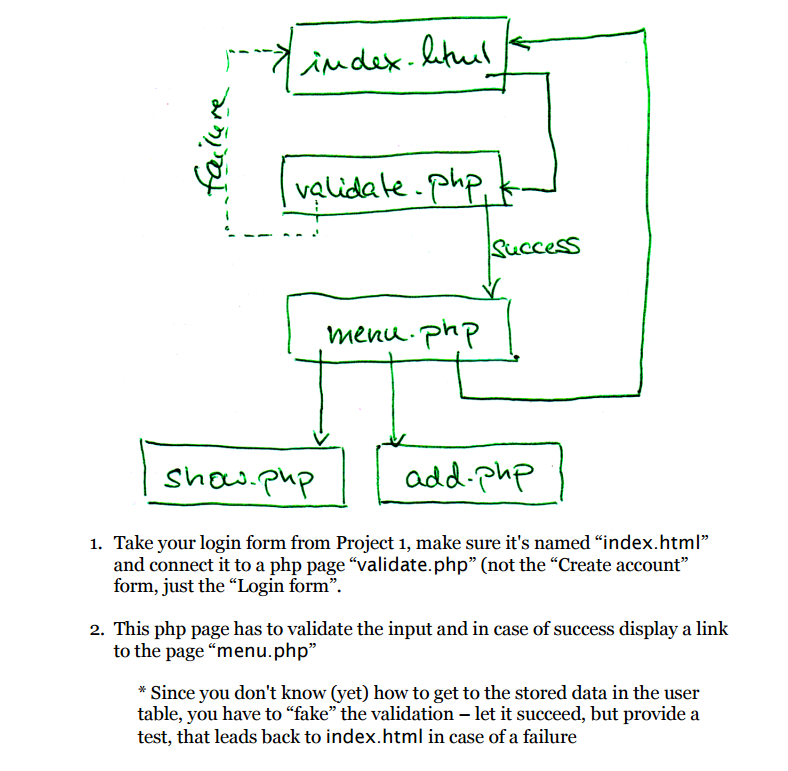
index. validate Php Success menu. PhP add-PhP Sho Php 1. Take your login form from Project 1, make sure it's named "index.html" and connect it to a php page "validate.php" (not the "Create account" form, just the "Login form". 2. This php page has to validate the input and in case of success display a link to the page "menu.php" Since you don't know lyet) how to get to the stored data in the user table, you have to "fake" the validation let it succeed, but provide a test, that leads back to index.html in case of a failure
Step by Step Solution
There are 3 Steps involved in it
1 Expert Approved Answer
Step: 1 Unlock

Question Has Been Solved by an Expert!
Get step-by-step solutions from verified subject matter experts
Step: 2 Unlock
Step: 3 Unlock
 Study Help