







Question: 5 . Insert a PivotChart based on the new PivotTable as follows to help Marina visualize the data: a . Insert a Combo PivotChart based
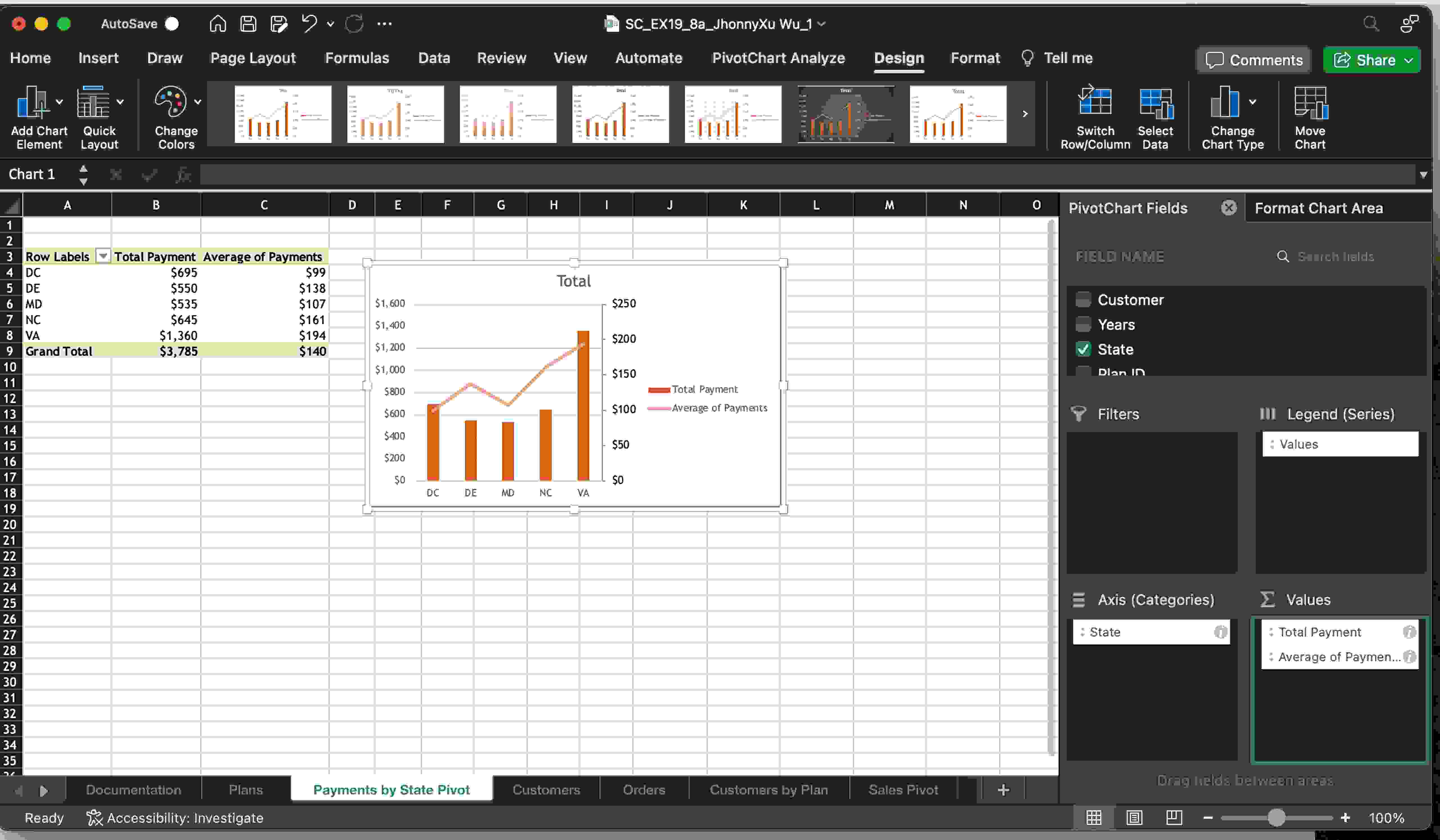
Insert a PivotChart based on the new PivotTable as follows to help Marina visualize the data:
a Insert a Combo PivotChart based on the Payments by State PivotTable.
b Display the Total Payments as a Clustered Column chart and the Average Payment as a Line chart.
c Include a secondary axis for the Average Payment data.
d Hide the Field List so that you can format the value axis of the chart.
e Change the maximum bounds for the value axis on the left to
f Change the PivotChart colors to Monochromatic Palette
g Resize and position the chart so that it covers the range D:J
h Display the Field List again.
Marina also wants to insert a PivotTable that includes other Customer information so that she can analyze Family plan customer data. Return to the Customers worksheet, and then create a PivotTable based on the Customers table as follows:
a Place the PivotTable on a new worksheet, and then use Customers Pivot as the name of the worksheet.
b Display the order location as column headings.
c Display the state field and then the customer field as row headings.
d Display the years as the values.
e Display the plan type as a filter, and then filter the PivotTable to display customer information for Family plans only.
f Hide the field headers to reduce clutter in the PivotTable.
Can you show me how to do it on MacBook Pro in Excel
Step by Step Solution
There are 3 Steps involved in it
1 Expert Approved Answer
Step: 1 Unlock

Question Has Been Solved by an Expert!
Get step-by-step solutions from verified subject matter experts
Step: 2 Unlock
Step: 3 Unlock
 Study Help