







Question: 5. Navigation between activities in android is carried out through the intent. Intents are also used to share contents and to trigger actions within and
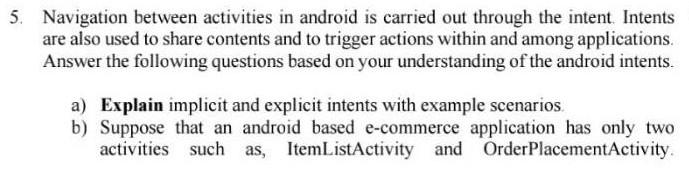
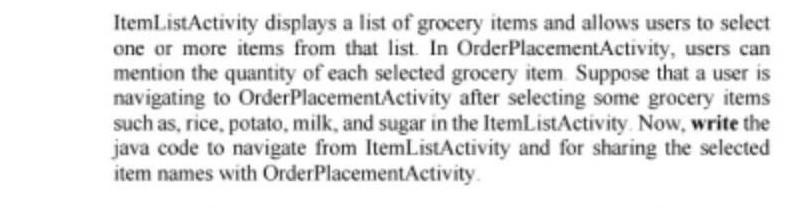
5. Navigation between activities in android is carried out through the intent. Intents are also used to share contents and to trigger actions within and among applications. Answer the following questions based on your understanding of the android intents. a) Explain implicit and explicit intents with example scenarios. b) Suppose that an android based e-commerce application has only two activities such as, ItemListActivity and OrderPlacementActivity. ItemListActivity displays a list of grocery items and allows users to select one or more items from that list. In OrderPlacementActivity, users can mention the quantity of each selected grocery item. Suppose that a user is navigating to OrderPlacementActivity after selecting some grocery items such as, rice, potato, milk, and sugar in the ItemListActivity. Now, write the java code to navigate from ItemListActivity and for sharing the selected item names with OrderPlacementActivity. 5. Navigation between activities in android is carried out through the intent. Intents are also used to share contents and to trigger actions within and among applications. Answer the following questions based on your understanding of the android intents. a) Explain implicit and explicit intents with example scenarios. b) Suppose that an android based e-commerce application has only two activities such as, ItemListActivity and OrderPlacementActivity. ItemListActivity displays a list of grocery items and allows users to select one or more items from that list. In OrderPlacementActivity, users can mention the quantity of each selected grocery item. Suppose that a user is navigating to OrderPlacementActivity after selecting some grocery items such as, rice, potato, milk, and sugar in the ItemListActivity. Now, write the java code to navigate from ItemListActivity and for sharing the selected item names with OrderPlacementActivity
Step by Step Solution
There are 3 Steps involved in it

Get step-by-step solutions from verified subject matter experts
 Study Help