







Question: 5. THE MICROPROCESSOR. ASSEMBLY LANGUAGE AND PROGRAMMING. Write and run programs (don't do it with the monitor) to do the following. Provide a flowchart and
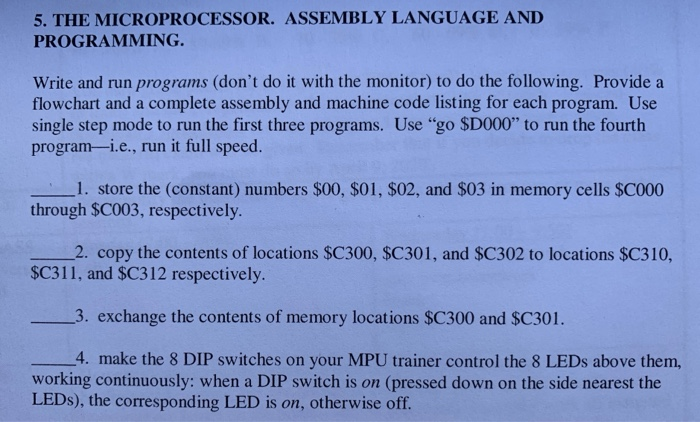
5. THE MICROPROCESSOR. ASSEMBLY LANGUAGE AND PROGRAMMING. Write and run programs (don't do it with the monitor) to do the following. Provide a flowchart and a complete assembly and machine code listing for each program. Use single step mode to run the first three programs. Use "go $D000" to run the fourth program-i.e., run it full speed. 1. store the (constant) numbers $00, $01, $02, and $03 in memory cells $C000 through $C003, respectively. 2. copy the contents of locations $C300, $C301, and $C302 to locations $C310, $C311, and $C312 respectively. - 3. exchange the contents of memory locations $C300 and $C301. __4. make the 8 DIP switches on your MPU trainer control the 8 LEDs above them, working continuously: when a DIP switch is on (pressed down on the side nearest the LEDs), the corresponding LED is on, otherwise off. 5. THE MICROPROCESSOR. ASSEMBLY LANGUAGE AND PROGRAMMING. Write and run programs (don't do it with the monitor) to do the following. Provide a flowchart and a complete assembly and machine code listing for each program. Use single step mode to run the first three programs. Use "go $D000" to run the fourth program-i.e., run it full speed. 1. store the (constant) numbers $00, $01, $02, and $03 in memory cells $C000 through $C003, respectively. 2. copy the contents of locations $C300, $C301, and $C302 to locations $C310, $C311, and $C312 respectively. - 3. exchange the contents of memory locations $C300 and $C301. __4. make the 8 DIP switches on your MPU trainer control the 8 LEDs above them, working continuously: when a DIP switch is on (pressed down on the side nearest the LEDs), the corresponding LED is on, otherwise off
Step by Step Solution
There are 3 Steps involved in it

Get step-by-step solutions from verified subject matter experts
 Study Help