







Question: 5.3.7 Higher/ Lower main.py begin{tabular}{c|c} 1 & magic_number =44 2 & 3 & # Your code here... 4 * & while True:
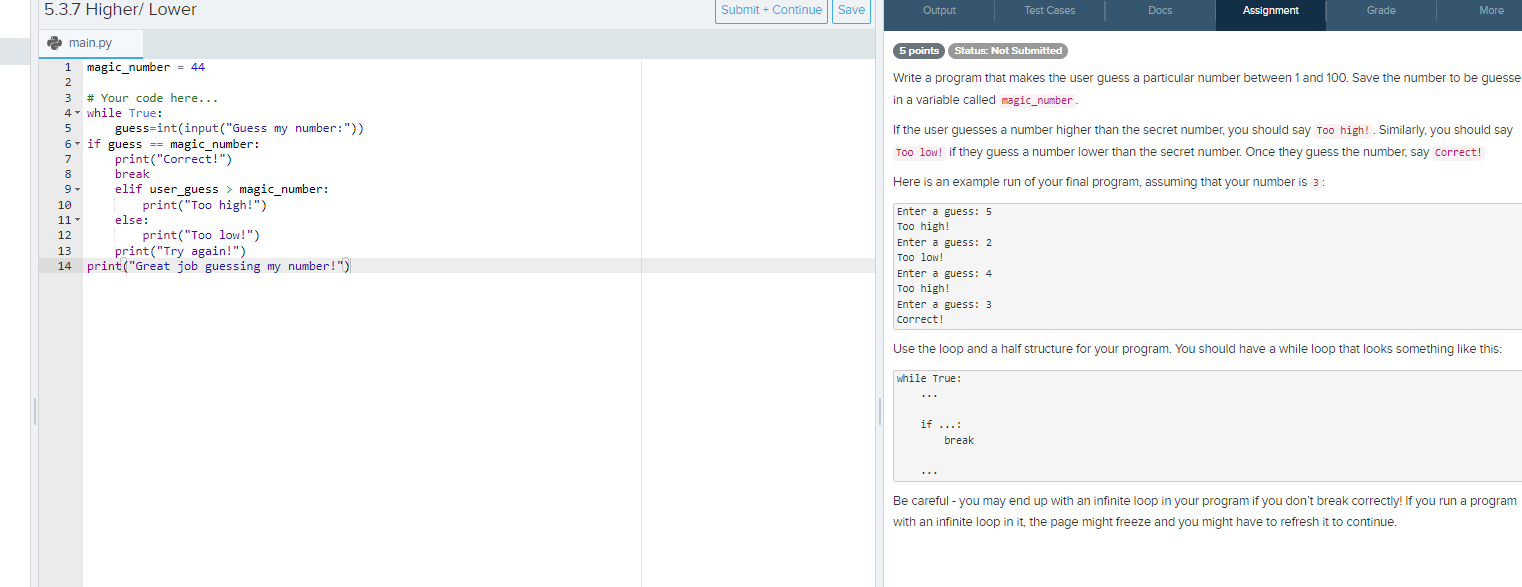
5.3.7 Higher/ Lower main.py \begin{tabular}{c|c} 1 & magic_number =44 \\ 2 & \\ 3 & \# Your code here... \\ 4 * & while True: \\ 5 & guess=int(input("Guess my number:")) \\ 6 & if guess == magic_number: \\ 7 & print("Correct!") \\ 8 & break \\ 9 & elif user_guess > magic_number: \\ 10 & print("Too high!") \\ 11 & else: \\ 12 & print("Too low!") \\ 13 & print("Try again!") \\ 14 & print("Great job guessing my number!") \end{tabular} Write a program that makes the user guess a particular number between 1 and 100 . Save the number to be guesse in a variable called magic_number. If the user guesses a number higher than the secret number, you should say Too high! . Similarly, you should say Too low! if they guess a number lower than the secret number. Once they guess the number, say correct! Here is an example run of your final program, assuming that your number is 3 : Enter a guess: 5 Too high! Enter a guess: 2 Too low! Enter a guess: 4 Too high! Enter a guess: 3 correct! Use the loop and a half structure for your program. You should have a while loop that looks something like this: while True: Be careful - you may end up with an infinite loop in your program if you don't break correctly! If you run a program with an infinite loop in it, the page might freeze and you might have to refresh it to continue
Step by Step Solution
There are 3 Steps involved in it

Get step-by-step solutions from verified subject matter experts
 Study Help