







Question: 5.4) Please fill the blank below so that last command, with a proper option, will display full user-login-ids or clean IP addresses as shown below:
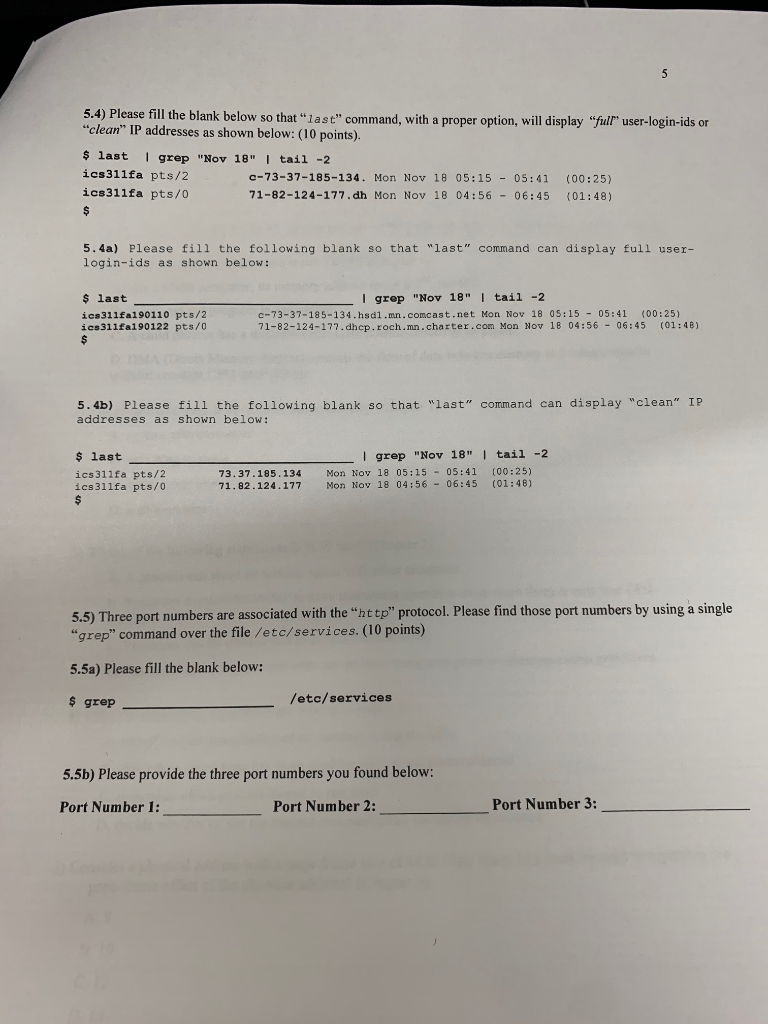
5.4) Please fill the blank below so that "last" command, with a proper option, will display "full" user-login-ids or "clean" IP addresses as shown below: (10 points). $ last | grep "Nov 18" | tail -2 ics 311fa pts/2 c-73-37-185-134. Mon Nov 18 05:15 - 05:41 (00:25) ics311fa pts/0 71-82-124-177.dh Mon Nov 18 04:56 - 06:45 (01:48) 71- 5.4a) Please fill the following blank so that "last" command can display full user- login-ids as shown below: $ last ics311fa190110 pts/2 ics 311fa190122 pts/0 I grep "Nov 18" | tail -2 c-73-37-185-134.hsd1.mn.comcast.net Mon Nov 18 05:15 - 05:41 (00:25) 71-82-124-177.dhcp.roch.mn.charter.com Mon Nov 18 04:56 - 06:45 (01:48) 5.4b) Please fill the following blank so that "last" command can display "clean" IP addresses as shown below: $ last ics 311fa pts/2 ics 311fa pts/0 73.37.185.134 71.82.124.177 | grep "Nov 18" | tail -2 Mon Nov 18 05:15 - 05:41 (00:25) Mon Nov 18 04:56 - 06:45 (01:48) 5.5) Three port numbers are associated with the "http" protocol. Please find those port numbers by using a single "grep" command over the file /etc/services. (10 points) 5.5a) Please fill the blank below: $ grep /etc/services 5.5b) Please provide the three port numbers you found below: Port Number 1: Port Number 2: Port Number 3
Step by Step Solution
There are 3 Steps involved in it
To answer the questions based on the provided image 54 The last command is used to show the login hi... View full answer

Get step-by-step solutions from verified subject matter experts
 Study Help