







Question: 6 : 1 0 9 4 Done Attachment LISvVSLI - rInai Loaing Exam - summer ? ? U ? 4 Lighthouse Island Bistro Directions Create
:
Done
Attachment
LISvVSLI rInai Loaing Exam summer
Lighthouse Island Bistro Directions
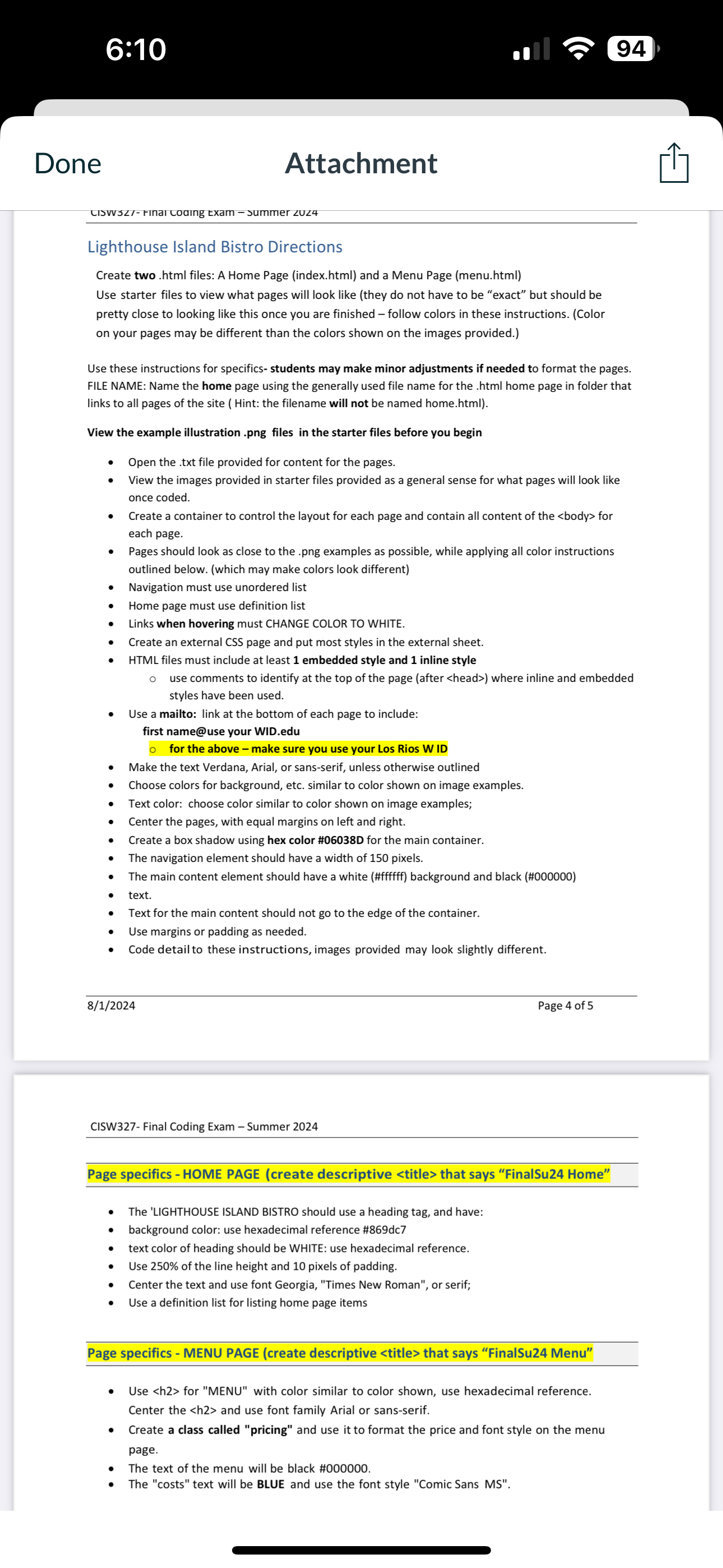
Create two html files: A Home Page indexhtml and a Menu Page menuhtml Use starter files to view what pages will look like they do not have to be "exact" but should be pretty close to looking like this once you are finished follow colors in these instructions. Color on your pages may be different than the colors shown on the images provided.
Use these instructions for specifics students may make minor adjustments if needed to format the pages. FILE NAME: Name the home page using the generally used file name for the html home page in folder that links to all pages of the site Hint: the filename will not be named home.html
View the example illustration png files in the starter files before you begin
Open the txt file provided for content for the pages.
View the images provided in starter files provided as a general sense for what pages will look like once coded.
Create a container to control the layout for each page and contain all content of the for each page.
Pages should look as close to the png examples as possible, while applying all color instructions outlined below. which may make colors look different
Navigation must use unordered list
Home page must use definition list
Links when hovering must CHANGE COLOR TO WHITE.
Create an external CSS page and put most styles in the external sheet.
HTML files must include at least embedded style and inline style
use comments to identify at the top of the page after where inline and embedded styles have been used.
Use a mailto: link at the bottom of each page to include:
first name@use your
WID.edu
for the above make sure you use your Los Rios W ID
Make the text Verdana, Arial, or sansserif, unless otherwise outlined
Choose colors for background, etc. similar to color shown on image examples.
Text color: choose color similar to color shown on image examples;
Center the pages, with equal margins on left and right.
Create a box shadow using hex color #D for the main container.
The navigation element should have a width of pixels.
The main content element should have a white #ffffff background and black #
text.
Text for the main content should not go to the edge of the container.
Use margins or padding as needed.
Code detailto these instructions, images provided may look slightly different.
Page of
CISW Final Coding Exam Summer
Page specifics HOME PAGE create descriptive
Step by Step Solution
There are 3 Steps involved in it
1 Expert Approved Answer
Step: 1 Unlock

Question Has Been Solved by an Expert!
Get step-by-step solutions from verified subject matter experts
Step: 2 Unlock
Step: 3 Unlock
 Study Help