







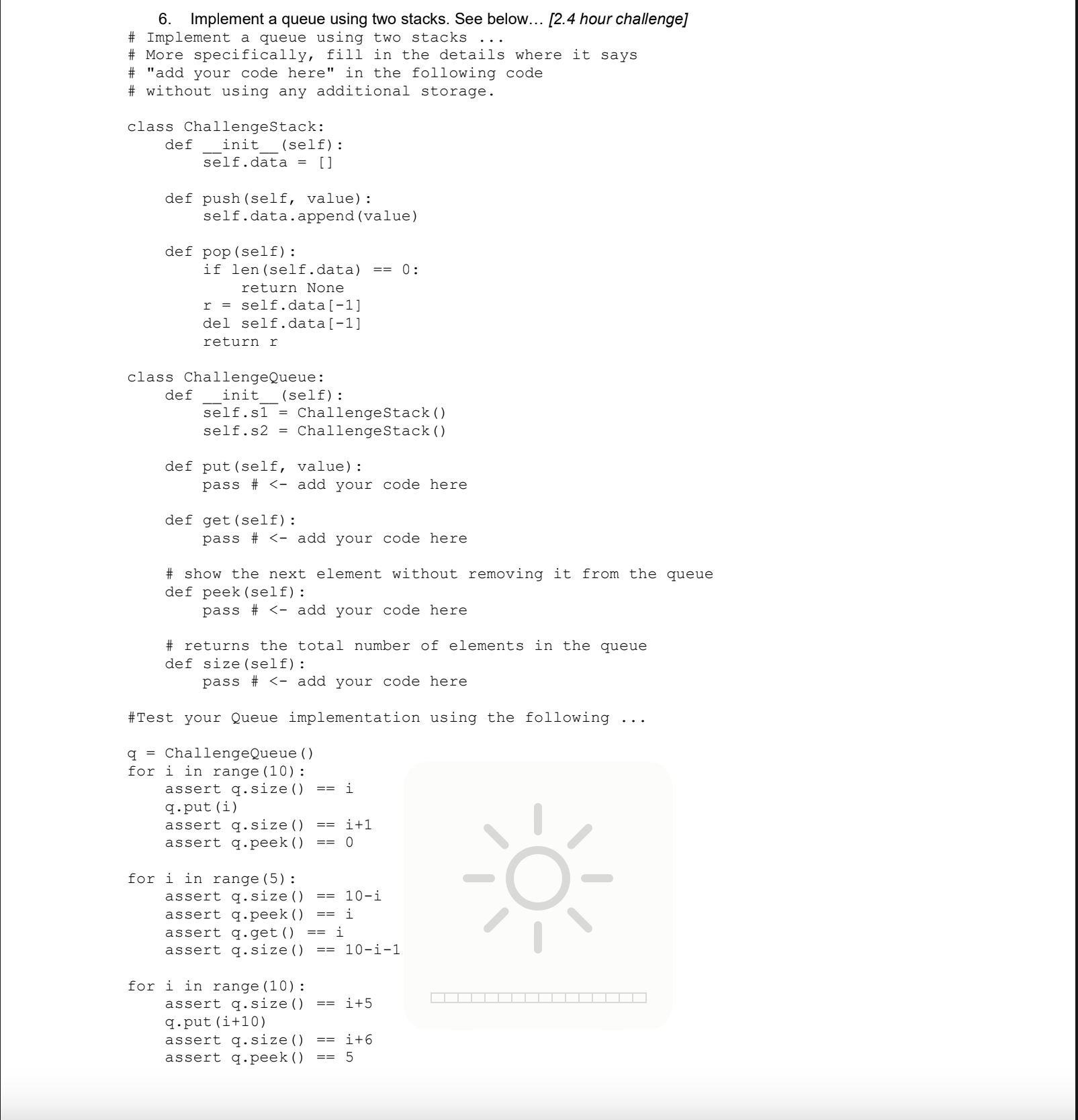
Question: 6 . Implement a queue using two stacks. See below... [ 2 . 4 hour challenge ] ` ` ` # Implement a queue using
Implement a queue using two stacks. See below... hour challenge
# Implement a queue using two stacks
# More specifically, fill in the details where it says
# "add your code here" in the following code
# without using any additional storage.
class ChallengeStack:
def initself:
self.data
def pushself value:
self.data.appendvalue
def popself:
if lenselfdata:
return None
r self.data
del self.data
return r
class ChallengeQueue:
def initself:
self.s ChallengeStack
def putself value:
pass # add your code here
def getself:
pass # add your code here
# show the next element without removing it from the queue
def peekself:
pass # add your code here
# returns the total number of elements in the queue
def sizeself:
pass # add your code here
#Test your Queue implementation using the following
q ChallengeQueue
for i in range:
assert qsize i
qputi
assert qsize i
assert qpeek
for i in range:
assert qsizei
assert qpeek i
assert qget i
assert qsizei
for i in range:
assert qsize i
qputi
assert qsize i
assert qpeek
for i in range:
assert qsizei
assert qpeek i
assert qget i
assert qsizei
Submit your python py file to Moodle.
Step by Step Solution
There are 3 Steps involved in it
1 Expert Approved Answer
Step: 1 Unlock

Question Has Been Solved by an Expert!
Get step-by-step solutions from verified subject matter experts
Step: 2 Unlock
Step: 3 Unlock
 Study Help