







Question: 6 . Population Database C# In the Chap 1 3 folder of the Student Sample Programs, you will find a database file named PopulationDB.mdf .
Population Database C#
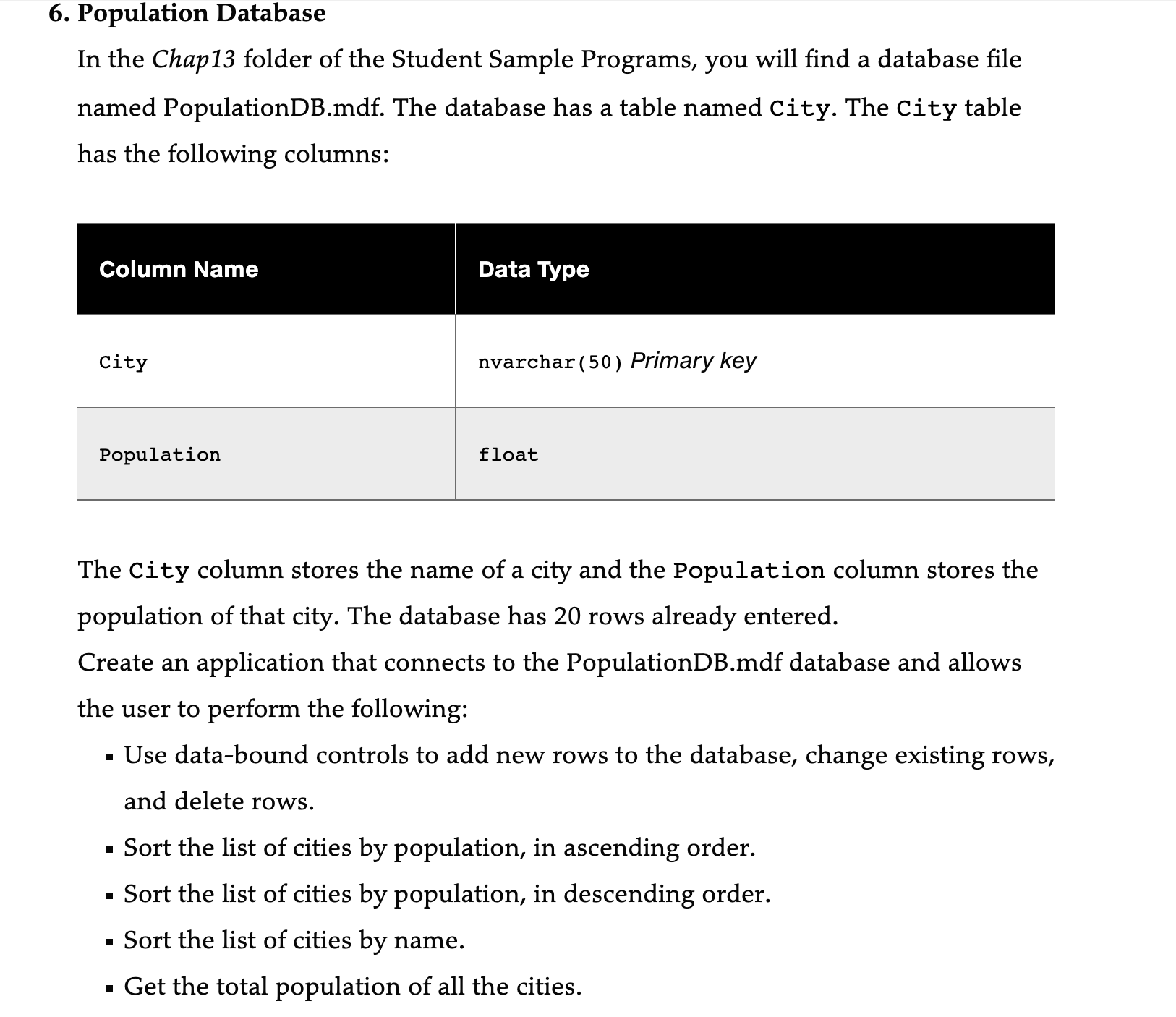
In the Chap folder of the Student Sample Programs, you will find a database file named PopulationDB.mdf The database has a table named City. The City table has the following columns:
begintabularll
hline Column Name & Data Type
hline City & nvarchar Primary key
hline Population & float
hline
endtabular
The City column stores the name of a city and the Population column stores the population of that city. The database has rows already entered.
Create an application that connects to the PopulationDB.mdf database and allows the user to perform the following:
Use databound controls to add new rows to the database, change existing rows, and delete rows.
Sort the list of cities by population, in ascending order.
Sort the list of cities by population, in descending order.
Sort the list of cities by name.
Get the total population of all the cities. Get the average population of all the cities.
Get the highest population.
Get the lowest population.
Step by Step Solution
There are 3 Steps involved in it
1 Expert Approved Answer
Step: 1 Unlock

Question Has Been Solved by an Expert!
Get step-by-step solutions from verified subject matter experts
Step: 2 Unlock
Step: 3 Unlock
 Study Help