







Question: 6. What occurs when you replace the Project Start Date selection in the Project Information dialog box with the Project Finish Date? A. You can
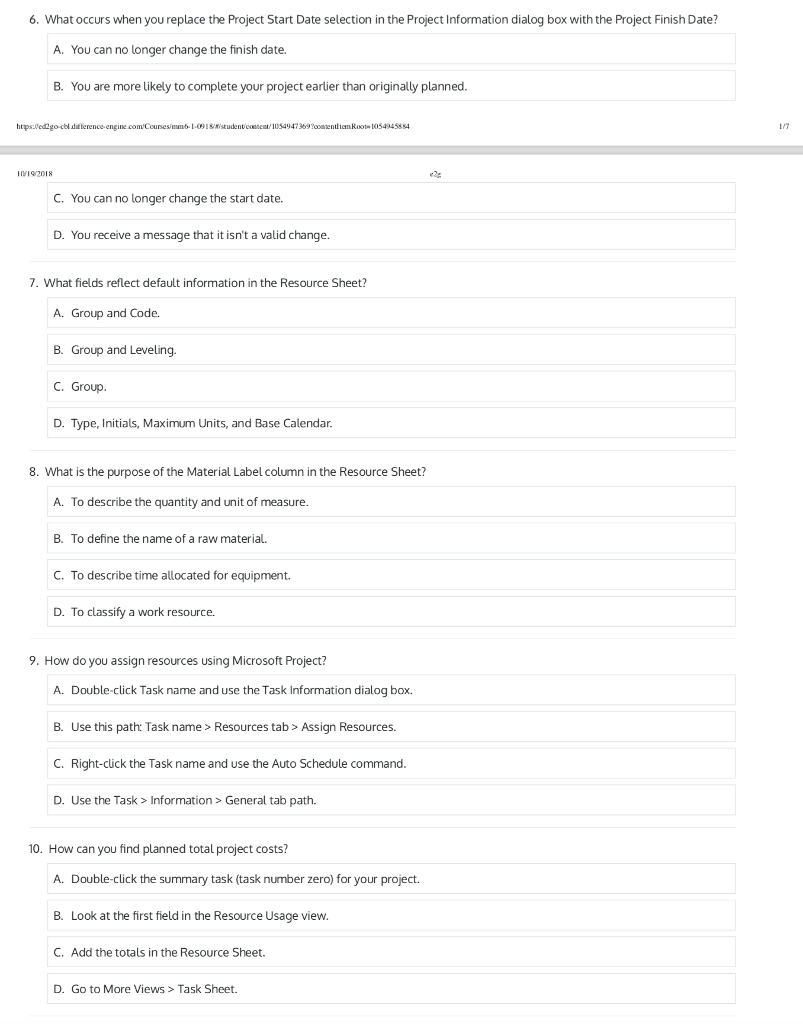
6. What occurs when you replace the Project Start Date selection in the Project Information dialog box with the Project Finish Date? A. You can no longer change the finish date. B. You are more likely to complete your project earlier than originally planned 10192018 C. You can no longer change the start date. D. You receive a message that it isn't a valid change. 7. What fields reflect default information in the Resource Sheet? A. Group and Code. B. Group and Leveling. C. Group D. Type, Initials, Maximum Units, and Base Calendar. 8. What is the purpose of the Material Label column in the Resource Sheet? A. To describe the quantity and unit of measure B. To define the name of a raw material C. To describe time allocated for equipment. D. To classify a work resource. 9. How do you assign resources using Microsoft Project? A. Double-click Task name and use the Task Information dialog box. B. Use this path: Task name> Resources tab> Assign Resources. C. Right-click the Task name and use the Auto Schedule command D. Use the Task> Information >Geeal tab path. 10. How can you find planned total project costs? A. Double-click the summary task (task number zero) for your project. B. Look at the first field in the Resource Usage vievw C. Add the totals in the Resource Sheet. D. Go to More Views> Task Sheet
Step by Step Solution
There are 3 Steps involved in it

Get step-by-step solutions from verified subject matter experts
 Study Help