







Question: 6-1 record management Does anyone know who to do this? 6-3 Prepare Folder Labels (Obj. 7) In this application, you will use Microsoft Access to
6-1 record management
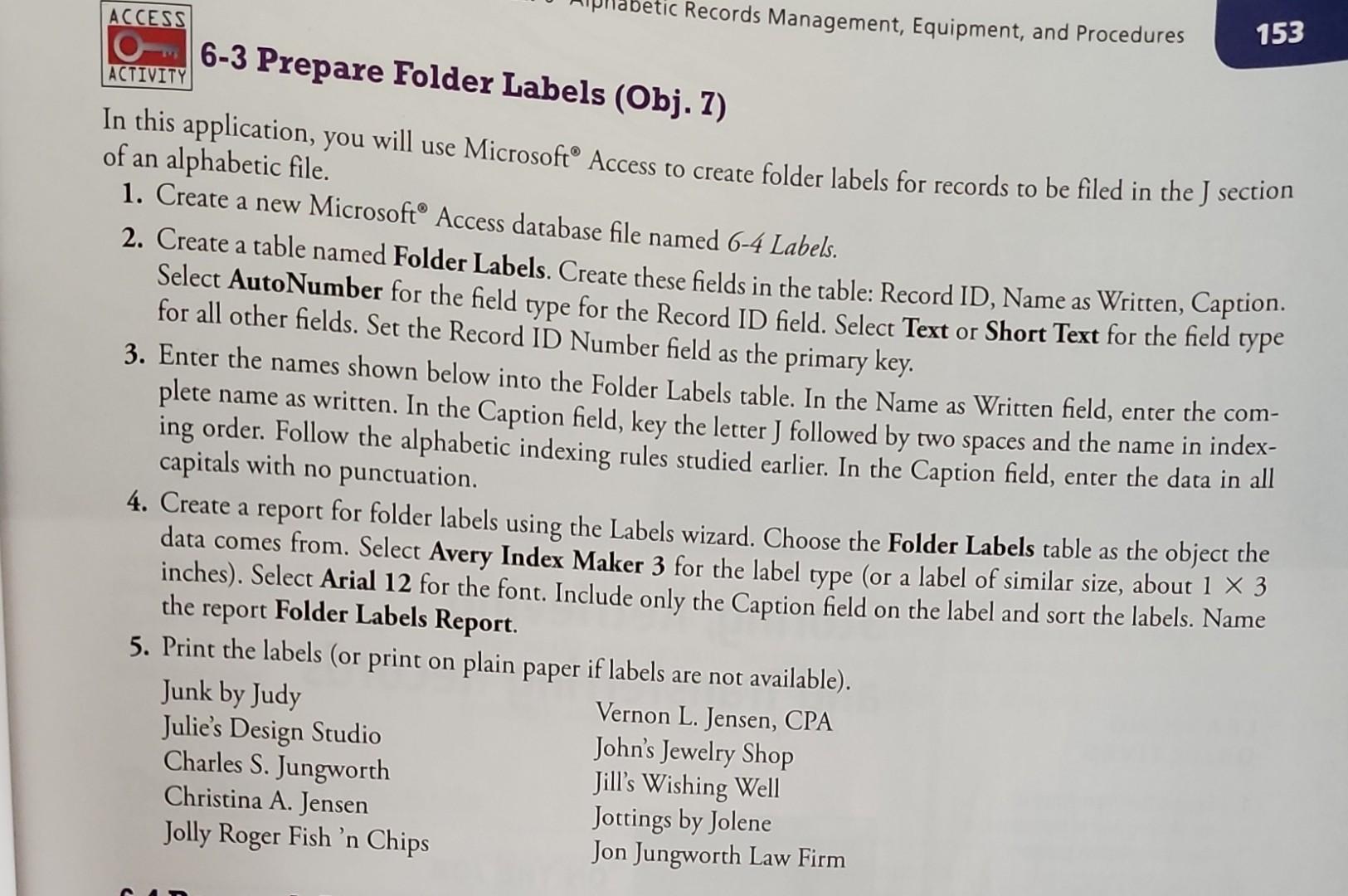
Does anyone know who to do this?
6-3 Prepare Folder Labels (Obj. 7) In this application, you will use Microsoft Access to create folder labels for records to be filed in the J section of an alphabetic file. 1. Create a new Microsoft Access database file named 64 Labels. 2. Create a table named Folder Labels. Create these fields in the table: Record ID, Name as Written, Caption. Select AutoNumber for the field type for the Record ID field. Select Text or Short Text for the field type for all other fields. Set the Record ID Number field as the primary key. 3. Enter the names shown below into the Folder Labels table. In the Name as Written field, enter the complete name as written. In the Caption field, key the letter J followed by two spaces and the name in indexing order. Follow the alphabetic indexing rules studied earlier. In the Caption field, enter the data in all 4. Create a report for folder labels using the Labels wizard. Choose the Folder Labels table as the object the data comes from. Select Avery Index Maker 3 for the label type (or a label of similar size, about 13 inches). Select Arial 12 for the font. Include only the Caption field on the label and sort the labels. Name the report Folder Labels Report. 5. Print the labels (or print on plain paner if lahalo
Step by Step Solution
There are 3 Steps involved in it

Get step-by-step solutions from verified subject matter experts
 Study Help