







Question: 6.20 Warm up: Online shopping cart (Java) Create a program using classes that does the following using your NetBeans IDE and upload it here: (1)
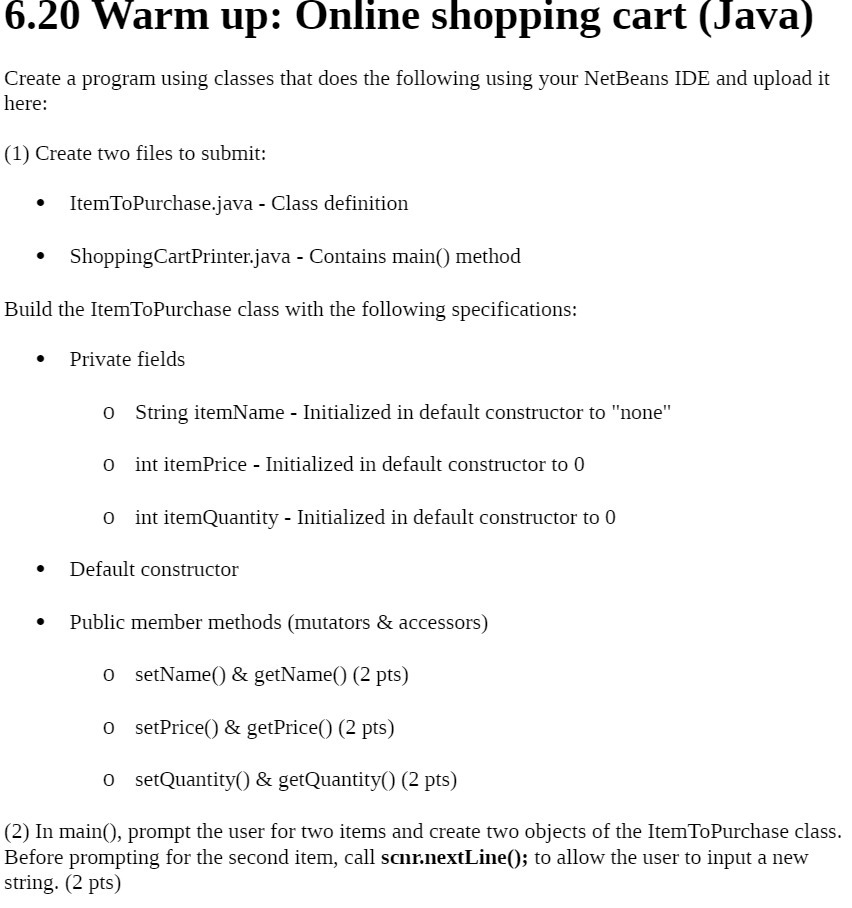
6.20 Warm up: Online shopping cart (Java) Create a program using classes that does the following using your NetBeans IDE and upload it here: (1) Create two files to submit: ItemToPurchase.java - Class definition ShoppingCartPrinter.java - Contains main() method Build the ItemToPurchase class with the following specifications: Private fields 0 String itemName - Initialized in default constructor to "none" 0 int itemPrice - Initialized in default constructor to 0 0 int itemQuantity - Initialized in default constructor to 0 . Default constructor Public member methods (mutators & accessors) 0 setName() & getName() (2 pts) 0 setPrice() & getPrice() (2 pts) 0 setQuantity() & getQuantity() (2 pts) (2) In main(), prompt the user for two items and create two objects of the Item ToPurchase class. Before prompting for the second item, call scnn.nextLine(); to allow the user to input a new string. (2 pts)
Step by Step Solution
There are 3 Steps involved in it

Get step-by-step solutions from verified subject matter experts
 Study Help