







Question: 6.9 LAB: Guess the random number (not a function) Import the random module to use the random seed() and random.randint() functions. random seed(seed_value) seeds the
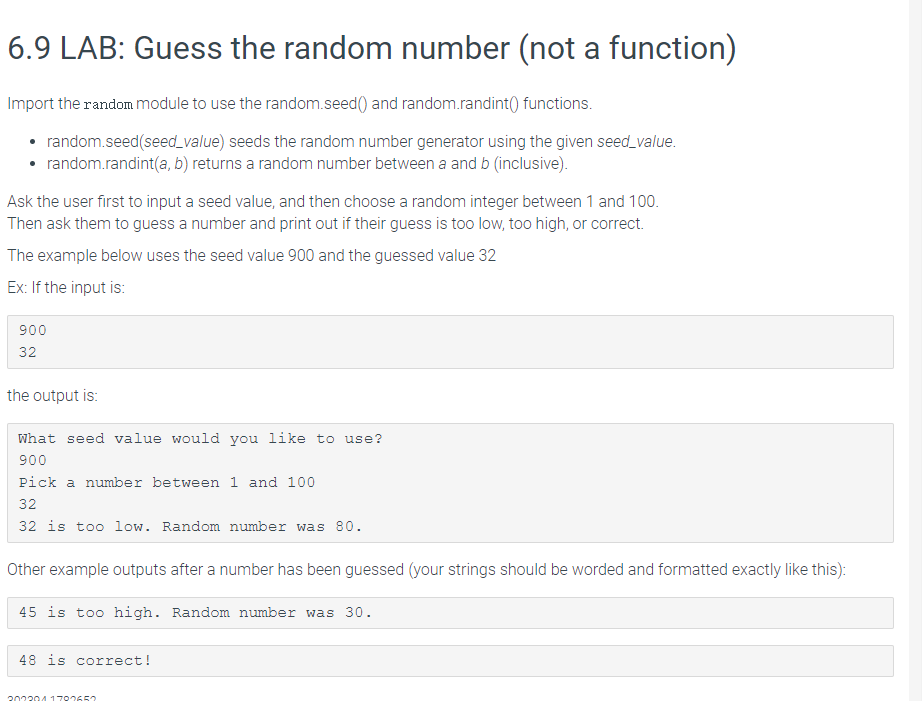
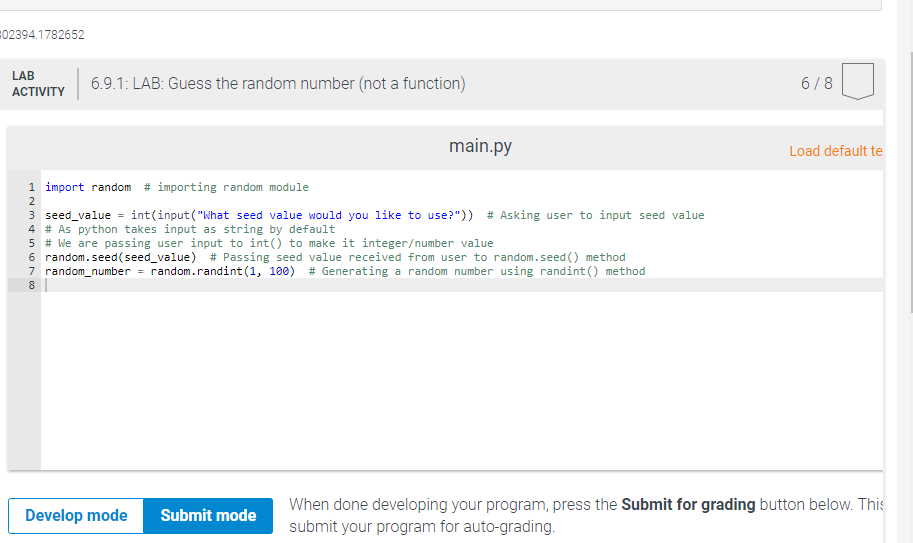
6.9 LAB: Guess the random number (not a function) Import the random module to use the random seed() and random.randint() functions. random seed(seed_value) seeds the random number generator using the given seed_value. random.randint(a, b) returns a random number between a and b (inclusive) Ask the user first to input a seed value, and then choose a random integer between 1 and 100. Then ask them to guess a number and print out if their guess is too low, too high, or correct. The example below uses the seed value 900 and the guessed value 32 Ex: If the input is: 900 32 the output is: What seed value would you like to use? 900 Pick a number between 1 and 100 32 32 is too low. Random number was 80. Other example outputs after a number has been guessed your strings should be worded and formatted exactly like this): 45 is too high. Random number was 30. 48 is correct! 200204170065 02394.1782652 LAB ACTIVITY 6.9.1: LAB: Guess the random number (not a function) 6/8 main.py Load default te 1 import random # importing random module 2 3 seed_value = int(input("What seed value would you like to use?")) # Asking user to input seed value 4 # As python takes input as string by default 5 # We are passing user input to into to make it integerumber value 6 random.seed (seed_value) # Passing seed value received from user to random.seed method 7 random_number = random.randint(1, 100) # Generating a random number using randint() method 8 Develop mode Submit mode When done developing your program, press the Submit for grading button below. This submit your program for auto-grading
Step by Step Solution
There are 3 Steps involved in it

Get step-by-step solutions from verified subject matter experts
 Study Help