







Question: 7 : 2 1 . all 3 G 7 5 4 Exercises week 3 import { useState } from 'react' const App / / save
:
all G
Exercises week
import useState from 'react'
const App
save clicks of each button to its own state
const good setGood useState
const neutral setNeutral useState
const bad setBad useState
return
export default App
Exercises week
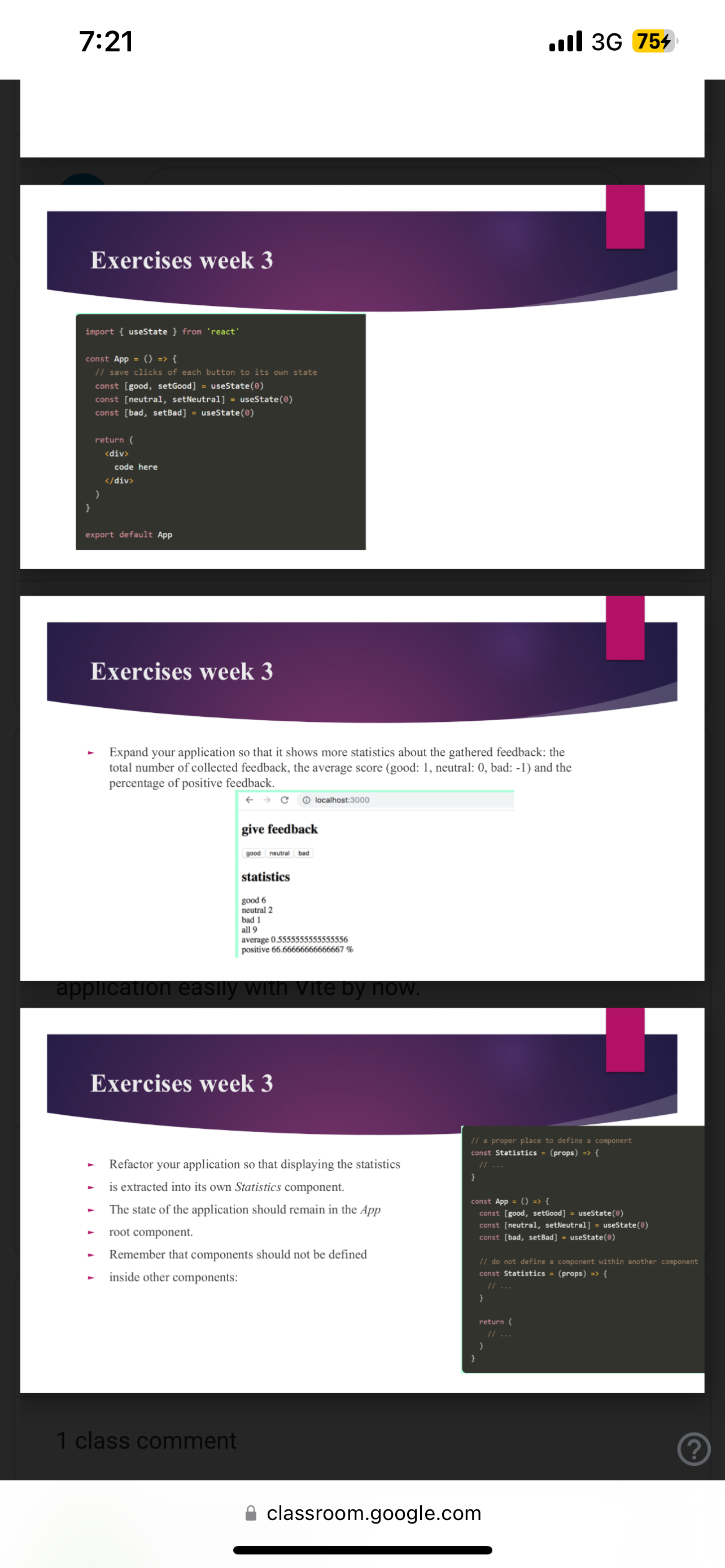
Expand your application so that it shows more statistics about the gathered feedback: the total number of collected feedback, the average score good: neutral: bad: and the percentage of positive feedback.
larr C localhost:
give feedback
good neutral bad
statistics
good
neutral
all
positive
application easily witn vite by now.
Exercises week
Refactor your application so that displaying the statistics
is extracted into its own Statistics component.
The state of the application should remain in the App
root component.
Remember that components should not be defined
inside other components:
I const Statistics const App const good setGood useState const neutral setNeutral useState const bad setBad useState do not define a component within another component const Statistics props const Statistics props
return
class comment
classroom.google.com
Step by Step Solution
There are 3 Steps involved in it
1 Expert Approved Answer
Step: 1 Unlock

Question Has Been Solved by an Expert!
Get step-by-step solutions from verified subject matter experts
Step: 2 Unlock
Step: 3 Unlock
 Study Help