







Question: 7) DATA TABLE - Create a Data Table that shows the average Daily Pay by gender for each department number. Start the criteria in cell
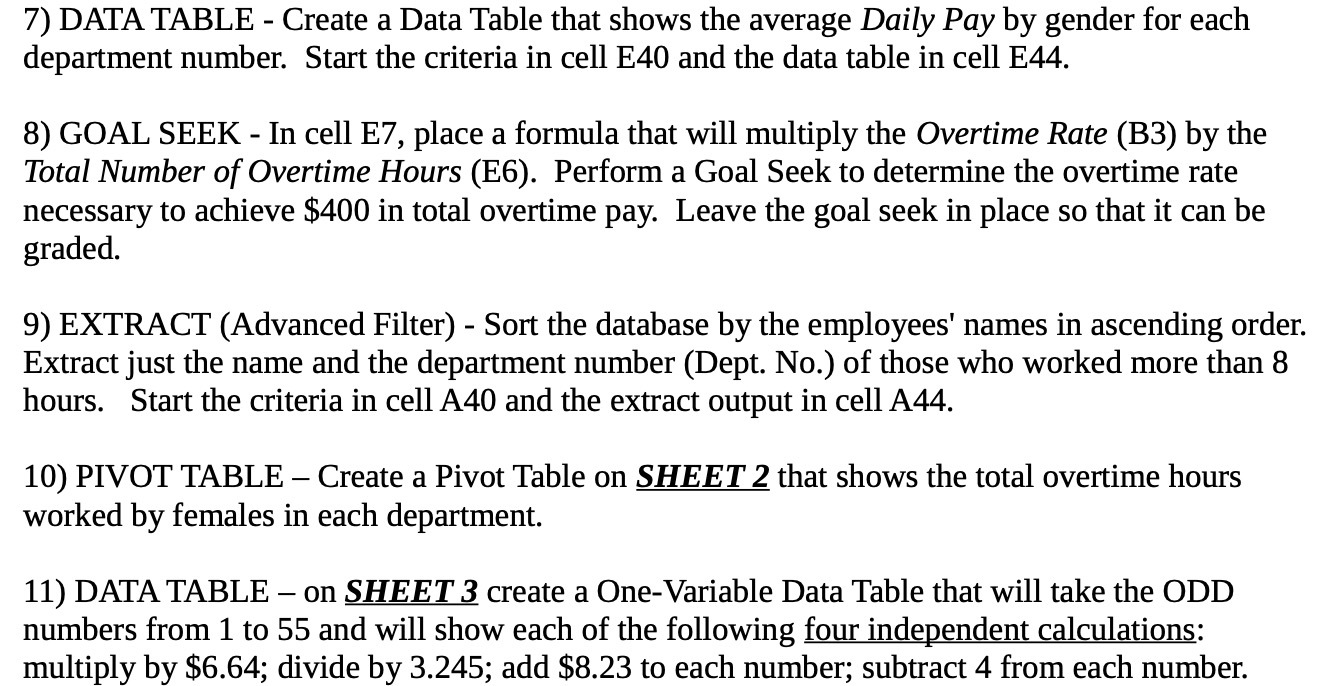
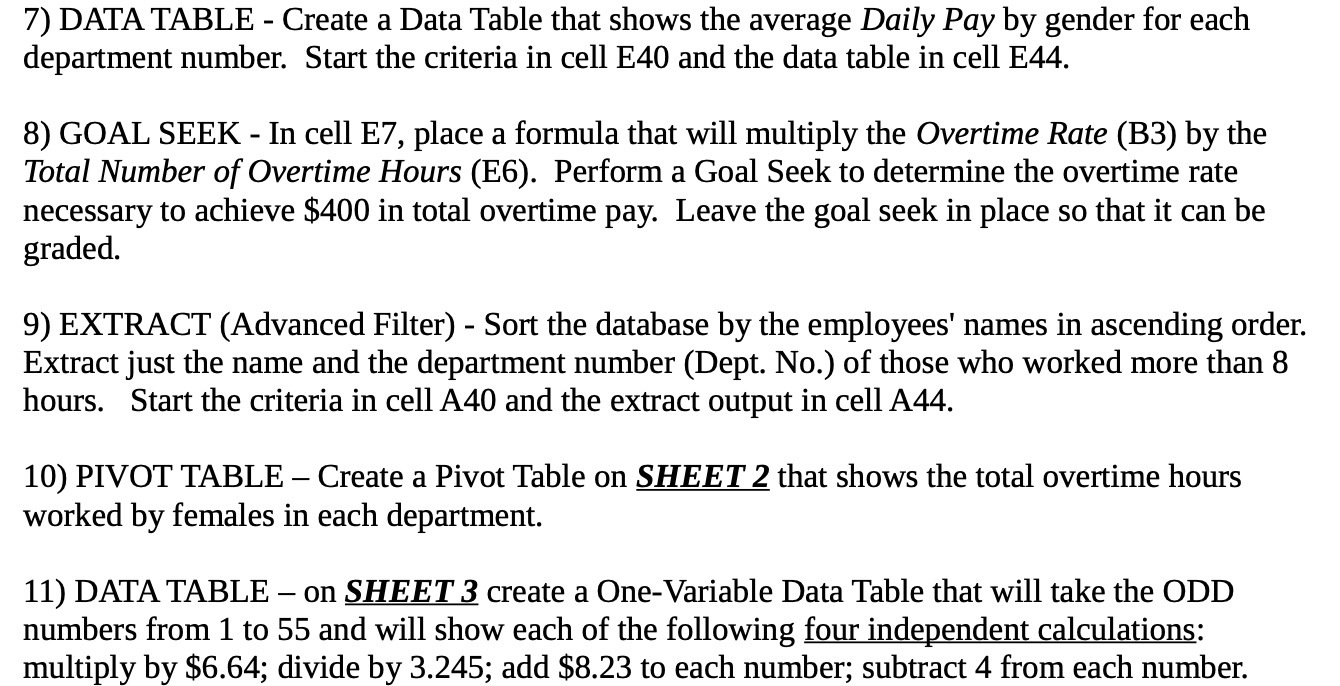
7) DATA TABLE - Create a Data Table that shows the average Daily Pay by gender for each department number. Start the criteria in cell E40 and the data table in cell E44. 8) GOAL SEEK - In cell E7, place a formula that will multiply the Overtime Rate (BB) by the Total Number of Overtime Hours (E6). Perform a Goal Seek to determine the overtime rate necessary to achieve $400 in total overtime pay. Leave the goal seek in place so that it can be graded. 9) EXTRACT (Advanced Filter) - Sort the database by the employees' names in ascending order. Extract just the name and the department number (Dept. No.) of those who worked more than 8 hours. Start the criteria in cell A40 and the extract output in cell A44. 10) PIVOT TABLE Create a Pivot Table on SHEET 2 that shows the total overtime hours worked by females in each department. 11) DATA TABLE on SHEE T .3 create a One-Variable Data Table that will take the ODD numbers from 1 to 55 and will show each of the following four independent calculations: multiply by $5.64; divide by 3.245; add $8.23 to each number; subtract 4 from each number
Step by Step Solution
There are 3 Steps involved in it

Get step-by-step solutions from verified subject matter experts
 Study Help