







Question: 7 Modify the Values field to determine the average expense by category. Change the custom name to Average Expense. 4.000 8 Format the Values field
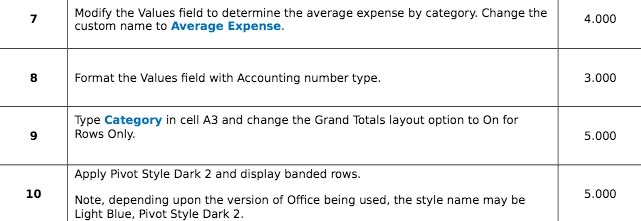
7 Modify the Values field to determine the average expense by category. Change the custom name to Average Expense. 4.000 8 Format the Values field with Accounting number type. 3.000 Type Category in cell A3 and change the Grand Totals layout option to On for 9 Rows Only. 5.000 Apply Pivot Style Dark 2 and display banded rows. 10 Note, depending upon the version of Office being used, the style name may be 5.000 Light Blue, Pivot Style Dark 2
Step by Step Solution
There are 3 Steps involved in it
1 Expert Approved Answer
Step: 1 Unlock

Question Has Been Solved by an Expert!
Get step-by-step solutions from verified subject matter experts
Step: 2 Unlock
Step: 3 Unlock
 Study Help