







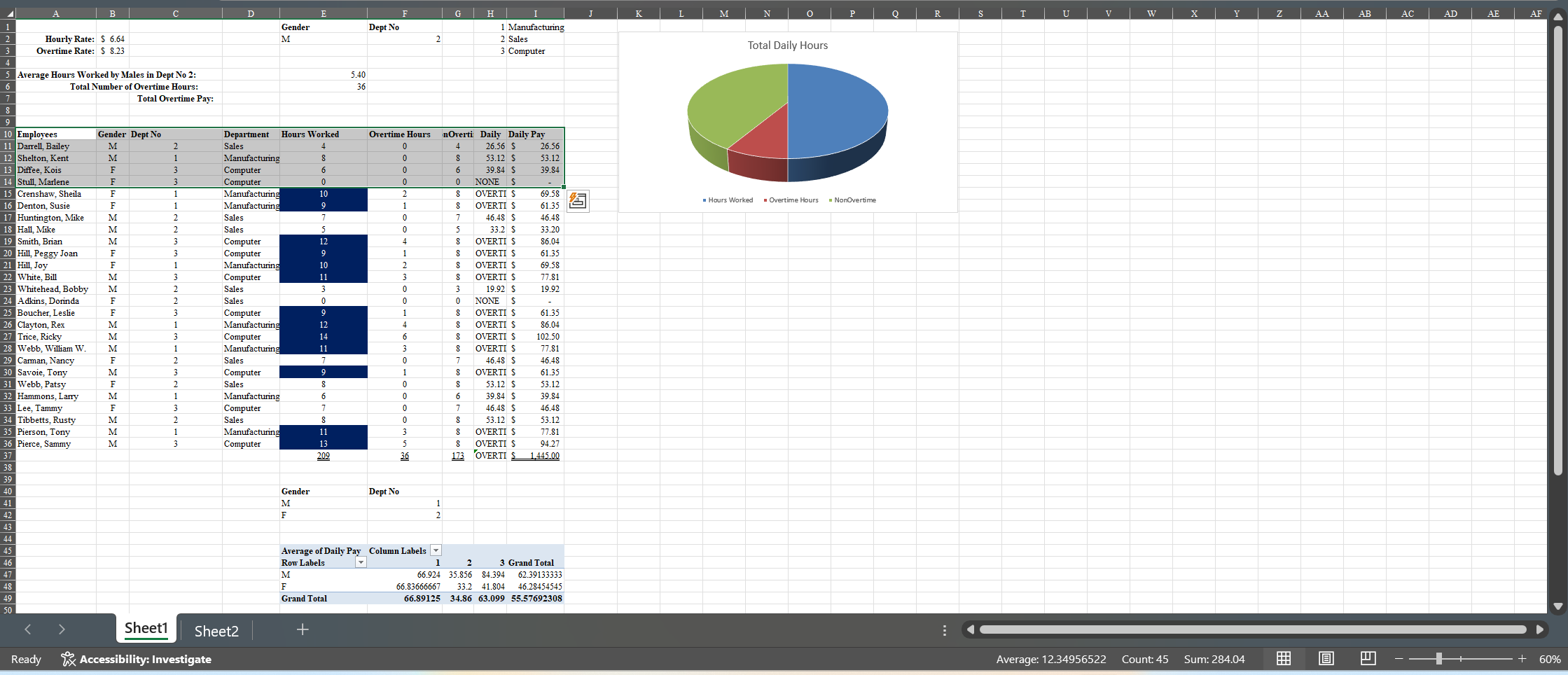
Question: 7 ) SUBTOTALS - Create a Subtotal showing the total hours worked by department and the total overtime hours worked by gender within each department.
SUBTOTALS Create a Subtotal showing the total hours worked by department and the total overtime hours worked by gender within each department. Change to Outline View Which department works the most hours and do you see something odd about the overtime hours? Copy the subtotal information to Sheet using CopyPaste Special Values previously undisplayedhidden data will appear when copied to Sheet
Remove the Subtotaling on Sheet using the Remove All button before continuing.
GOAL SEEK In cell E place a formula that will multiply the Overtime Rate B by the Total Number of Overtime Hours. Perform a Goal Seek to determine the overtime rate necessary to achieve $ in total overtime pay. Leave the goal seek in place so that it can be graded.
EXTRACT Advanced Filter Sort the database by the employees' names in ascending order. Extract just the name and the department number Dept No of those who worked more than hours. Start the criteria in cell A and the extract output in cell A
DATA TABLE on SHEET create a OneVariable Data Table that will take the ODD numbers from to and will show each of the following independent calculations: multiply by $; divide by ; add $ to each number; subtract from each number
I need help with the following steps.
Step by Step Solution
There are 3 Steps involved in it
1 Expert Approved Answer
Step: 1 Unlock

Question Has Been Solved by an Expert!
Get step-by-step solutions from verified subject matter experts
Step: 2 Unlock
Step: 3 Unlock
 Study Help