







Question: 7 Using the built in Table filters are great for ad hoc and spur-of-the-moment exploration of data, however the filtering mechanism makes it difficult
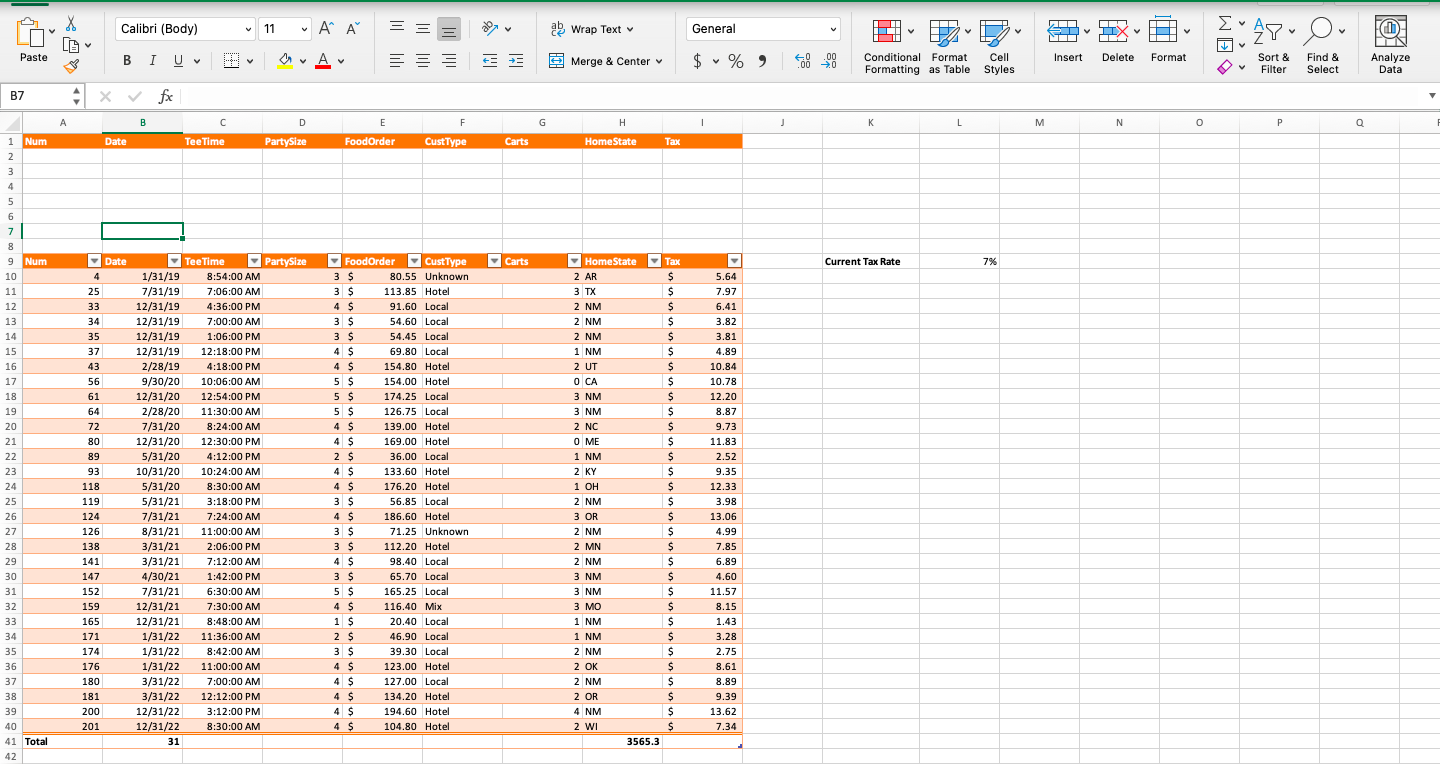
7 Using the built in Table filters are great for ad hoc and spur-of-the-moment exploration of data, however the filtering mechanism makes it difficult to easily see what filters exist. Using Advanced filters allow the user to specify various criteria for each field and only display records that meet all of the specified criteria. To begin, clear any filters that are still applied, then copy the GolfData column headings and paste them into row 1 of the GolfData worksheet. Specify the various criteria under the appropriate column heading so that the only records displayed will be Hotel guests with a party size of more than 3 (in row 2) or Local guests who have a Tee Time scheduled for before 8:00 AM (in row 3). Copy the filtered data, including column headings, and paste the data on the EarlyLocalsAndHotelGuests worksheet starting in cell A1. Adjust the column widths as necessary so that all data are visible. 13
Step by Step Solution
There are 3 Steps involved in it

Get step-by-step solutions from verified subject matter experts
 Study Help