







Question: 7.21 Weather Info Calculator Note: Creating multiple Scanner objects for the same input stream yields unexpected behavior. Thus, good practice is to use a single
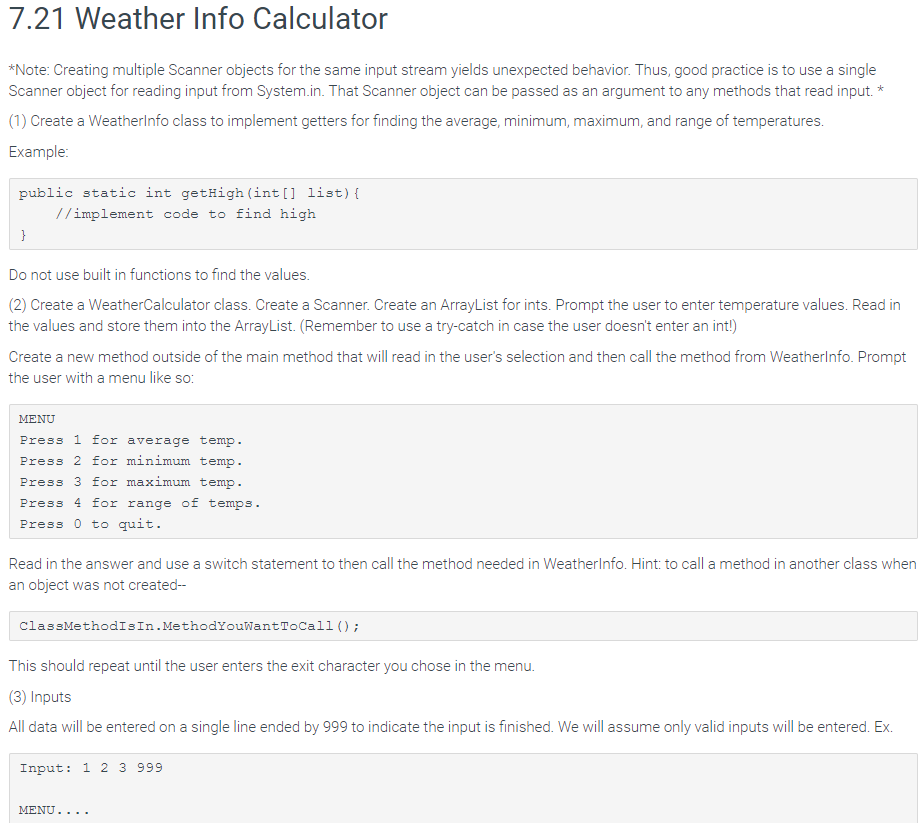
7.21 Weather Info Calculator Note: Creating multiple Scanner objects for the same input stream yields unexpected behavior. Thus, good practice is to use a single Scanner object for reading input from System.in. That Scanner object can be passed as an argument to any methods that read input.* (1) Create a Weatherlnfo class to implement getters for finding the average, minimum, maximum, and range of temperatures. Example public static int getHigh (int[] list) [ //implement code to find high Do not use built in functions to find the values (2) Create a WeatherCalculator class. Create a Scanner. Create an ArrayList for ints. Prompt the user to enter temperature values. Read in the values and store them into the ArrayList. (Remember to use a try-catch in case the user doesn't enter an int!) Create a new method outside of the main method that will read in the user's selection and then call the method from Weatherlnfo. Prompt the user with a menu like so MENU Press 1 for average temp Press 2 for minimum temp. Press 3 for maximum temp. Press 4 for range of temps. Press 0 to quit. Read in the answer and use a switch statement to then call the method needed in Weatherlnfo. Hint: to call a method in another class when an object was not created-- ClassMethodIsIn.MethodYouWantToCal1 ; This should repeat until the user enters the exit character you chose in the menu (3) Inputs All data will be entered on a single line ended by 999 to indicate the input is finished. We will assume only valid inputs will be entered. Ex Input: 1 2 3 999 MENU
Step by Step Solution
There are 3 Steps involved in it

Get step-by-step solutions from verified subject matter experts
 Study Help