







Question: 7:22 5G InClass02_upda... a Mobile Application Development In Classignment Basic Instructions: 1.In every file submitted you MUST plan the following commer a. Asment b. Flo
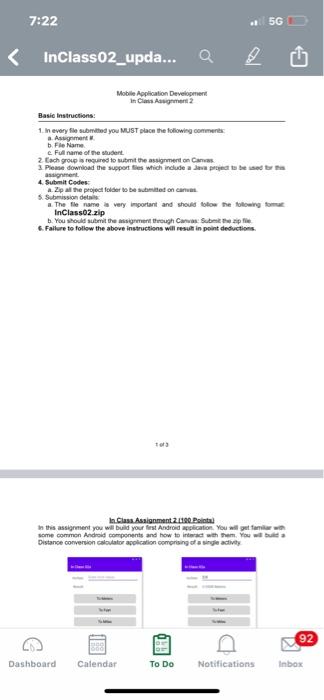
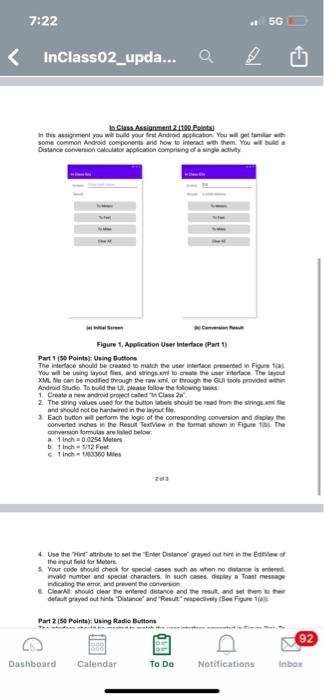
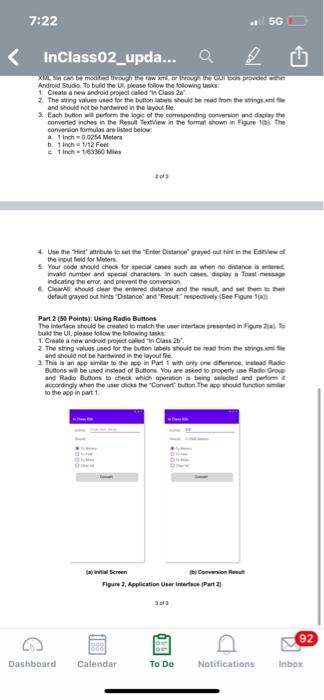
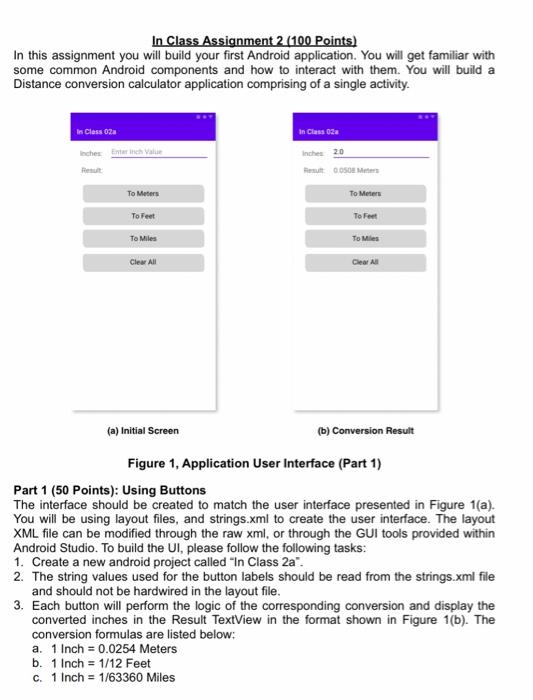
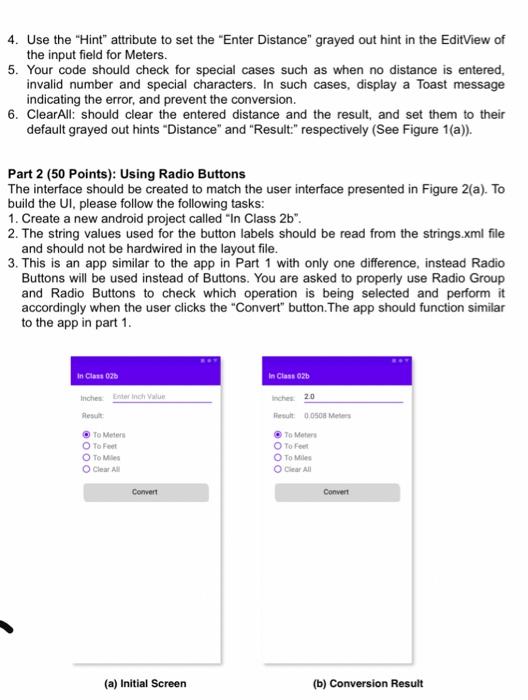
7:22 5G InClass02_upda... a Mobile Application Development In Classignment Basic Instructions: 1.In every file submitted you MUST plan the following commer a. Asment b. Flo Name Full name of the dent 2. Each group roured to submit the assignment on Canvas Please download the support fles which include a project to be set aiment 4. Submit Codes Zip all the project foder to be submited on canvas Submission details The file name very important and should follow the following format InClass02.zip b. You should submit the sigment through Cawa: Submit pe 6. Failure to follow the above instructions will result in point deductions In Class Assignment2.120 Point to this assignment you wil build your first Android application. You will get a w some common Android components and how to interach Thembula Distance conversion calator application comprising a single adve 92 Dashboard Calendar To Do Notifications Inbox 7:22 5G InClass02_upda... In Class Assignment2.110. Point In this assignment you will build your first Android application. You will get tamil some common Android components and how to interact with them. You will be Distance conversion orication comprising of a single wity Figure 1. Application User Interface (Part 1) Part 1150 Points Using Button The interface should be created to match the user interace presented in Figure You will be using youts and restore the termere They XML file can be modified through the raw or through the GUI tools provided with Android Studio To build the please follow the following 1 Create a new android project called Class 2 2 The string values used for the button labels should be read from the strings.me and should not be hardwired in the layout file Each button will perform the logic of the corresponding conversion and display the converted inches in the Result TextView in the format shown in Figure To The conversion formules are listed below a 1 Inch 0.0254 Maters b. 1 inch 12 Feet cinch 1300 Miles 2013 4 Use the in altribute to set the "Erter Distance grayed out into the Edif the input field for ons 5. Your code should check for special cases such as when no one Invalid number and special characters in such as display a Toastmes indicating the error and prevent the conversion Clearl should clear the entered distance and ther, and at them to the default grayed out hints Distance and Result tehtyee Figure 15 Part 2 (50 Pointa: Using Radio Buttons 92 Dashboard Calendar To Do Notifications Inbox 7:22 5G InClass02_upda... a XUS mods Android Studio To build the UR, please follow the following tasks 1. Create a new android project called in Class 2 2. The string values used for the buttons should be read from the strings and should not be wred in the layout le 3. Each baton perform the logic of the corresponding con and display the converted inches in the Result TextView in the format shown in Figure in the conversion foruts are listed below inch 0.0054 Meter 1 inch 112 Fe lch 1763360 Mies 4 Use their bute to the Enter Distance grayed at hint in the Evo the input field for Meters 5. Your code should check for speciales such as when no distance is Invalid number and special characters in such as indicating the error and prevent the conversion Clearl should let the need distance and the stand that default grayed out hints Distance and Result respectively See Figure Part 2 (50 Points): Using Radio Buttons The Interface should be created to match the user interested in Fig. 25 1. Create a new android project called Class 2 2 The string als used for the button labels should be mad from the stringe and should not be hardwired in the layout file. This is an app similar to the sept with only one diretta Radio Buttons will be used instead of Buttons. You are asked to property use Radio Grove and Radio Buon to check which optional and poort Accordingly when the chose Cover button. The should funcions to the spin part 1 Comunion Figure 2. Application User Interface (Part 2) 92 Dashboard Calendar To Do Notifications Inbox In Class Assignment 2 (100 Points) In this assignment you will build your first Android application. You will get familiar with some common Android components and how to interact with them. You will build a Distance conversion calculator application comprising of a single activity. In Class 021 In Class 02 Inches 20 ut 0050 Meter To Meters To Meters To Feet To Feet To Miles To Miles Clear All Clear (a) Initial Screen (b) Conversion Result Figure 1. Application User Interface (Part 1) Part 1 (50 Points): Using Buttons The interface should be created to match the user interface presented in Figure 1a). You will be using layout files, and strings.xml to create the user interface. The layout XML file can be modified through the raw xml, or through the GUI tools provided within Android Studio. To build the UI, please follow the following tasks: 1. Create a new android project called "In Class 2a". 2. The string values used for the button labels should be read from the strings.xml file and should not be hardwired in the layout file. 3. Each button will perform the logic of the corresponding conversion and display the converted inches in the Result TextView in the format shown in Figure 1(b). The conversion formulas are listed below: a. 1 Inch = 0.0254 Meters b. 1 Inch = 1/12 Feet c. 1 Inch = 1/63360 Miles 4. Use the "Hint" attribute to set the "Enter Distance" grayed out hint in the EditView of the input field for Meters. 5. Your code should check for special cases such as when no distance is entered, invalid number and special characters. In such cases, display a Toast message indicating the error, and prevent the conversion. 6. ClearAll: should clear the entered distance and the result, and set them to their default grayed out hints "Distance" and "Result:" respectively (See Figure 1(a)). Part 2 (50 Points): Using Radio Buttons The interface should be created to match the user interface presented in Figure 2(a). To build the UI, please follow the following tasks: 1. Create a new android project called "In Class 2b". 2. The string values used for the button labels should be read from the strings.xml file and should not be hardwired in the layout file. 3. This is an app similar to the app in Part 1 with only one difference, instead Radio Buttons will be used instead of Buttons. You are asked to properly use Radio Group and Radio Buttons to check which operation is being selected and perform it accordingly when the user clicks the "Convert" button. The app should function similar to the app in part 1. Class 02 In Clams 025 Inches Enterinch Value Inches 20 Result To Meter To Ft To Me Clear All fresult: 0050 Meters To Meter To Feet To Miles Convert Convert (a) Initial Screen (b) Conversion Result
Step by Step Solution
There are 3 Steps involved in it

Get step-by-step solutions from verified subject matter experts
 Study Help