







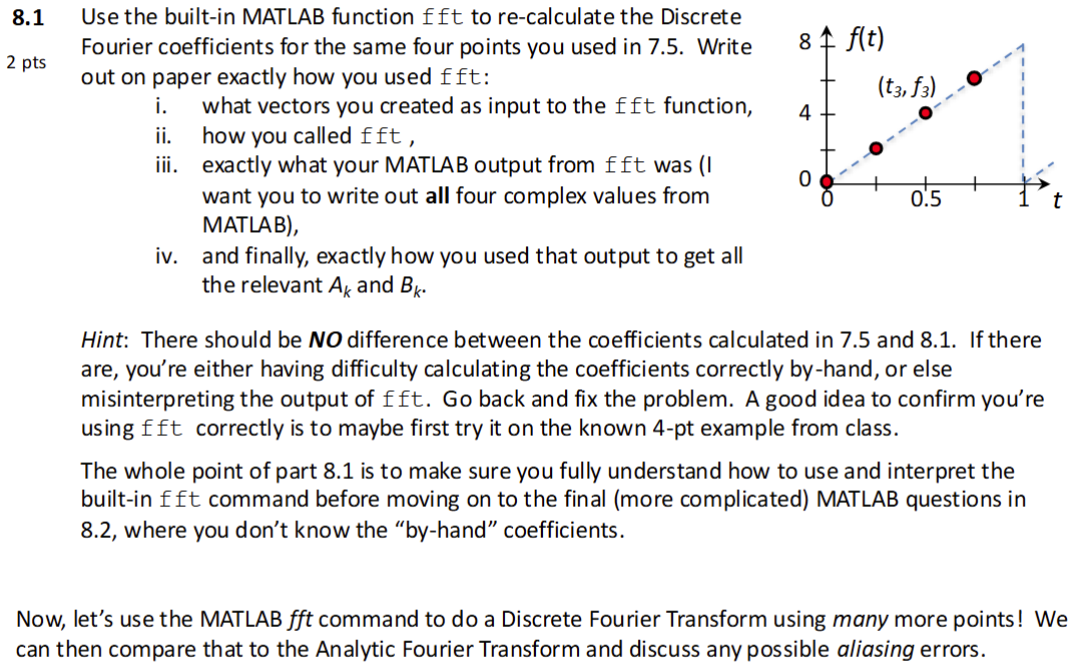
Question: 8 . 1 Use the built - in MATLAB function ( f ) ft to re - calculate the Discrete 2 pts Fourier
Use the builtin MATLAB function f ft to recalculate the Discrete
pts Fourier coefficients for the same four points you used in Write out on paper exactly how you used mathrmf f mathrmf :
i what vectors you created as input to the fft function,
ii how you called fft
iii. exactly what your MATLAB output from fft was I want you to write out all four complex values from MATLAB
iv and finally, exactly how you used that output to get all the relevant Ak and Bk
Hint: There should be boldsymbolN O difference between the coefficients calculated in and If there are, you're either having difficulty calculating the coefficients correctly byhand, or else misinterpreting the output of f mathrmft Go back and fix the problem. A good idea to confirm you're using fft correctly is to maybe first try it on the known pt example from class.
The whole point of part is to make sure you fully understand how to use and interpret the builtin fft command before moving on to the final more complicated MATLAB questions in where you don't know the byhand" coefficients.
Now, let's use the MATLAB fft command to do a Discrete Fourier Transform using many more points! We can then compare that to the Analytic Fourier Transform and discuss any possible aliasing errors.
Step by Step Solution
There are 3 Steps involved in it
1 Expert Approved Answer
Step: 1 Unlock

Question Has Been Solved by an Expert!
Get step-by-step solutions from verified subject matter experts
Step: 2 Unlock
Step: 3 Unlock
 Study Help