







Question: 8) Let pc point to variable px, i.e., pc=&px, then use a for-loop to print out values of (pc+ i) and * (pc+i), i.e., the
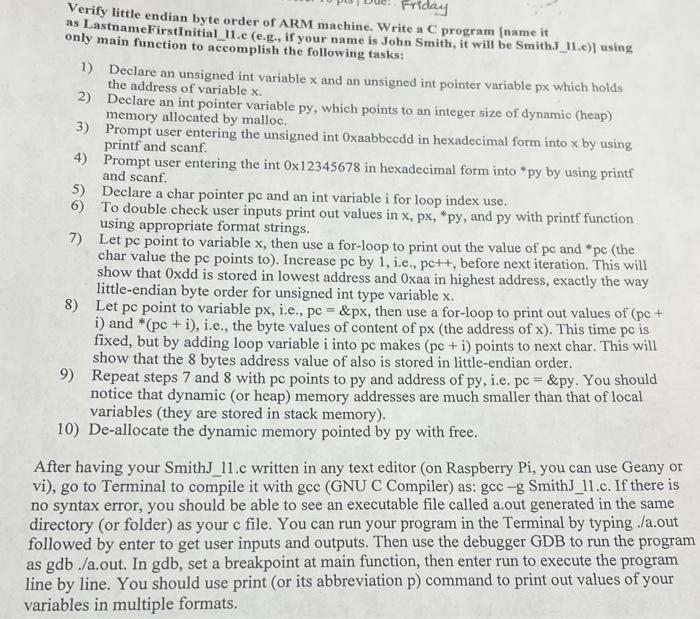
8) Let pc point to variable px, i.e., pc=&px, then use a for-loop to print out values of (pc+ i) and * (pc+i), i.e., the byte values of content of px (the address of x ). This time pc is fixed, but by adding loop variable i into pc makes (pc+i) points to next char. This will show that the 8 bytes address value of also is stored in little-endian order. 9) Repeat steps 7 and 8 with pc points to py and address of py, i.e. pc =&py. You should notice that dynamic (or heap) memory addresses are much smaller than that of local variables (they are stored in stack memory). 10) De-allocate the dynamic memory pointed by py with free. After having your SmithJ_11.c written in any text editor (on Raspberry Pi, you can use Geany or vi), go to Terminal to compile it with gcc (GNU C Compiler) as: gcc g SmithJ_11.c. If there is no syntax error, you should be able to see an executable file called a.out generated in the same directory (or folder) as your c file. You can run your program in the Terminal by typing ./a.out followed by enter to get user inputs and outputs. Then use the debugger GDB to run the program as gdb ./a.out. In gdb, set a breakpoint at main function, then enter run to execute the program line by line. You should use print (or its abbreviation p) command to print out values of your variables in multiple formats
Step by Step Solution
There are 3 Steps involved in it

Get step-by-step solutions from verified subject matter experts
 Study Help