







Question: 9 . 7 . 3 Hands - On Practice Project 1 : Enhanced Media Player Difficulty Level: Beginner Overview This project expands the media player
HandsOn Practice
Project : Enhanced Media Player
Difficulty Level: Beginner
Overview
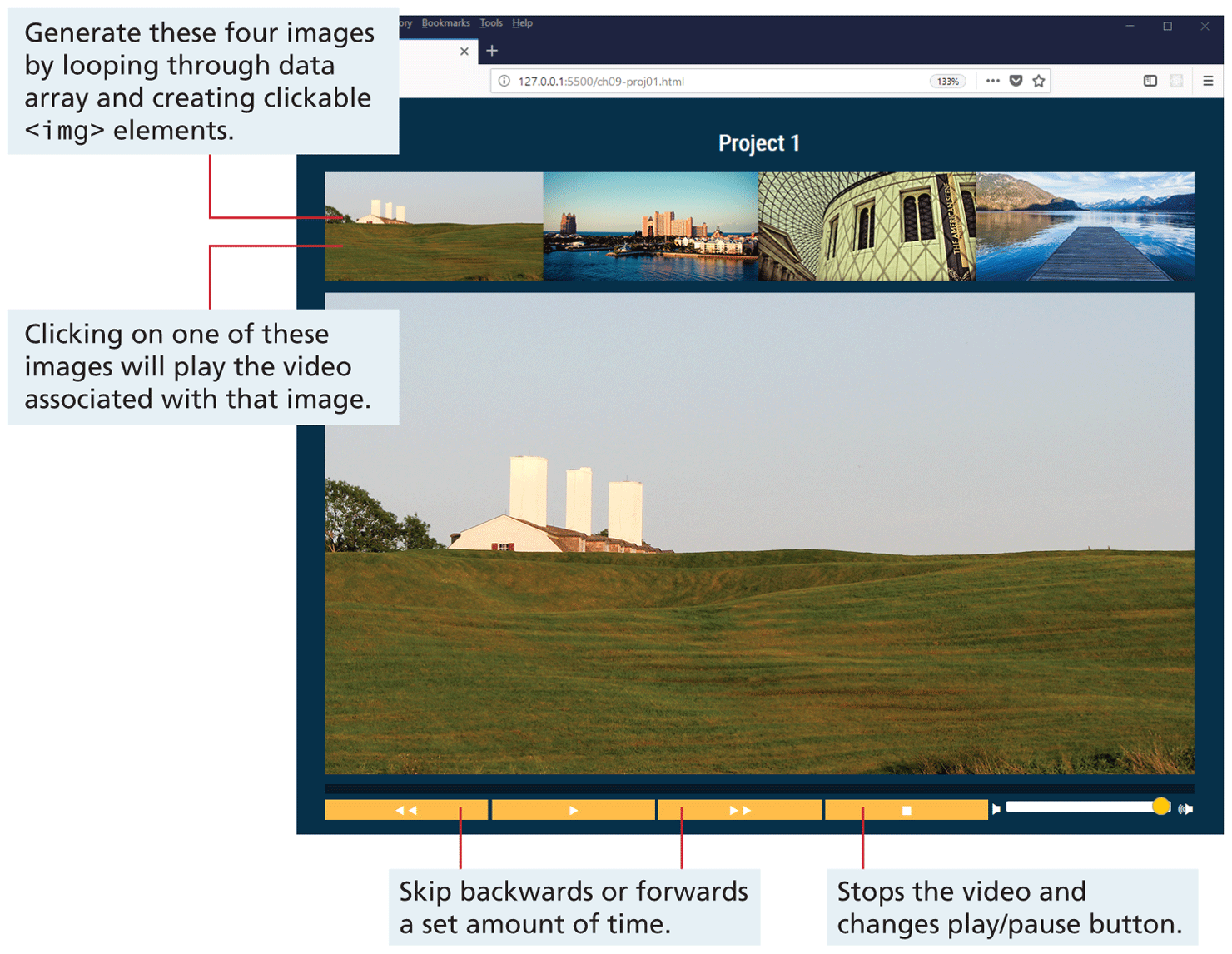
This project expands the media player exercise from the lab. It provides an opportunity for some straightforward DOM manipulations and event handling. Figure indicates what the final result should look like in the browser video files may be different than those shown here
Figure Finished project
Figure Full Alternative Text
Instructions
You have been provided with the necessary styling and markup already. Examine chapterprojecthtml in the editor of your choice.
Examine chprojjs and notice the files array. The four elements in that array correspond to the name of the corresponding image and video files in the images and videos folders.
Begin by modifying chprojjs and create a list of available videos by looping through the provided files array and adding the relevant elements to the
Step by Step Solution
There are 3 Steps involved in it
1 Expert Approved Answer
Step: 1 Unlock

Question Has Been Solved by an Expert!
Get step-by-step solutions from verified subject matter experts
Step: 2 Unlock
Step: 3 Unlock
 Study Help