







Question: 9 . 9 LAB - Database programming with Java LAB 9 . 9 . 1 : LAB - Database programming with Java Complete the Java
LAB Database programming with Java
LAB
: LAB Database programming with Java
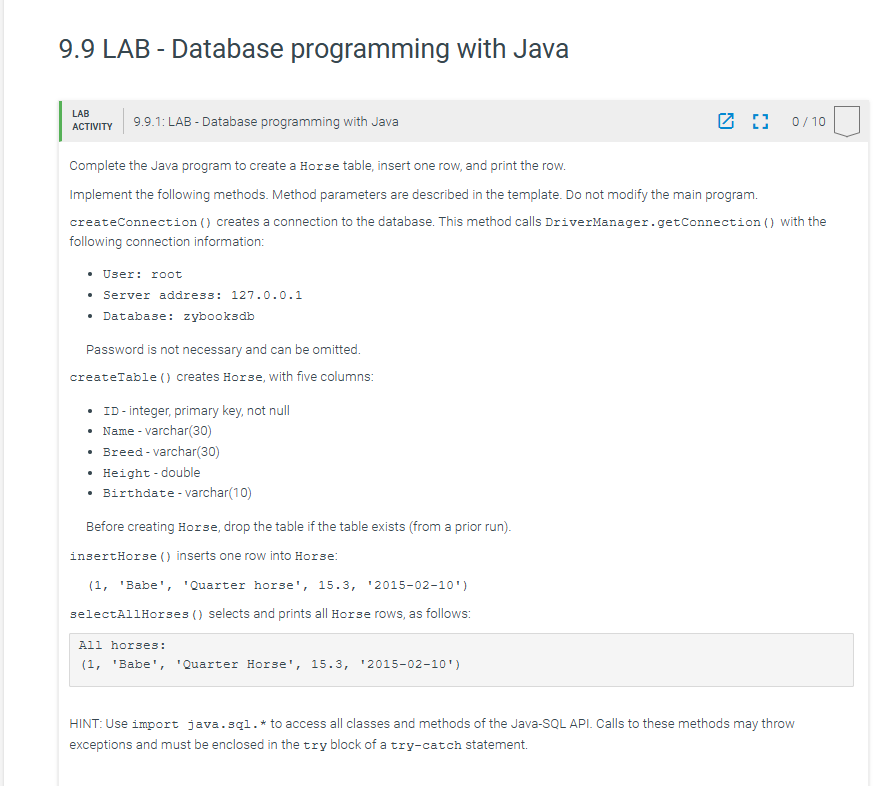
Complete the Java program to create a Horse table, insert one row, and print the row.
Implement the following methods. Method parameters are described in the template. Do not modify the main program. createConnection creates a connection to the database. This method calls DriverManager.getConnection with the following connection information:
User: root
Server address:
Database: zybooksdb
Password is not necessary and can be omitted.
createTable creates Horse, with five columns:
ID integer, primary key, not null
Name varchar
Breed varchar
Heightdouble
Birthdate varchar
Before creating Horse, drop the table if the table exists from a prior run
insertHorse inserts one row into Horse:
'Babe', 'Quarter horse',
selectAllHorses selects and prints all Horse rows, as follows:
All horses:
'Babe', 'Quarter Horse',
HINT: Use import java.sql to access all classes and methods of the JavaSQL API. Calls to these methods may throw exceptions and must be enclosed in the try block of a trycatch statement.
LabProgram.java
import java.sql;
public class LabProgram
Create a database connection
public static Connection createConnection
Create a connection to 'zybooksdb' database
:return: Connection object
YOUR CODE HERE
Create Horse table
public static void createTableConnection conn
Create Horse table
:param conn: Connection object
:return: Nothing
Coding trail of your work What is this?
S U min:
Latest submission : PM EST on
Only show failing tests
Open submission's code
: Unit test all methods
Only show failing tests
Open submission's code
: Unit test all methods
Test createConnection createTable and insertHorse methods
file named HorseDatabase.java
public class HorseDatabase
usercodezyLabsUnitTestjava:: error: cannot access LabProgram conn LabProgram.createConnection;
bad source file: usercodeLabProgramjava
file does not contain class LabProgram
Please remove or make sure it appears in the correct subdirectory of the sourcepath.
errors
: Compare output
Compare output
usercodeLabProgramjava:: error: class HorseDatabase is public, should be declared in a
file named HorseDatabase.java
public class HorseDatabase
error
Step by Step Solution
There are 3 Steps involved in it
1 Expert Approved Answer
Step: 1 Unlock

Question Has Been Solved by an Expert!
Get step-by-step solutions from verified subject matter experts
Step: 2 Unlock
Step: 3 Unlock
 Study Help