







Question: *9.1 ( Move the ball ) Write a program that moves a ball in a panel. You should define a panel class for displaying the
*9.1
(Move the ball) Write a program that moves a ball in a panel. You should define a panel class for displaying the ball and provide the methods for moving the ball left, right, up, and down, as shown in Figure 9.22a. Check the boundaries to prevent the ball from moving out of sight completely.
Figure 9.22
(a) You can click a button to move the ball. (b) You can obtain the future value by entering the investment amount, years, and annual interest rate.
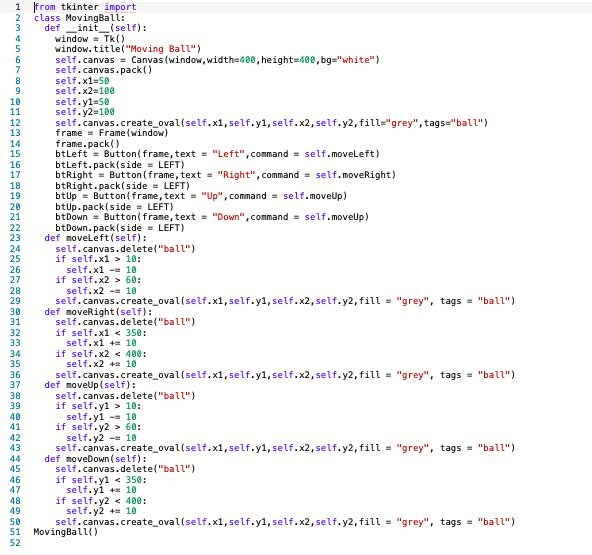
I entered in this code:
from tkinter import *
class MovingBall:
def __init__(self):
window = Tk()
window.title("Moving Ball")
self.canvas = Canvas(window,width=400,height=400,bg="white")
self.canvas.pack()
self.x1=50
self.x2=100
self.y1=50
self.y2=100
self.canvas.create_oval(self.x1,self.y1,self.x2,self.y2,fill="grey",tags="ball")
frame = Frame(window)
frame.pack()
btLeft = Button(frame,text = "Left",command = self.moveLeft)
btLeft.pack(side = LEFT)
btRight = Button(frame,text = "Right",command = self.moveRight)
btRight.pack(side = LEFT)
btUp = Button(frame,text = "Up",command = self.moveUp)
btUp.pack(side = LEFT)
btDown = Button(frame,text = "Down",command = self.moveUp)
btDown.pack(side = LEFT)
def moveLeft(self):
self.canvas.delete("ball")
if self.x1 > 10:
self.x1 -= 10
if self.x2 > 60:
self.x2 -= 10
self.canvas.create_oval(self.x1,self.y1,self.x2,self.y2,fill = "grey", tags = "ball")
def moveRight(self):
self.canvas.delete("ball")
if self.x1
self.x1 += 10
if self.x2
self.x2 += 10
self.canvas.create_oval(self.x1,self.y1,self.x2,self.y2,fill = "grey", tags = "ball")
def moveUp(self):
self.canvas.delete("ball")
if self.y1 > 10:
self.y1 -= 10
if self.y2 > 60:
self.y2 -= 10
self.canvas.create_oval(self.x1,self.y1,self.x2,self.y2,fill = "grey", tags = "ball")
def moveDown(self):
self.canvas.delete("ball")
if self.y1
self.y1 += 10
if self.y2
self.y2 += 10
self.canvas.create_oval(self.x1,self.y1,self.x2,self.y2,fill = "grey", tags = "ball")
MovingBall()
but got this error:
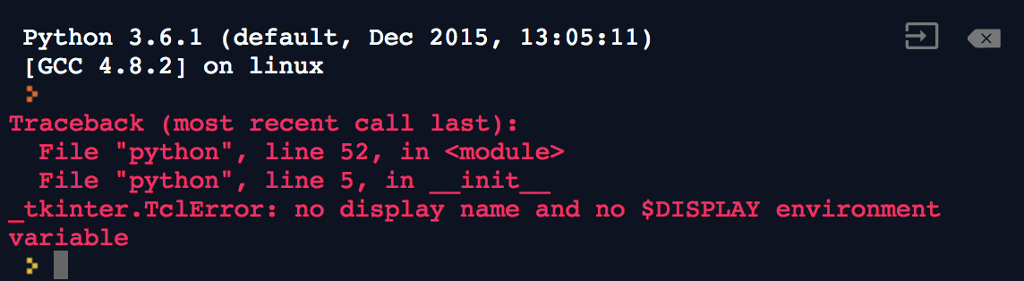
Then I have the same problem on this next problem
*9.3
(Select geometric figures) Write a program that draws a rectangle or an oval, as shown in Figure 9.23. The user selects a figure from a radio button and specifies whether it is filled by selecting a check button.
Figure 9.23
The program displays a rectangle or an oval when you select a shape type, and whether it is filled.
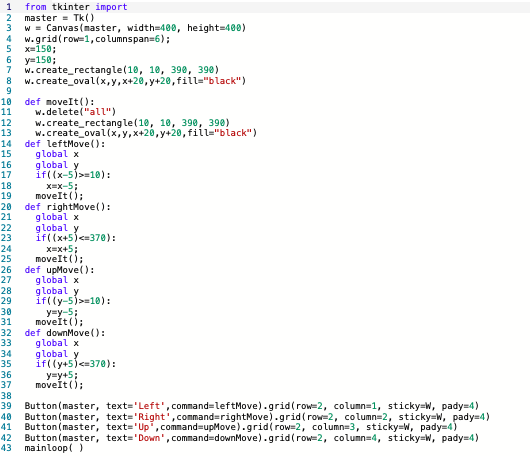
My code:
from tkinter import *
master = Tk()
w = Canvas(master, width=400, height=400)
w.grid(row=1,columnspan=6);
x=150;
y=150;
w.create_rectangle(10, 10, 390, 390)
w.create_oval(x,y,x+20,y+20,fill="black")
def moveIt():
w.delete("all")
w.create_rectangle(10, 10, 390, 390)
w.create_oval(x,y,x+20,y+20,fill="black")
def leftMove():
global x
global y
if((x-5)>=10):
x=x-5;
moveIt();
def rightMove():
global x
global y
if((x+5)
x=x+5;
moveIt();
def upMove():
global x
global y
if((y-5)>=10):
y=y-5;
moveIt();
def downMove():
global x
global y
if((y+5)
y=y+5;
moveIt();
Button(master, text='Left',command=leftMove).grid(row=2, column=1, sticky=W, pady=4)
Button(master, text='Right',command=rightMove).grid(row=2, column=2, sticky=W, pady=4)
Button(master, text='Up',command=upMove).grid(row=2, column=3, sticky=W, pady=4)
Button(master, text='Down',command=downMove).grid(row=2, column=4, sticky=W, pady=4)
mainloop( )
error code:

In Python 3.6.1
Python 3.6.1 (default, Dec 2015, 13:05:11) GCC 4.8.2] on 1inux Traceback (most recent call last): File "python",line 52, in
Step by Step Solution
There are 3 Steps involved in it

Get step-by-step solutions from verified subject matter experts
 Study Help