







Question: A. Analyze the regular expression and apply it to the given texts. re = a[ww]+b$ 1. What value does the findall() return when the text
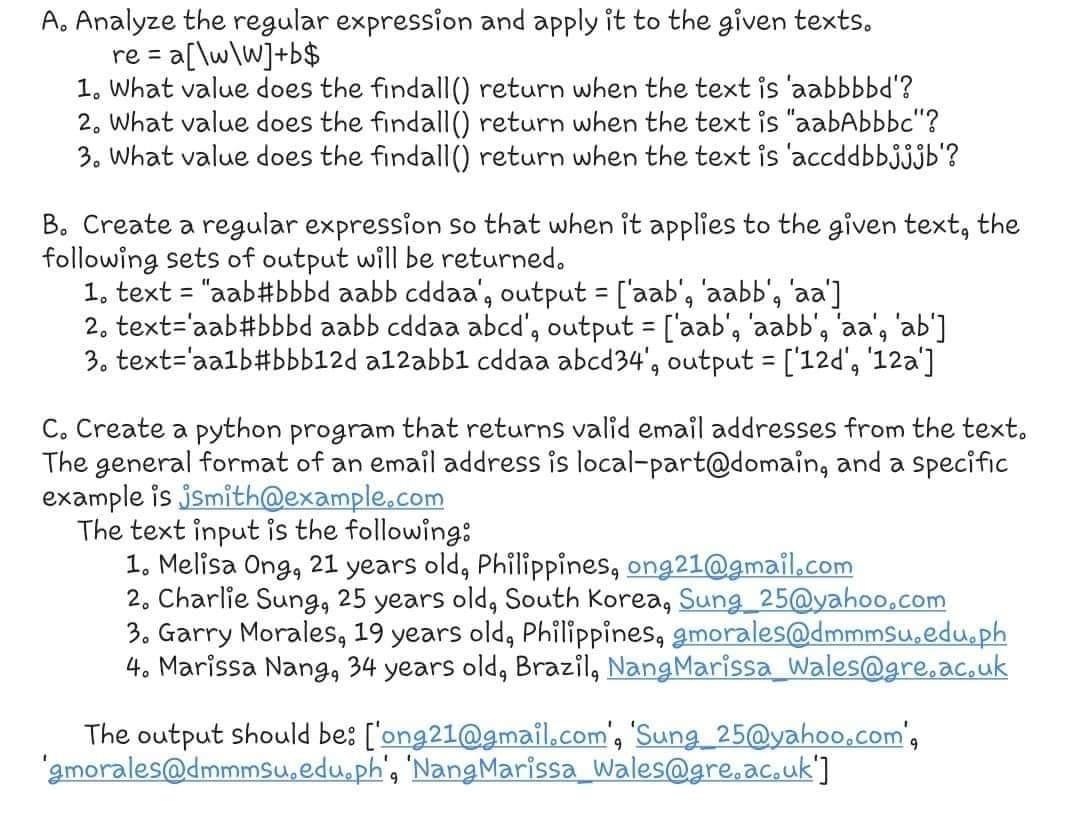
A. Analyze the regular expression and apply it to the given texts. re = a[\w\w]+b$ 1. What value does the findall() return when the text is 'aabbbbd'? 2. What value does the findall() return when the text is "aabAbbbc"? 3. What value does the findall() return when the text is 'accddbbjjjb'? B. Create a regular expression so that when it applies to the given text, the following sets of output will be returned. 1. text = "aab#bbbd aabb cddaa', output = ['aab', 'aabb', 'aa'] 2. text='aab#bbbd aabb cddaa abcd', output = ['aab', 'aabb', 'aa', 'ab'] 3. text='aalb#bbb12d alzabb1 cddaa abcd34', output = ['12d', '12a'] C. Create a python program that returns valid email addresses from the text. The general format of an email address is local-part@domain, and a specific example is jsmith@example.com The text input is the following: 1. Melisa Ong, 21 years old, Philippines, ong21@gmail.com 2. Charlie Sung, 25 years old, South Korea, Sung_25@yahoo.com 3. Garry Morales, 19 years old, Philippines, gmorales@dmmmsu.edu.ph 4. Marissa Nang, 34 years old, Brazil, Nang Marissa_Wales@gre, ac, uk The output should be: ['ong21@gmail.com', 'Sung_25@yahoo.com', 'gmorales@dmmmsu.edu.ph', 'Nang Marissa_Wales@gre.ac.uk']
Step by Step Solution
There are 3 Steps involved in it

Get step-by-step solutions from verified subject matter experts
 Study Help