







Question: * A class that implements a very simplified StringBuilder - like class. This * class will not execute on its own - you will need
A class that implements a very simplified StringBuilderlike class. This
class will not execute on its own you will need to use code provided in
the TestSimpleStringBuilder.java class to run this code.
@author Miles McGann
@author No partner
@version
import java.util.ArrayList;
import java.util.List;
public class SimpleStringBuilder
List list;
private void createEmptyBuilder
this.list new ArrayList;
constructs an empty SimpleStringBuilder
public SimpleStringBuilder
this.createEmptyBuilder;
@param input
public SimpleStringBuilderString input
this.createEmptyBuilder;
for int i ; i input.length; i
this.list.addinputcharAti;
@return the value of SimpleStringBuilder as a String
@Override
public String toString
String myString ;
for int i ; i this.list.size; i
myString myString this.list.geti;
return myString;
@param i
@return the character at position to be checked
public char charAtint i
returns the character at specified index
return list.geti;
@return the length of the StringBuilder
public int length
return the size of the string
return list.size;
Replaces the character at position i with character c
@param i
i index to be replaces
@param c
c character to use in replacement
public void replaceCharAtint ichar c
removes the character from the index and add the new character
list.removei;
list.addi c;
Appends the character c to the end of the StringBuilder
@param i
@param c
public void appendchar c
adds the character to the string
list.addc;
Inserts the character at position i
@param i
index to insert at
@param c
character to be inserted
public void insertint ichar c
adds the element at ith position
list.addi c;
Deletes the character at position i
@param i
index to delete
public void deleteint i
removes the character at index i
list.removei;
this is the test code..
A program that tests the SimpleStringBuilder class created in this lab.
@author Jeremy Morris
@version
public class TestSimpleStringBuilder
A simple program used to test the SimpleStringBuilder class
@param args
public static void mainString args
SimpleStringBuilder myBuilder new SimpleStringBuilderHello World";
System.out.printlnString is: myBuilder.toString;
Code below this comment will not work until you complete the required methods
System.out.printlnLength is: myBuilder.length;
System.out.printlnChar is: myBuilder.charAt;
myBuilder.replaceCharAtp;
System.out.printlnString is: myBuilder.toString;
Code below this comment will not work until you complete the extra methods
myBuilder.append;
System.out.printlnString is: myBuilder.toString;
myBuilder.deleteCharAt;
System.out.printlnString is: myBuilder.toString;
System.out.printlnLength is: myBuilder.length;
myBuilder.insertz;
System.out.printlnString is: myBuilder.toString;
System.out.printlnLength is: myBuilder.length;
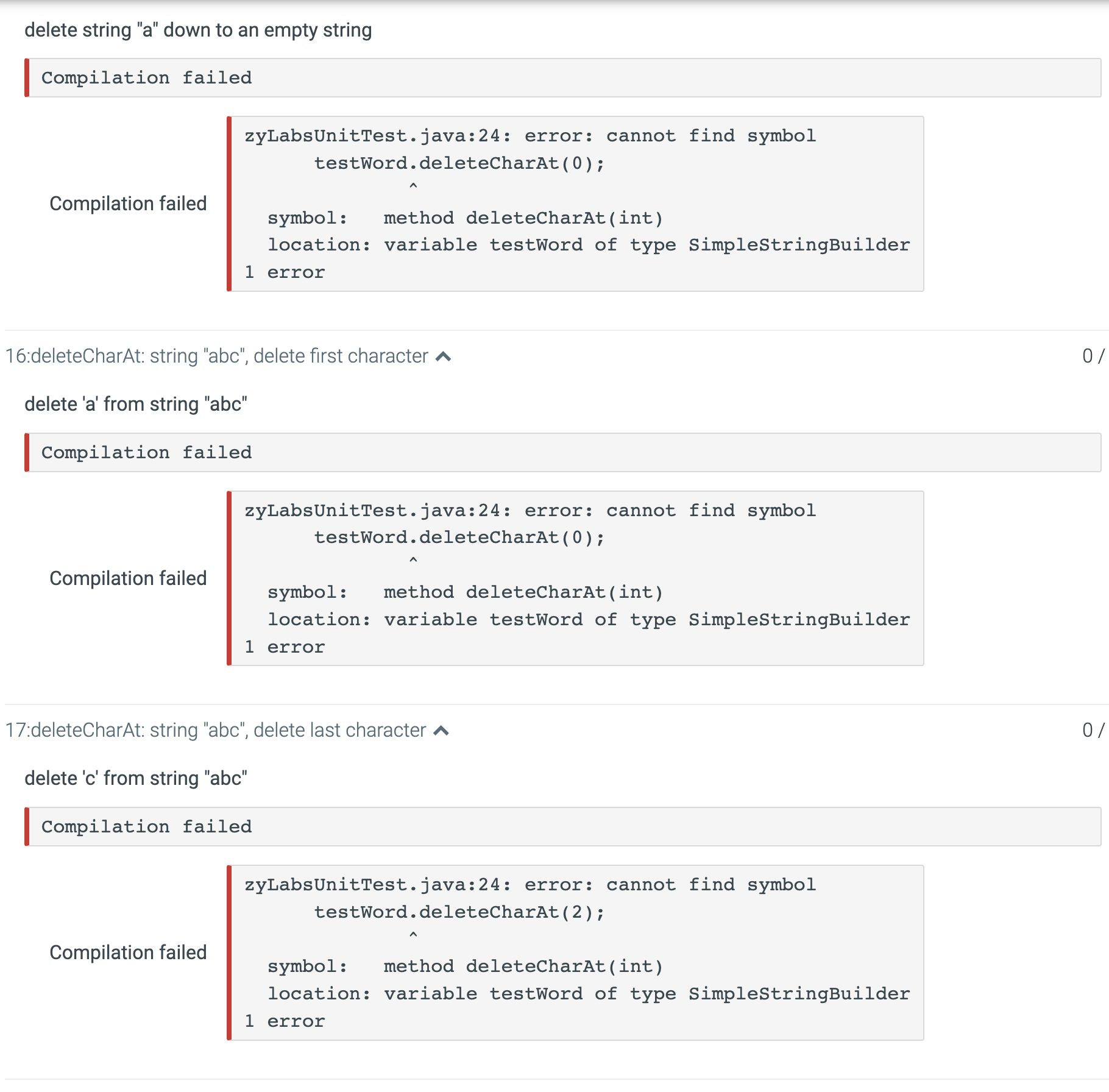
solve these errors in the photos as well as and that i will write out. Provide a code I can just submit from here
delete b from string "abc"
zyLabsUnitTest.java:: error: cannot find symbol testWord.deleteCharAt; symbol: method deleteCharAtint location: variable testWord of type SimpleStringBuilder error
your output:
String is: Hello World
Length is:
Char is: l
String is: Helpo World
expected output:
String is: Hello World
Length is:
Char is: l
String is: Helpo World
String is: Helpo World! ln
String is: Helo World! ln
Length is: ln
String is: Helzo World! ln
Length is: ln
Step by Step Solution
There are 3 Steps involved in it
1 Expert Approved Answer
Step: 1 Unlock

Question Has Been Solved by an Expert!
Get step-by-step solutions from verified subject matter experts
Step: 2 Unlock
Step: 3 Unlock
 Study Help