







Question: a) Complete the xml and/or code needed to accomplish the following goal. When the user clicks on the Multiply button, we take the integer values
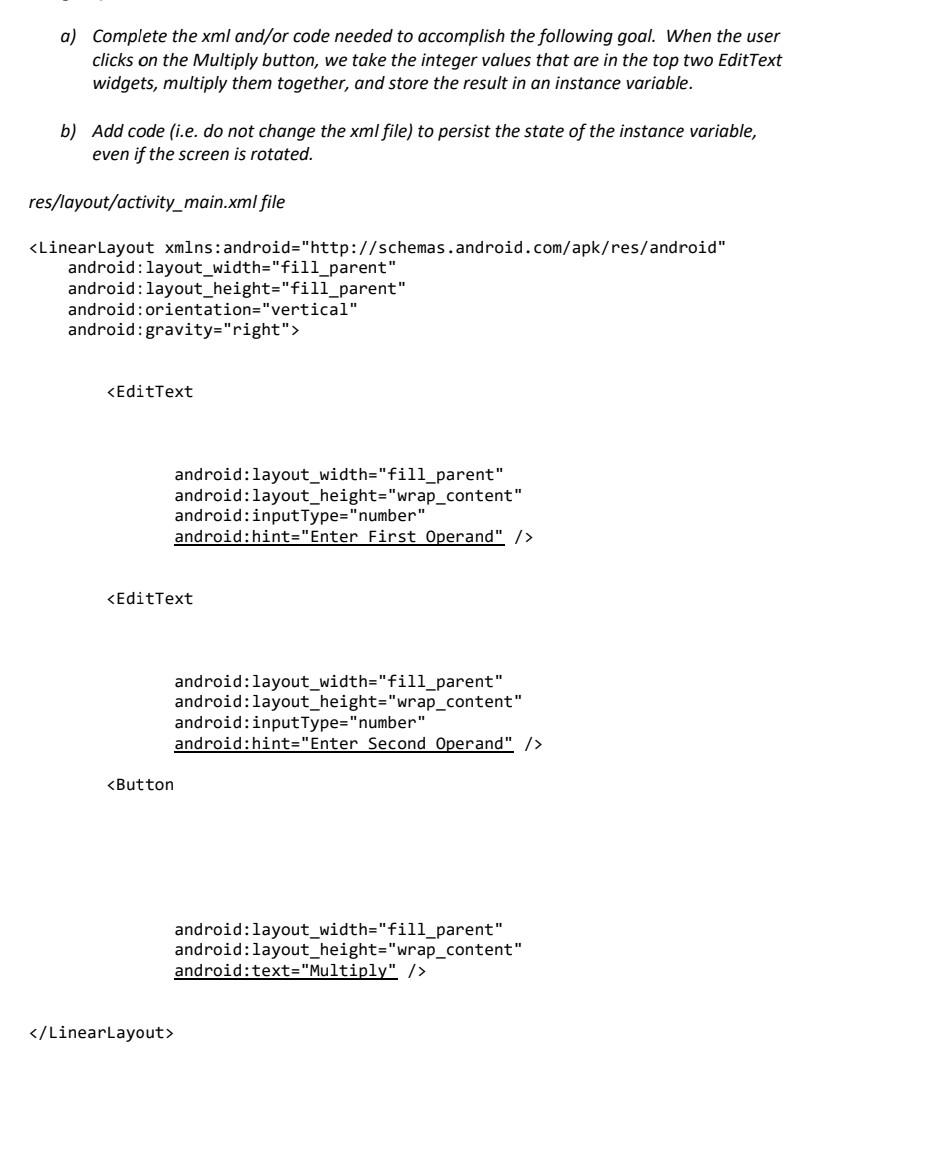
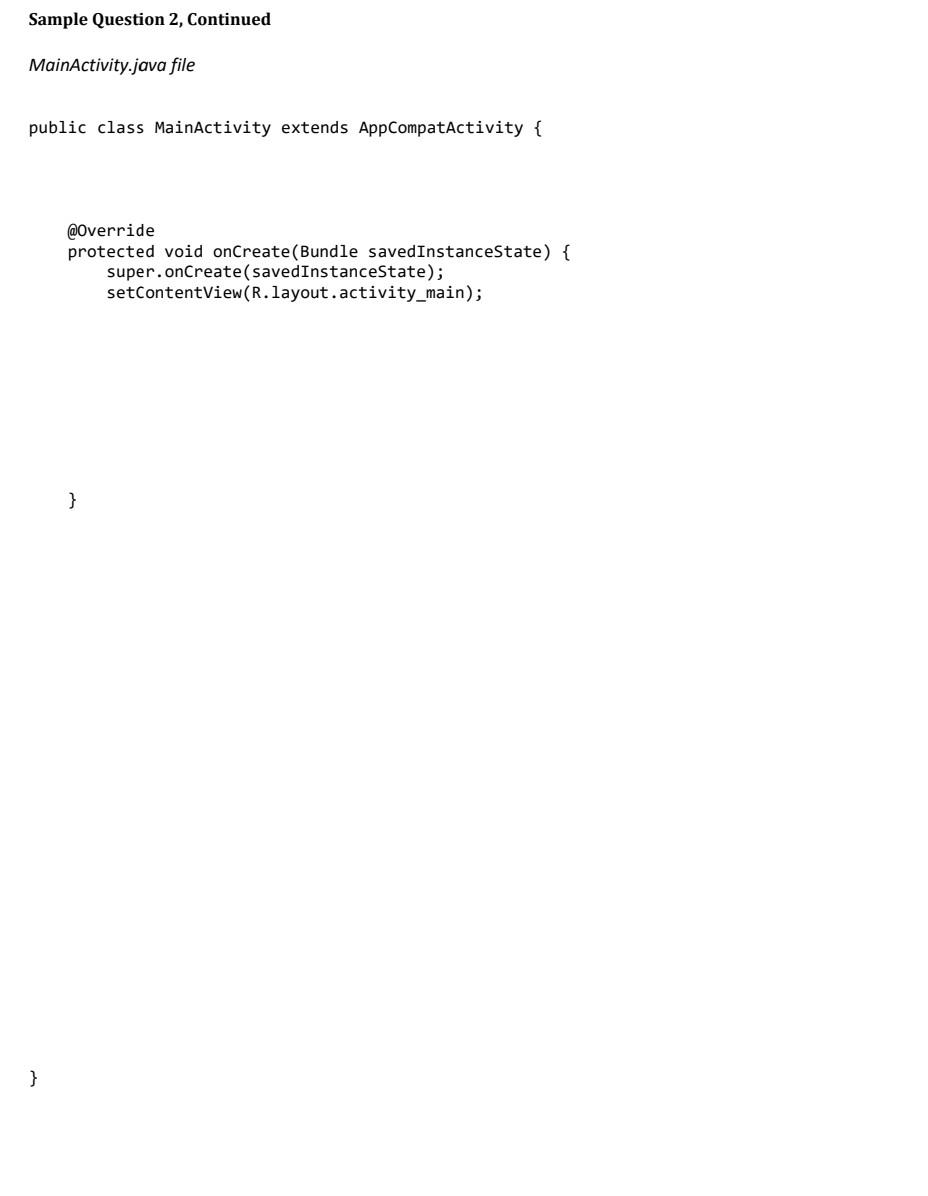
a) Complete the xml and/or code needed to accomplish the following goal. When the user clicks on the Multiply button, we take the integer values that are in the top two EditText widgets, multiply them together, and store the result in an instance variable. b) Add code (i.e. do not change the xml file) to persist the state of the instance variable, even if the screen is rotated. res/layout/activity_main.xml file KLinearLayout xmlns:android="http://schemas.android.com/apk/res/android" android: layout_width="fill_parent" android: layout_height="fill_parent" android: orientation="vertical" android: gravity="right"> / / LinearLayout > @0verride protected void onCreate(Bundle savedinstanceState) \{ super.onCreate(savedinstanceState); setContentView(R.layout.activity_main); a) Complete the xml and/or code needed to accomplish the following goal. When the user clicks on the Multiply button, we take the integer values that are in the top two EditText widgets, multiply them together, and store the result in an instance variable. b) Add code (i.e. do not change the xml file) to persist the state of the instance variable, even if the screen is rotated. res/layout/activity_main.xml file KLinearLayout xmlns:android="http://schemas.android.com/apk/res/android" android: layout_width="fill_parent" android: layout_height="fill_parent" android: orientation="vertical" android: gravity="right"> / / LinearLayout > @0verride protected void onCreate(Bundle savedinstanceState) \{ super.onCreate(savedinstanceState); setContentView(R.layout.activity_main)
Step by Step Solution
There are 3 Steps involved in it

Get step-by-step solutions from verified subject matter experts
 Study Help