





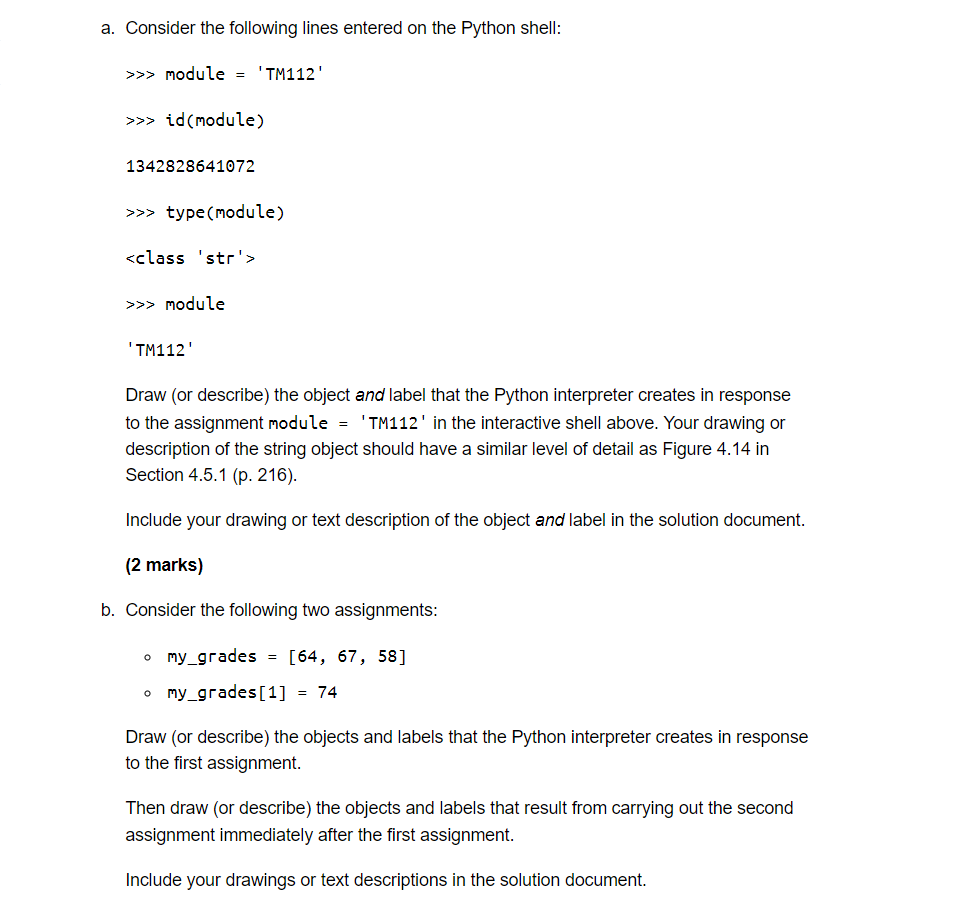
Question: a. Consider the following lines entered on the Python shell: >>> module = 'TM112' >>> id (module) 1342828641072 >>> type (module) >>> module 'TM112' Draw
 a. Consider the following lines entered on the Python shell: >>>

a. Consider the following lines entered on the Python shell: >>> module = 'TM112' >>> id (module) 1342828641072 >>> type (module) >>> module 'TM112' Draw (or describe) the object and label that the Python interpreter creates in response to the assignment module = 'TM112' in the interactive shell above. Your drawing or description of the string object should have a similar level of detail as Figure 4.14 in Section 4.5.1 (p. 216). Include your drawing or text description of the object and label in the solution document. (2 marks) b. Consider the following two assignments: my_grades = [64, 67, 58] o my_grades[1] = 74 Draw (or describe) the objects and labels that the Python interpreter creates in response to the first assignment. Then draw (or describe) the objects and labels that result from carrying out the second assignment immediately after the first assignment. Include your drawings or text descriptions in the solution document

Step by Step Solution

There are 3 Steps involved in it

1 Expert Approved Answer
Step: 1 Unlock blur-text-image
Question Has Been Solved by an Expert!

Get step-by-step solutions from verified subject matter experts

Step: 2 Unlock
Step: 3 Unlock

Students Have Also Explored These Related Databases Questions!