







Question: (a) Create and turn in a Data Table for the data item Alarm with 4 entries in the Failure Mode column: Absent data, Incorrect data,
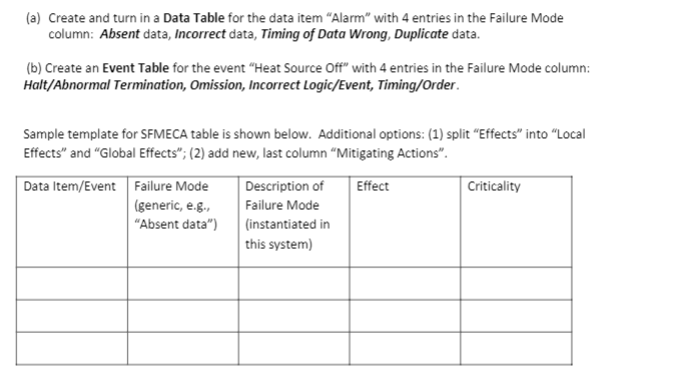
(a) Create and turn in a Data Table for the data item "Alarm" with 4 entries in the Failure Mode column: Absent data, Incorrect data, Timing of Data Wrong, Duplicate data. (b) Create an Event Table for the event "Heat Source Off" with 4 entries in the Failure Mode column: Halt/Abnormal Termination, Omission, Incorrect Logic/Event, Timing/Order. Sample template for SFMECA table is shown below. Additional options: (1) split "Effects" into Local Effects" and "Global Effects; (2) add new, last column "Mitigating Actions". Data Item/Event Failure Mode Description of Effect Criticality (generic, e.g., Failure Mode "Absent data") (instantiated in this system) (a) Create and turn in a Data Table for the data item "Alarm" with 4 entries in the Failure Mode column: Absent data, Incorrect data, Timing of Data Wrong, Duplicate data. (b) Create an Event Table for the event "Heat Source Off" with 4 entries in the Failure Mode column: Halt/Abnormal Termination, Omission, Incorrect Logic/Event, Timing/Order. Sample template for SFMECA table is shown below. Additional options: (1) split "Effects" into Local Effects" and "Global Effects; (2) add new, last column "Mitigating Actions". Data Item/Event Failure Mode Description of Effect Criticality (generic, e.g., Failure Mode "Absent data") (instantiated in this system)
Step by Step Solution
There are 3 Steps involved in it

Get step-by-step solutions from verified subject matter experts
 Study Help