



Question: (a) Develop a matlab code to implement the fixed point algorithm. Algorithm: (Exactly as given in the textbook) START PROGRAM INPUT/INITIALIZATION : Input approximation
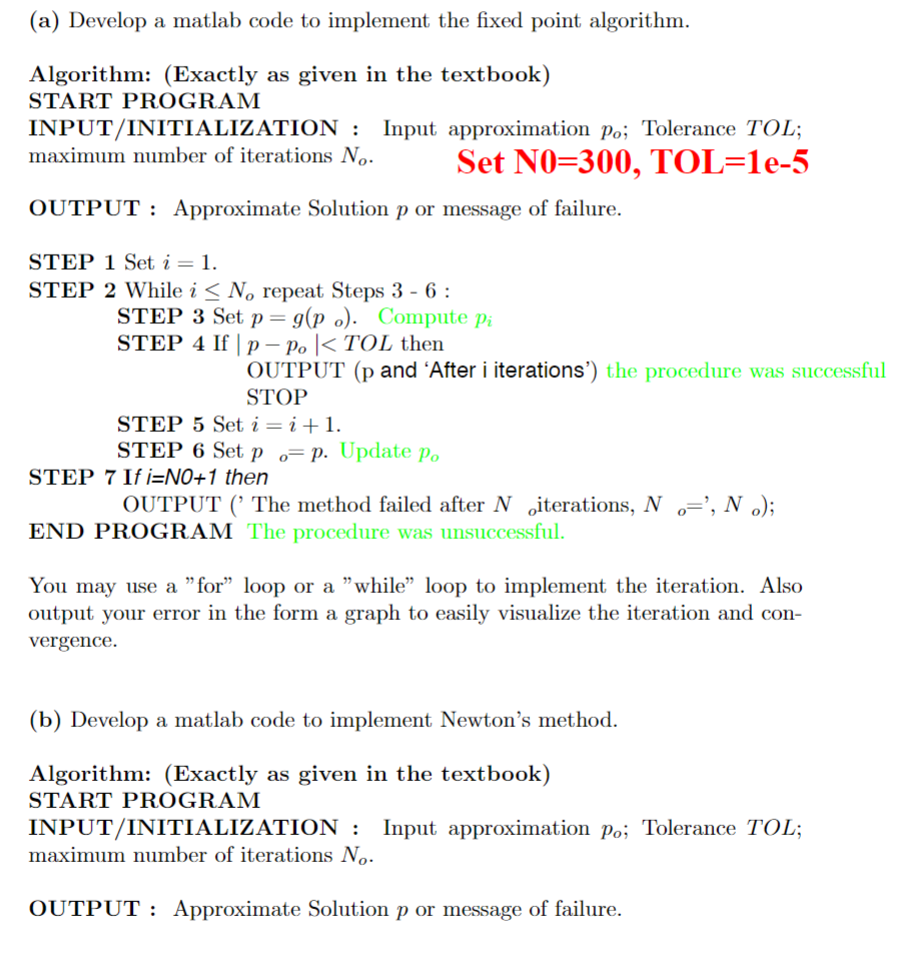
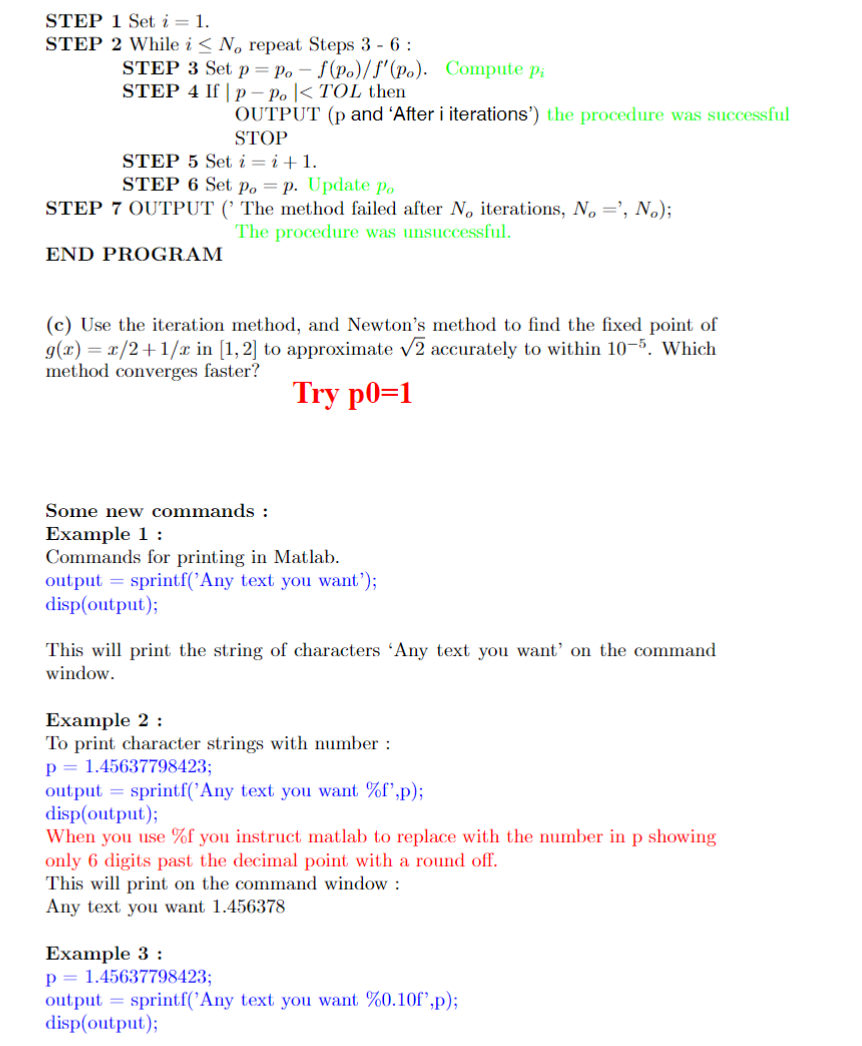
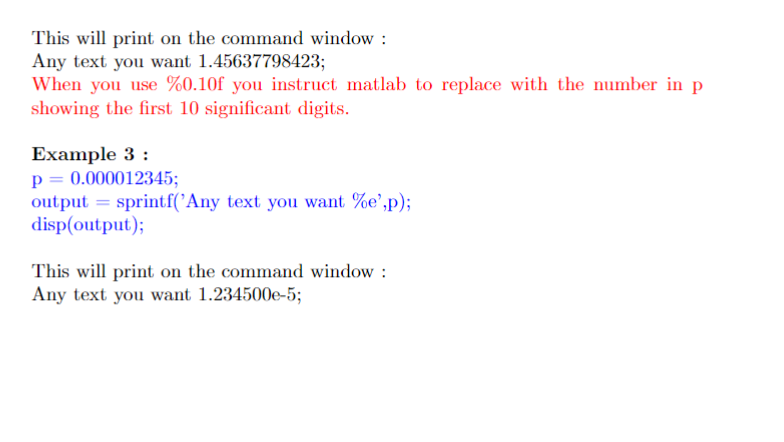
(a) Develop a matlab code to implement the fixed point algorithm. Algorithm: (Exactly as given in the textbook) START PROGRAM INPUT/INITIALIZATION : Input approximation po; Tolerance TOL; maximum number of iterations No. Set NO=300, TOL=1e-5 OUTPUT: Approximate Solution p or message of failure. STEP 1 Set i = 1. STEP 2 While i No repeat Steps 3 - 6: STEP 3 Set p = g(po). Compute pi STEP 4 If | p - Po | < TOL then OUTPUT (p and 'After i iterations') the procedure was successful STOP STEP 5 Set i = i + 1. STEP 6 Set p = p. Update Po STEP 7 If i=NO+1 then OUTPUT('The method failed after N iterations, No, No); END PROGRAM The procedure was unsuccessful. You may use a "for" loop or a "while" loop to implement the iteration. Also output your error in the form a graph to easily visualize the iteration and con- vergence. (b) Develop a matlab code to implement Newton's method. Algorithm: (Exactly as given in the textbook) START PROGRAM INPUT/INITIALIZATION : Input approximation po; Tolerance TOL; maximum number of iterations No. OUTPUT: Approximate Solution p or message of failure. STEP 1 Set i = 1. STEP 2 While i No repeat Steps 3 - 6: STEP 3 Set p = Po - f(po)/f'(po). Compute pi STEP 4 If | p-Po | < TOL then OUTPUT (p and 'After i iterations') the procedure was successful STOP STEP 5 Set i=i+1. STEP 6 Set po = p. Update po STEP 7 OUTPUT ('The method failed after No iterations, No =', No); The procedure was unsuccessful. END PROGRAM (c) Use the iteration method, and Newton's method to find the fixed point of g(x) = x/2+1/x in [1,2] to approximate 2 accurately to within 10-5. Which method converges faster? Try p0=1 Some new commands: Example 1 : Commands for printing in Matlab. output = sprintf('Any text you want'); disp(output); This will print the string of characters 'Any text you want' on the command window. Example 2 : To print character strings with number: p = 1.45637798423; output= sprintf('Any text you want %f",p); disp(output); When you use %f you instruct matlab to replace with the number in p showing only 6 digits past the decimal point with a round off. This will print on the command window: Any text you want 1.456378 Example 3 : p = 1.45637798423; output = sprintf('Any text you want %0.10f",p); disp(output); This will print on the command window : Any text you want 1.45637798423; When you use %0.10f you instruct matlab to replace with the number in p showing the first 10 significant digits. Example 3 : p = 0.000012345; output= sprintf('Any text you want %e',p); disp(output); This will print on the command window: Any text you want 1.234500e-5;
Step by Step Solution
3.49 Rating (149 Votes )
There are 3 Steps involved in it
Certainly Lets use the given iteration method and Newtons method to appro... View full answer

Get step-by-step solutions from verified subject matter experts