Question: A Lab for my CS Class, Please use Java Problem Description You will have to write a Java program that asks the user to enter
A Lab for my CS Class, Please use Java
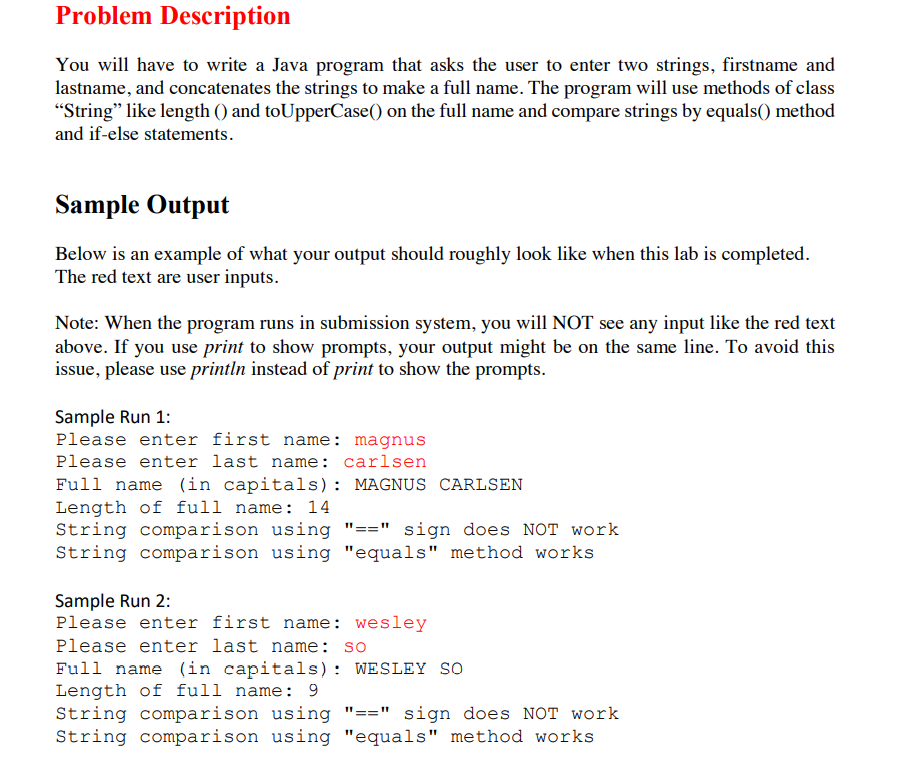
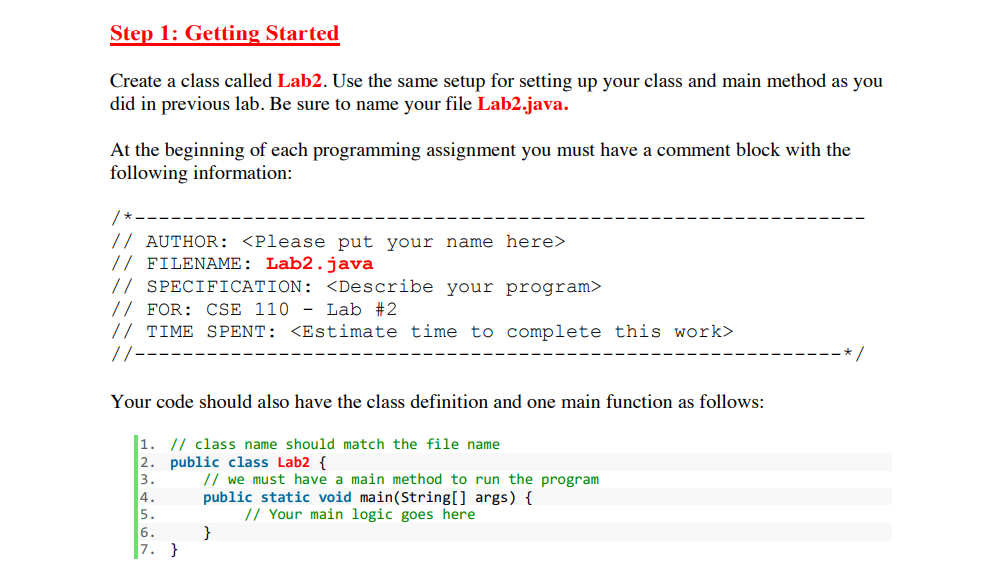
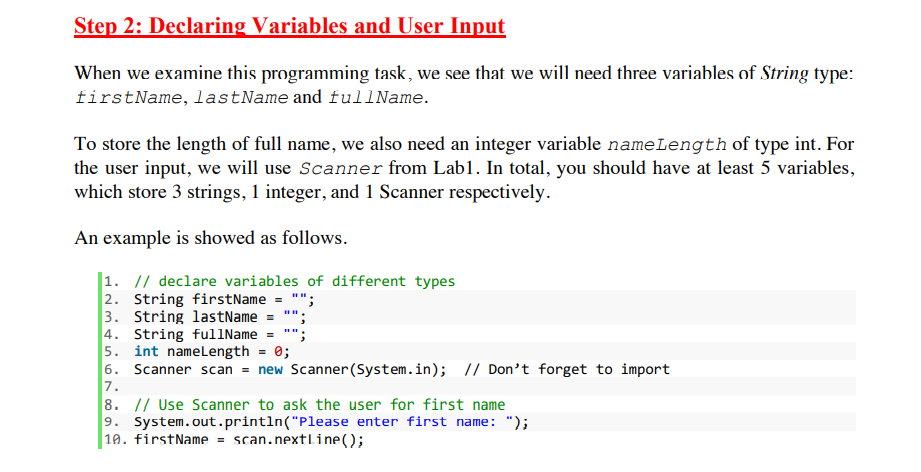
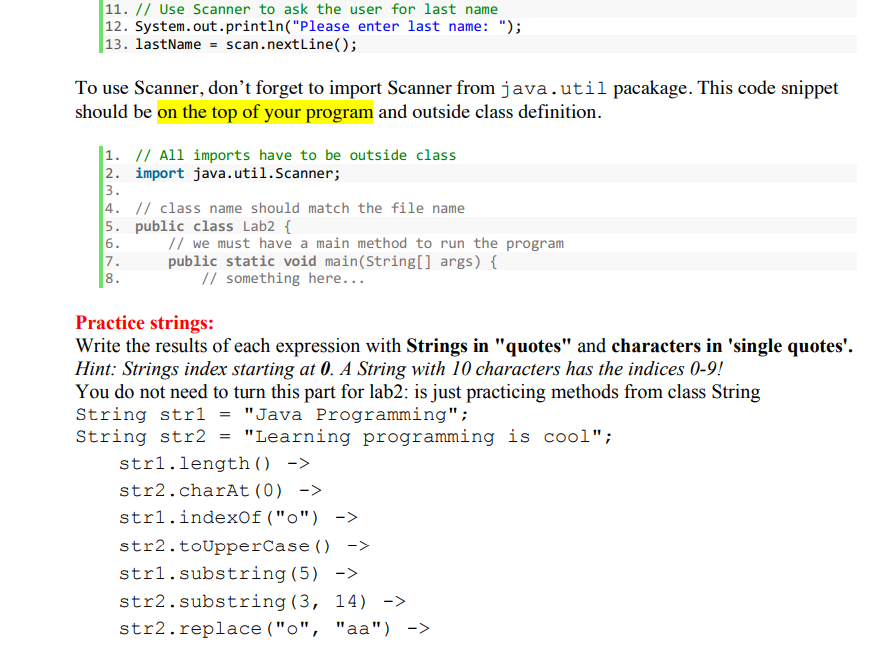
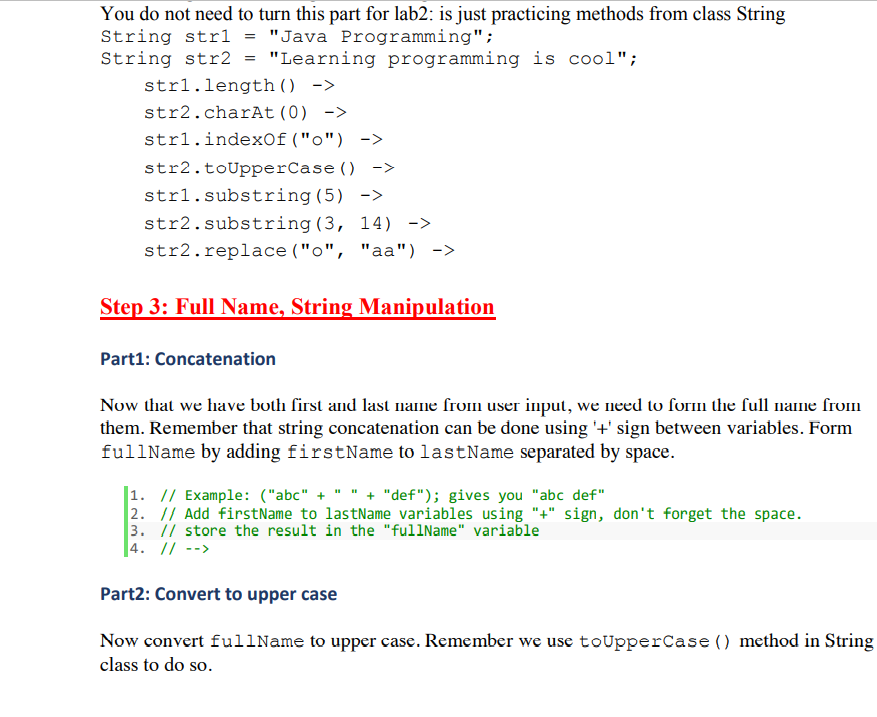
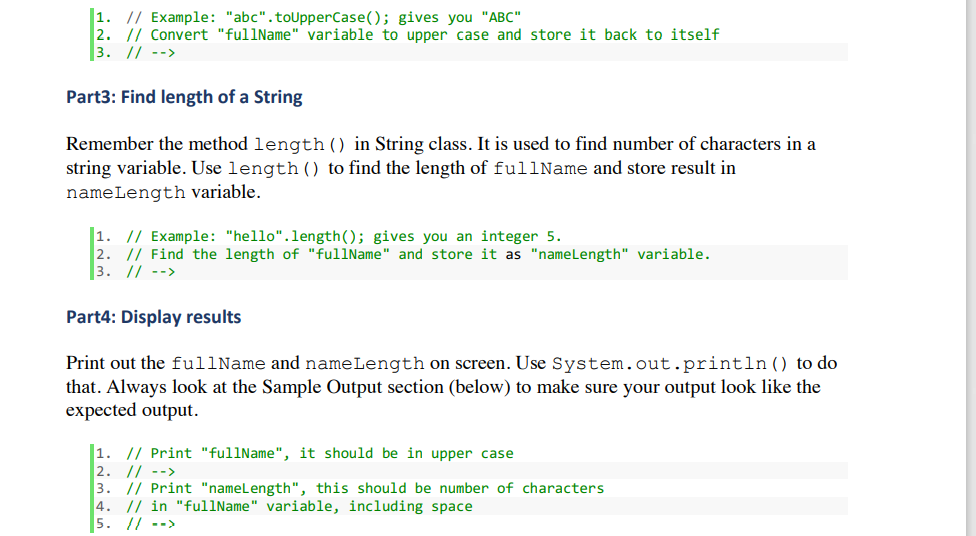
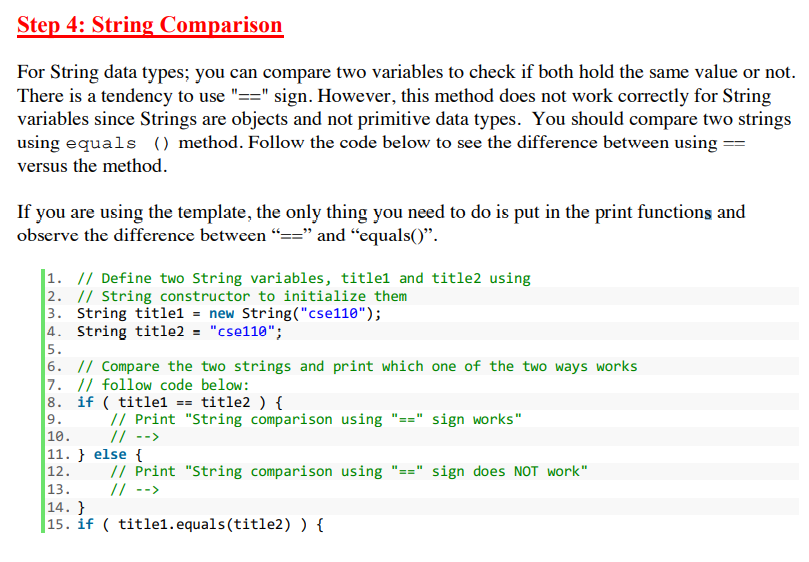

Problem Description You will have to write a Java program that asks the user to enter two strings, firstname and lastname, and concatenates the strings to make a full name. The program will use methods of class "String" like length () and toUpperCase() on the full name and compare strings by equals() method and if-else statements. Sample Output Below is an example of what your output should roughly look like when this lab is completed. The red text are user inputs. Note: When the program runs in submission system, you will NOT see any input like the red text above. If you use print to show prompts, your output might be on the same line. To avoid this issue, please use println instead of print to show the prompts. Sample Run 1: Please enter first name: magnus Please enter last name: carlsen Full name (in capitals): MAGNUS CARLSEN Length of full name: 14 String comparison using "==" sign does NOT work String comparison using "equals" method works Sample Run 2: Please enter first name: wesley Please enter last name: so Full name (in capitals): WESLEY SO Length of full name: 9 String comparison using "==" sign does NOT work String comparison using "equals" method works Step 1: Getting Started Create a class called Lab2. Use the same setup for setting up your class and main method as you did in previous lab. Be sure to name your file Lab2.java. At the beginning of each programming assignment you must have a comment block with the following information: /* // AUTHOR: // FILENAME: Lab2.java // SPECIFICATION: // FOR: CSE 110 - Lab #2 // TIME SPENT: // Your code should also have the class definition and one main function as follows: 1. // class name should match the file name 2. publ class Lab { // we must have a main method to run the program public static void main(String[] args) { // Your main logic goes here } 7. } Step 2: Declaring Variables and User Input When we examine this programming task, we see that we will need three variables of String type: firstName, lastName and fullName. To store the length of full name, we also need an integer variable nameLength of type int. For the user input, we will use Scanner from Lab1. In total, you should have at least 5 variables, which store 3 strings, 1 integer, and 1 Scanner respectively. An example is showed as follows. 1. // declare variables of different types 2. String firstName = ""; 3. String lastName = 4. String fullName 5. int nameLength = 0; 6. Scanner scan = new Scanner(System.in); // Don't forget to import 8. // Use Scanner to ask the user for first name 9. System.out.println("Please enter first name: "); 18. first Name = scan.nextLine(); 7. 11. // Use Scanner to ask the user for last name 12. System.out.println("Please enter last name: "); 13. lastName = scan.nextLine(); To use Scanner, don't forget to import Scanner from java.util pacakage. This code snippet should be on the top of your program and outside class definition. 1. // All imports have to be outside class 2. import java.util.Scanner; 3. 4. // class name should match the file name 5. public class Lab2 { 6. // we must have a main method to run the program 17. public static void main(String[] args) { 8. // something here... Practice strings: Write the results of each expression with Strings in "quotes" and characters in 'single quotes'. Hint: Strings index starting at 0. A String with 10 characters has the indices 0-9! You do not need to turn this part for lab2: is just practicing methods from class String String strl = "Java Programming"; String str2 = "Learning programming is cool"; stri.length() -> str2.charAt(0) -> stri.indexOf("0") -> str2.toUpperCase() -> stri.substring (5) -> str2.substring(3, 14) -> str2.replace("0", "aa") -> You do not need to turn this part for lab2: is just practicing methods from class String String strl = "Java Programming"; String str2 = "Learning programming is cool"; stri.length() -> str2.charAt(0) -> str1.indexOf("0") -> str2.toUpperCase() -> str1.substring(5) -> str2.substring(3, 14) -> str2.replace ("o", "aa") -> Step 3: Full Name, String Manipulation Part1: Concatenation Now that we have both first and last name from user input, we need to form the full name from them. Remember that string concatenation can be done using '+' sign between variables. Form fullName by adding firstName to lastName separated by space. 1. // Example: ("abc" + " " + "def"); gives you "abc def" 2. // Add firstName to lastName variables using "+" sign, don't forget the space. 3. // store the result in the "fullName" variable 4. // --> Part2: Convert to upper case Now convert fullName to upper case. Remember we use to UpperCase () method in String class to do so. 1. // Example: "abc".toUpperCase(); gives you "ABC" 2. // Convert "fullName" variable to upper case and store it back to itself 3. // --> Part3: Find length of a String Remember the method length() in String class. It is used to find number of characters in a string variable. Use length() to find the length of fullName and store result in nameLength variable. 1. // Example: "hello".length(); gives you an integer 5. 2. // Find the length of "fullName" and store it as "nameLength" variable. 3. // --> Part4: Display results Print out the fullName and nameLength on screen. Use System.out.println() to do that. Always look at the Sample Output section (below) to make sure your output look like the expected output. 1. // Print "fullName", it should be in upper case 2. // --> 3. // Print "nameLength", this should be number of characters 4. // in "fullName" variable, including space 5. // --> Step 4: String Comparison For String data types; you can compare two variables to check if both hold the same value or not. There is a tendency to use "==" sign. However, this method does not work correctly for String variables since Strings are objects and not primitive data types. You should compare two strings using equals () method. Follow the code below to see the difference between using == versus the method. If you are using the template, the only thing you need to do is put in the print functions and observe the difference between == and equals(). 1. // Define two String variables, titlel and title2 using 2. // String constructor to initialize them 3. String title1 = new String("cse110"); 4. String title2 = "cse110"; 5. 6. // Compare the two strings and print which one of the two ways works 7. // follow code below: 8. if ( titlel == title2 ) { 9. // Print "String comparison using "==" sign works" // --> 11. } else { 12. // Print "String comparison using "==" sign does NOT work" 13. // --> 14. } 15. if ( title1.equals(title)) { 10. Arizona State University 17. 16. // print "String comparison using "equals" method works" // --> 18. } else { // print "String comparison using "equals" method does NOT work" // --> 21. } 19. 20









 Study Help