







Question: a. Open the tile Exercise2_data- Save the project as ExerciseE_LastName_First_l~lame is. g. h. Using the table below. add yourself and the following students to your
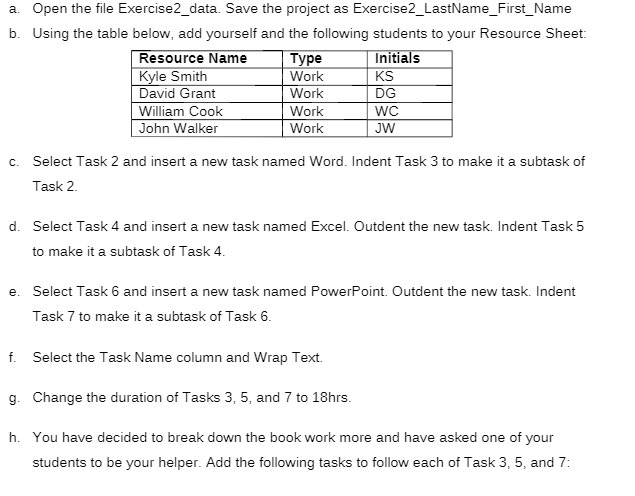
a. Open the tile Exercise2_data- Save the project as ExerciseE_LastName_First_l~lame is. g. h. Using the table below. add yourself and the following students to your Resource Sheet: IE1EE'._ Select Task 2 and insert a new task named Word. Indent Task 3 to make it a suhtask of Task 2. Select Taskf-l and insert a new task named Excel- llCIIutdent the new task. Indent Task 5 to make it a suhtask of Task 4- Select Task 5 and insert a new task named PowerPoint. Dutdent the new task- lndent Task 7" to make it a subtask of Task 6. Select the Task Name column and Wrap Text. Change the duration of Tasks 3, 5. and TI" to 18hrs. You have decided to break down the book work more and have asked one of your students to be your helper. Add the following tasks to follow each of Task 3, 5, and T"
Step by Step Solution
There are 3 Steps involved in it

Get step-by-step solutions from verified subject matter experts
 Study Help