







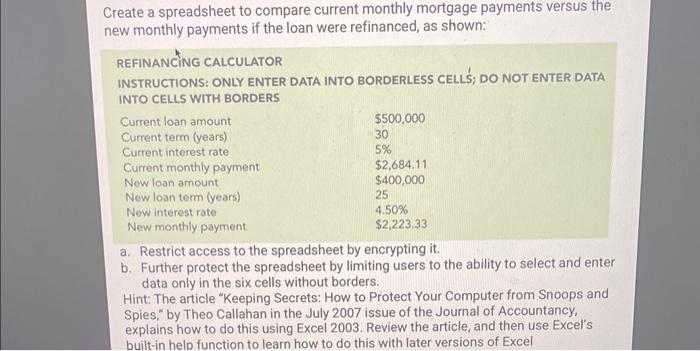
Question: a . Restrict access to the spreadsheet by encrypting it . b . Further protect the spreadsheet by limiting users to the ability to select
a Restrict access to the spreadsheet by encrypting it
b Further protect the spreadsheet by limiting users to the ability to select and enter data only in the six cells without borders. Hint: The article "Keeping Secrets: How to Protect Your Computer from Snoops and Spies," by Theo Callahan in the July issue of the Journal of Accountancy, explains how to do this using Excel Review the article, and then use Excel's builtin help function to learn how to do this with later versions of Excel
Step by Step Solution
There are 3 Steps involved in it
1 Expert Approved Answer
Step: 1 Unlock

Question Has Been Solved by an Expert!
Get step-by-step solutions from verified subject matter experts
Step: 2 Unlock
Step: 3 Unlock
 Study Help