







Question: A Skills Approach: Excel 2016 Chapter 6: Exploring Advanced Functions Challenge Yourself 6.3 (Mac 2016 Version) In this project, you are an accountant for National
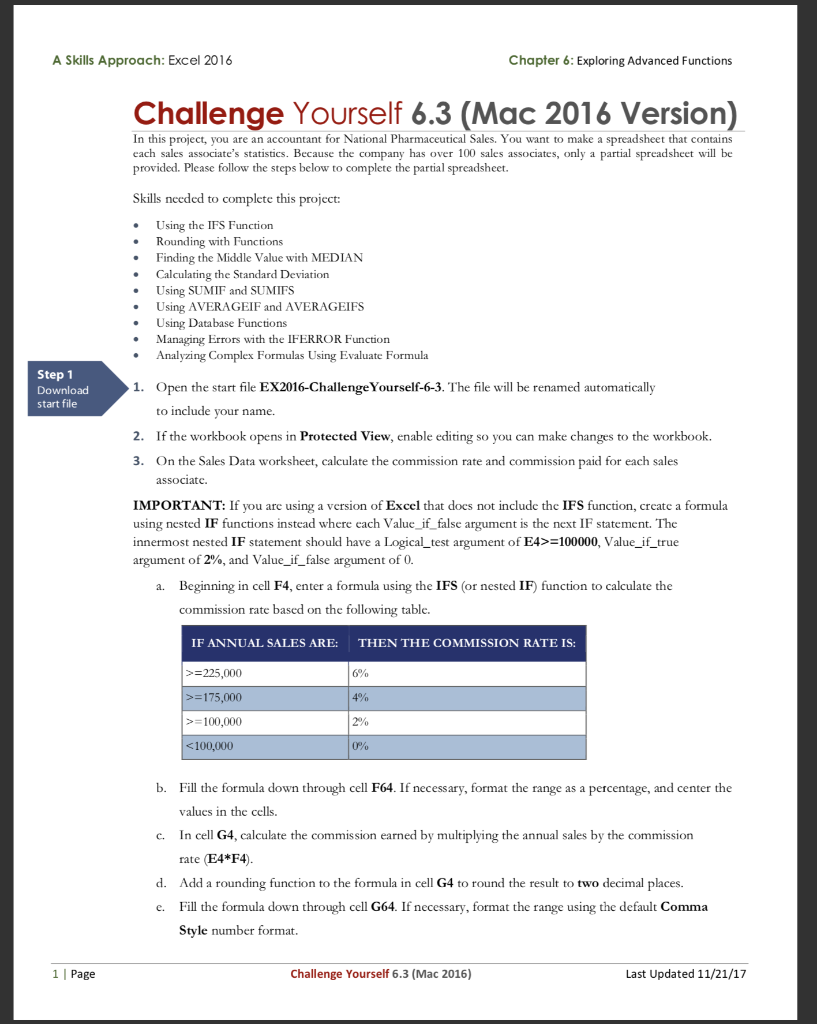
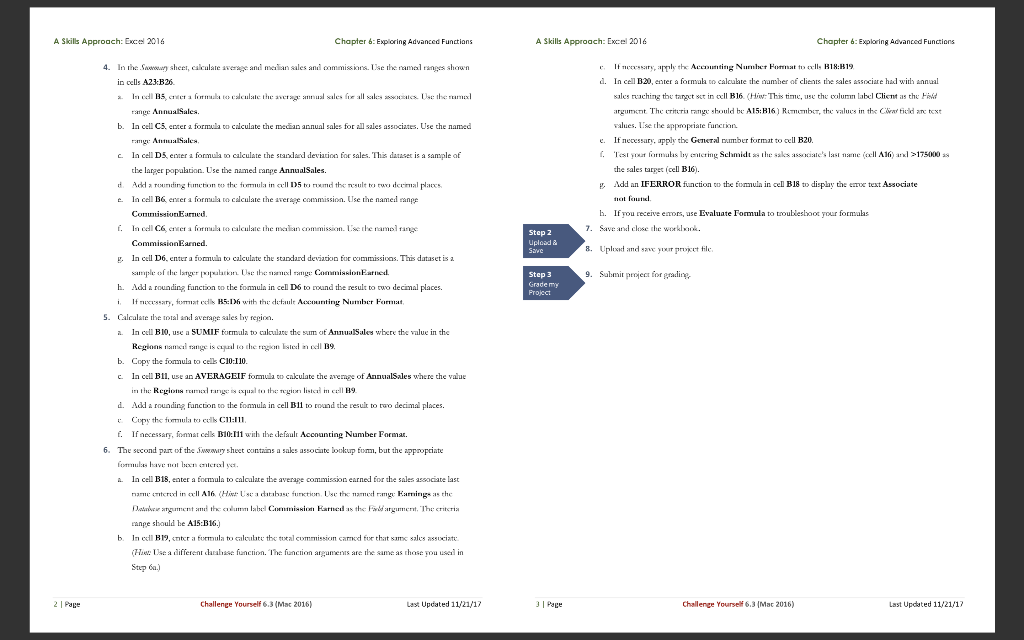
A Skills Approach: Excel 2016 Chapter 6: Exploring Advanced Functions Challenge Yourself 6.3 (Mac 2016 Version) In this project, you are an accountant for National Pharmaceutical Sales. You want to make a spreadsheet that contains each sales associate's statistics. Because the company has over 100 sales associates, only a partial spreadsheet will be provided. Please follow the steps below to complete the partial spreadsheet. Skills needed to complete this project: Using the IFS Function Rounding with Functions Finding the Middle Value with MEDIAN Calculating the Standard Deviation Using SUMIF and SUMIFS Using AVERAGEIF and AVERAGEIFS Using Database Functions Managing Errors with the IFERROR Function Analyzing Complex Formulas Using Evaluate Formula Step 1 Download start file 1. Open the start file EX2016-Challenge Yourself-6-3. The file will be renamed automatically to include your name. 2. If the workbook opens in Protected View, enable editing so you can make changes to the workbook. 3. On the Sales Data worksheet, calculate the commission rate and commission paid for each sales associate IMPORTANT: If you are using a version of Excel that does not include the IFS function, create a formula using nested IF functions instead where each Value_if_false argument is the next IF statement. The innermost nested IF statement should have a Logical_test argument of E4>=100000, Value_if_true argument of 2%, and Value_if_false argument of 0. a. Beginning in cell F4, enter a formula using the IFS (or nested IF) function to calculate the commission rate based on the following table. IF ANNUAL SALES ARE THEN THE COMMISSION RATE IS: 4% >=225,000 >=175,000 >=100,000 =100000, Value_if_true argument of 2%, and Value_if_false argument of 0. a. Beginning in cell F4, enter a formula using the IFS (or nested IF) function to calculate the commission rate based on the following table. IF ANNUAL SALES ARE THEN THE COMMISSION RATE IS: 4% >=225,000 >=175,000 >=100,000
Step by Step Solution
There are 3 Steps involved in it

Get step-by-step solutions from verified subject matter experts
 Study Help