







Question: A5script.py Download A5script.py (1.09 KB) #As signment 5 #Exception handling and decision structures statements #Rework the following code to safely handle errors in user input
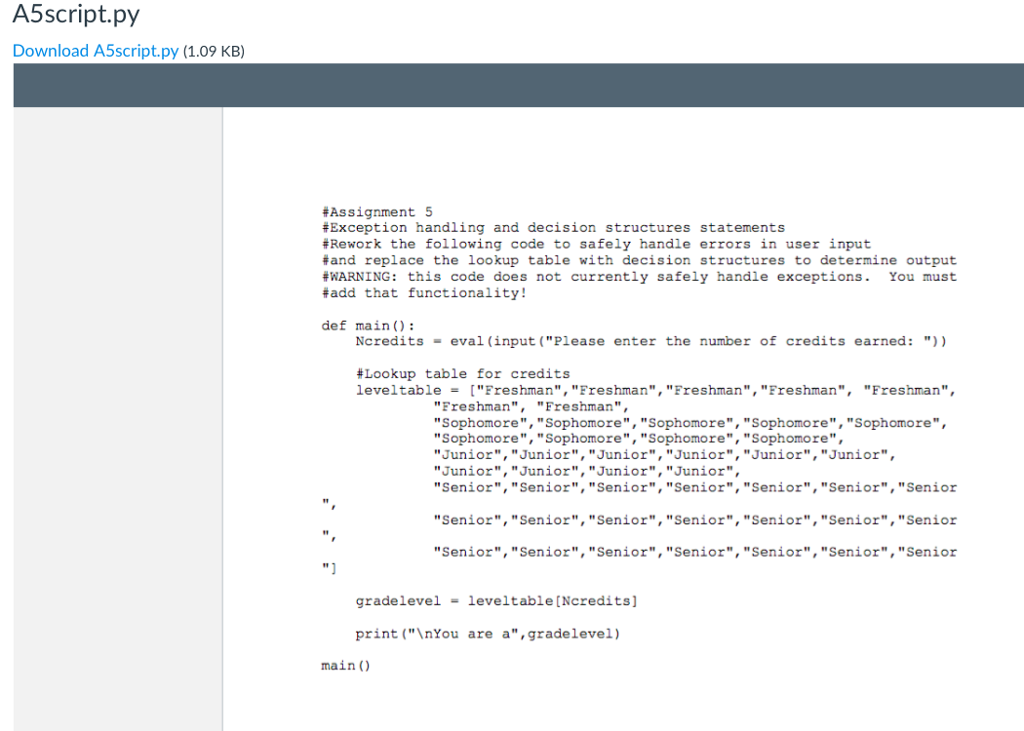
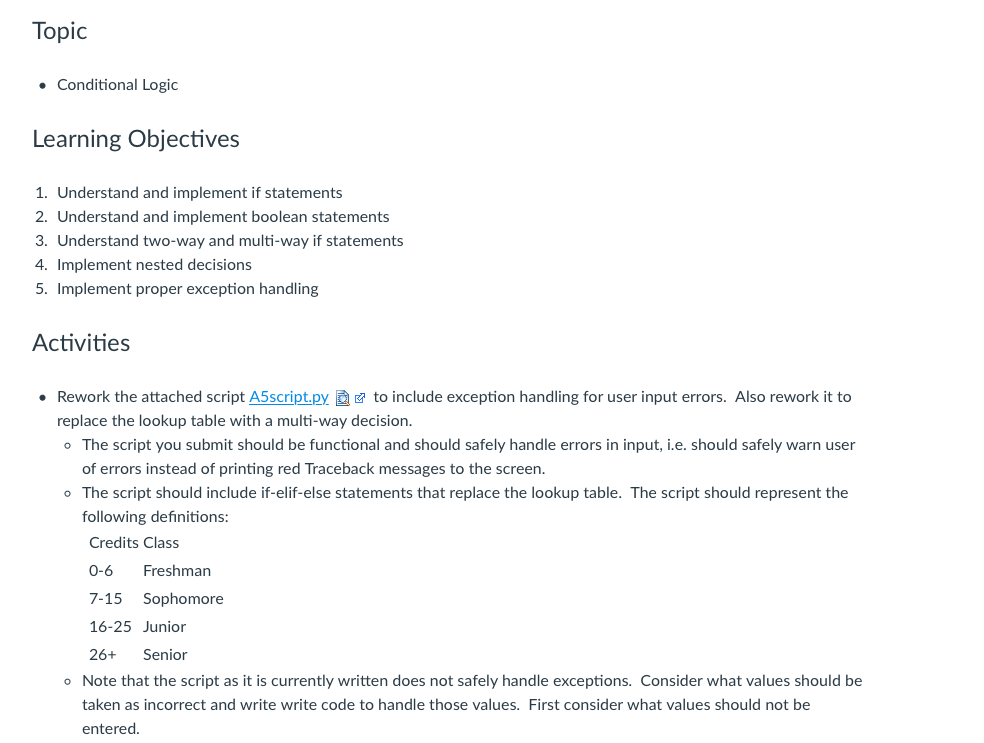
A5script.py Download A5script.py (1.09 KB) #As signment 5 #Exception handling and decision structures statements #Rework the following code to safely handle errors in user input and replace the lookup table with decision structures to determine output #WARNING: this code does not currently safely handle exceptions. You must #add that functionality! def main): Ncredits-eval (input ("Please enter the number of credits earned: ")) #Lookup table for credits leve!table = [ "Freshman", "Freshman", "Freshman", "Freshman", "Freshman", "Freshman", "Freshman", "Sophomore", "Sophomore", "Sophomore", "Sophomore", "Sophomore" "Sophomore","Sophomore", "Sophomore", "Sophomore", "Junior", "Junior", "Junior", "Junior", "Junior", "Junior", "Junior", "Junior", "Junior", "Junior", "Senior", "Senior", "Senior", "Senior", "Senior", "Senior", "Senior "Senior", "Senior", "Senior", "Senior", "Senior", "Senior","Senior "Senior", "Senior", "Senior", "Senior", "Senior", "Senior", "Senior gradelevel-leveltable [Ncredits] print ("InYou are a",gradelevel) main )
Step by Step Solution
There are 3 Steps involved in it

Get step-by-step solutions from verified subject matter experts
 Study Help